For private media listening in a shared home, start with well-fitting over-ear headphones or in-ear buds, then check sound leakage for the exact model: active noise cancelling does not establish how much audio people nearby can hear. If calls or gaming matter most, prioritise microphone performance and the connection your phone, computer or console actually supports. Comfort, device switching and wired or wireless operation can change which format suits you.
Who is choosing headphones for a shared home?
Shared-room media listeners
You watch films or listen to music while someone nearby works, studies or rests. You need a comfortable fit and want to consider both your own isolation and how much sound escapes into the room. Which? assesses sound leakage separately from noise cancelling.
Home callers and hybrid communicators
You move between a laptop, phone and calls at home. The microphone, handling of background sound and behaviour when switching devices matter more than a wireless label alone; Which? advises judging call quality by the specific headphones.
Private-session console gamers
You want game audio and voice chat without room speakers. Check the connection supported by your console and controller, along with the headset microphone and chat functions, before choosing a wired or wireless setup.
What matters when choosing?
Decide whether avoiding disturbance, being understood on calls, connecting to a gaming platform or switching devices is your main priority. Then check the exact model against that use: a feature that helps with one concern does not necessarily settle the others.
| Concern |
What to check |
Who this matters to |
| Sound leakage and isolation |
Look for exact-model leakage and noise-cancelling results as separate measures. Check whether the over-ear fit or supplied in-ear tips suit you. |
I listen while someone else is in the room and do not want my audio to disturb them; around 31% of consumers put this privacy need first. |
| Call clarity |
Check an exact-model microphone or call test, particularly where household background sound may reach the microphone. |
When I join calls from a busy home, I need other people to understand me without repeated interruptions. This is the primary concern for roughly 25% of consumers. |
| Gaming connection and chat |
Confirm the console or controller connection and that game audio and microphone chat work through it; do not assume Bluetooth connects directly to every console. |
I want private game sound and voice chat to work with my own console, so connection compatibility comes first for about 25% of consumers. |
| Switching devices |
For a phone-and-computer setup, check exact-model multipoint support, required setup and what happens when a call arrives on the other device. |
I alternate between listening on a computer and answering my phone, and want fewer manual connection changes; approximately 19% of consumers make this their first priority. |
Buying mistakes to avoid
-
Assuming noise cancelling prevents sound leakage
Active noise cancelling addresses sound reaching the listener; it does not establish how much of your music escapes into a shared room. Which? treats leakage and noise cancelling as separate assessment areas.
Check both results for the exact model, and choose a fit and listening volume appropriate for the room.
-
Choosing for music and assuming calls will be clear
Good music performance does not settle how your voice sounds to someone on a call. Which? reports that call quality depends on the particular headphones, not simply on whether they are wired or wireless.
For frequent calls or voice chat, check an exact-model call test or try the microphone while you can still assess whether the product suits your needs.
-
Assuming Bluetooth connects directly to every console
Console connection methods differ. Xbox says an Xbox One console does not support a direct Bluetooth headset connection; PlayStation Link likewise requires compatible devices for its dedicated wireless connection.
Check your console, controller and intended chat setup against the headset’s stated connection methods before ordering.
-
Overlooking the contents of the box
A wireless model’s charging and wired-listening options depend on what comes with that particular product. Bose lists an audio cable for QuietComfort Ultra Headphones but says a power adaptor is not included.
Check the exact model’s in-box list, charging connector and any cable or adaptor you need.
For Bose QuietComfort Ultra Headphones, an appropriate USB power adaptor is a separate item if you do not already have one.
Relevant brands to consider
Sony
Sony’s WH-1000XM6 is a reference point for over-ear wireless listening with a wired option and two-device switching.
- Sony specifies closed over-ear construction, a detachable 1.2 m cable and multipoint connection for the WH-1000XM6.
- Multipoint requires compatible devices and setup; its presence does not establish the model’s sound leakage or call quality.
Bose
QuietComfort Ultra Headphones are relevant to listeners considering over-ear noise cancelling with an audio cable and two-device Bluetooth connection.
- Bose lists built-in microphones, an included audio cable and Bluetooth multipoint for this model.
- Bose says calls from either connected device can come through and notifications from a second device may interrupt listening; consider whether that behaviour suits your routine.
Apple
AirPods Pro 3 are relevant to people considering compact in-ear listening alongside an iPhone, iPad or Mac.
- Apple lists active noise control, microphones and multiple ear-tip sizes for AirPods Pro 3.
- Apple says AirPods can work as Bluetooth headphones with non-Apple devices, but functionality may be limited. Check the controls and switching you need across your devices.
PlayStation
PULSE Elite is a platform-focused wireless headset to consider for private gaming and voice chat on supported PlayStation Link devices.
- PlayStation lists a retractable microphone and simultaneous PlayStation Link and Bluetooth audio for PULSE Elite.
- Its PlayStation Link connection depends on compatible devices; check the precise console, computer and phone arrangement you intend to use.
Xbox
Xbox’s headset information helps distinguish a wired controller connection from other wireless connection methods.
- Xbox says its Stereo Headset connects through a compatible controller’s 3.5 mm jack without headset batteries.
- Xbox says an Xbox One console does not support connecting a headset directly by Bluetooth; check the connection method for your particular setup.
Joybuy products for private listening and gaming
These choices cover over-ear and in-ear listening, plus wired and wireless gaming headsets. Choose by your main activity and device connection, then check exact-model leakage or microphone results where those will determine whether the headphones suit your shared home.
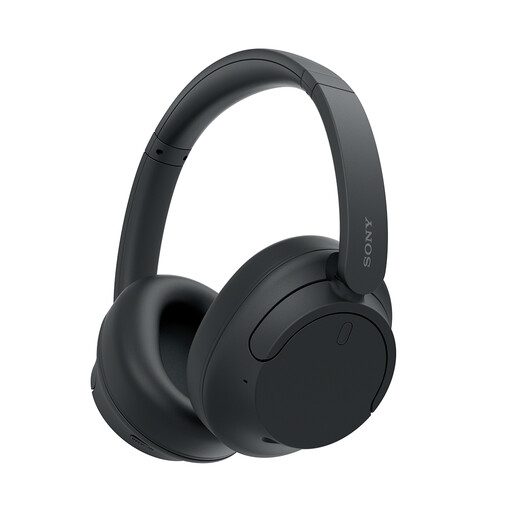 Image unavailable
Sony WH-CH720N Noise-Cancelling Over-Ear Headphones (Black)
Consider this over-ear format for personal media listening in a shared room. The title identifies noise cancelling, but check exact-model sound leakage separately before relying on it to limit disturbance to others.
If you also take calls or switch between devices, confirm microphone results and connection behaviour for your setup.
View on Joybuy
 Image unavailable
Turtle Beach Stealth 600 Gen3 Wireless Headset for PS5, PS4 and PC (Black)
Consider this wireless gaming headset if you play on a listed PS5, PS4 or PC setup and want private game audio. Confirm the connection method and voice-chat functions for your particular device.
If other people share the room, check exact-model sound leakage and microphone performance rather than assuming a gaming label settles either concern.
View on Joybuy
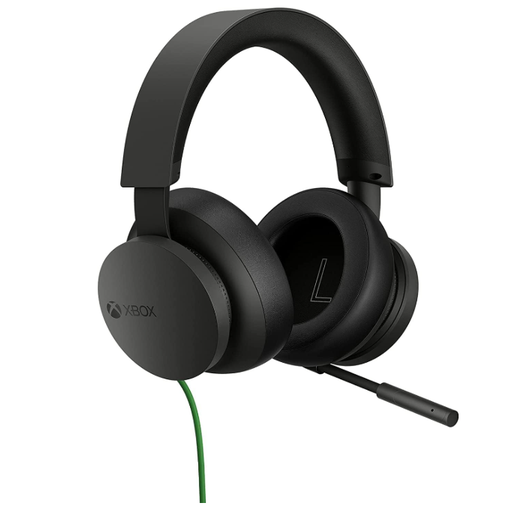 Image unavailable
Official Xbox Stereo Wired Gaming Headset (Black)
Consider this wired headset for Xbox game audio and chat when your controller has the required 3.5 mm jack. Xbox says the Stereo Headset connects through that jack without headset batteries.
The cable restricts movement; check that your controller and intended chat functions support your setup, and assess microphone quality if voice chat is a priority.
View on Joybuy
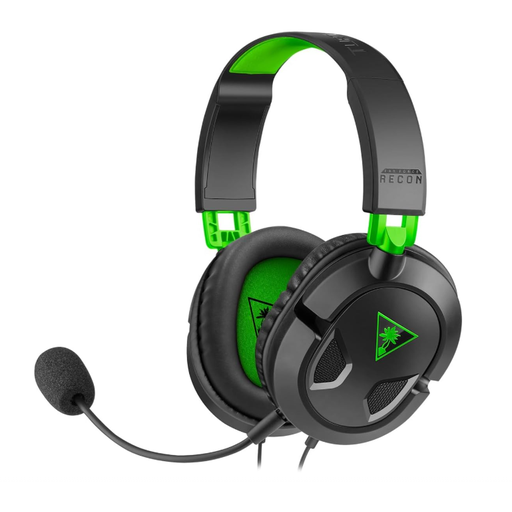 Image unavailable
Turtle Beach Recon 50X Wired Headset for Xbox Series X|S and Xbox One
Consider this wired gaming headset for a listed Xbox setup where a cable suits how you play. Check the connection on your particular console or controller and confirm the chat functions you need.
For frequent voice chat in a shared home, assess exact-model microphone quality and sound leakage separately.
View on Joybuy
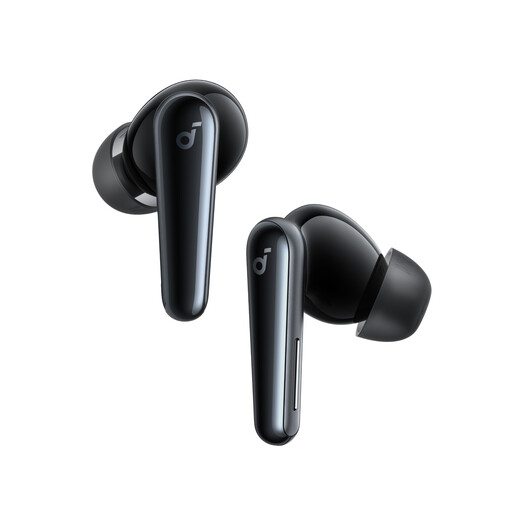 Image unavailable
Soundcore Liberty 5 Wireless Noise-Cancelling Earbuds
Consider this in-ear format when compact personal listening matters more than wearing a full-size headset. Check the fit and exact-model leakage results if someone will be close enough to hear escaping audio.
For calls or games, confirm microphone performance and compatibility with your device. Check the stated battery runtime under the listening settings you plan to use.
View on Joybuy
Frequently asked questions
Does active noise cancelling stop other people hearing my headphones?
No: active noise cancelling does not establish how much audio leaks out to people nearby. Which? assesses noise cancelling and sound leakage separately, so check both for the exact model if you listen in a shared room.
Are wired headphones automatically clearer for calls?
No: the particular microphone and headphone model matter more than the wired or wireless label. Which? recommends considering call performance separately; look for an exact-model call test if household background sound is likely.
Can any Bluetooth headset connect directly to an Xbox One?
No. Xbox says an Xbox One console does not support a direct Bluetooth headset connection. A compatible wired headset can use a controller with a 3.5 mm jack; check the connection and chat support of the headset and controller you plan to use.
Should I turn up the volume to overcome noise at home?
Avoid relying on high volume for long listening sessions. PlayStation’s PULSE Elite safety guide warns against prolonged high-volume listening; check fit and isolation instead, and lower the volume if you cannot hear someone speaking nearby.


