Choose the connection your main device supports, then match the headphones to what you do most at night: wired listening, switching between wireless devices, or gaming with voice chat. Check microphone support in the connection mode you plan to use, and do not assume that noise cancellation or a closed-back design will prevent sound reaching a housemate.
Who needs which setup?
Quiet-room media listener
If you watch lectures or films, or listen to music while others sleep or study, headphones let you avoid playing audio through room speakers. Queen’s University Belfast’s 2024–25 accommodation noise policy asked residents to use headphones rather than speakers or loud games; it is an example of the shared-housing concern, not a rule for every residence.
Late-night caller
If calls or voice chat continue after housemates have settled down, check how the microphone works with your phone or computer. A headset’s call features are useful only if they work in the wired or wireless mode you intend to use.
After-hours console or PC gamer
If you need game audio and team chat together, start with the exact console or computer and its supported connection. Logitech G’s G435 specifications, for instance, list a dedicated LIGHTSPEED connection for PC, Mac, PS4 and PS5 as well as Bluetooth; those modes should not be treated as interchangeable.
What matters when choosing?
Begin with device compatibility and your main late-night activity, then consider comfort and convenience. A feature intended to reduce noise for the wearer is not, by itself, a measure of sound escaping into the room.
| Concern |
What to check |
Who this matters to |
| Keeping audio personal |
Use headphones rather than room speakers; check sound leakage at your normal listening level. |
I want to listen while someone nearby sleeps or studies, without assuming my headphones are inaudible to them. Around 33% of consumers put keeping their playback personal first. |
| Late-night calls |
Confirm microphone input in your chosen connection mode and look for a usable mute control. |
When I call or use voice chat at night, I need the other person to hear me through my planned device setup. Roughly 25% of consumers make reliable calls their primary concern. |
| Gaming connection |
Check the exact platform, whether a receiver is required, and support for both audio and chat. |
I want game sound and team chat on my console or computer without choosing the wrong connection. About 25% of consumers prioritise gaming compatibility and synchronisation. |
| All-evening convenience |
Compare stated weight, charging needs and device-switching support for the models you are considering. |
If I move between study, media and calls, wearing comfort and switching devices affect my routine. Around 17% of consumers place those conveniences first. |
Mistakes to avoid
-
Assuming noise cancellation means no one else can hear
Active noise cancellation addresses sound reaching the listener. Royal Free London NHS Foundation Trust notes that it can help people avoid turning up the volume to overcome surrounding noise; that does not establish how much of your audio escapes into a shared room.
Start at a comfortable low volume and check what another person can hear at your usual listening level before relying on a particular pair for late-night use.
-
Choosing Bluetooth before checking gaming and chat support
A headset may offer both Bluetooth and a dedicated gaming connection, with different device requirements. A connection that plays audio does not automatically establish that your intended microphone setup will work.
Check your exact console, computer or controller against the manufacturer’s compatibility information, including the required receiver, port and chat mode.
If the planned connection is incompatible, using the headset may require a suitable adaptor or a different setup.
-
Turning up the volume to cover household noise
Long, loud listening sessions can increase hearing risk. Turning up the headphones also does not establish that less sound reaches someone nearby.
Keep the volume at a comfortable level and take breaks. If surrounding noise is the problem, assess noise-cancelling features for your own listening comfort rather than treating extra volume as the solution.
Brands to consider for these connections
Sony
The WH-CH720N is an example for listeners considering wireless over-ear headphones with a cable option.
- Sony specifies closed construction, a detachable stereo-mini cable and passive operation for the WH-CH720N.
- Those specifications do not establish low outward leakage, call clarity or gaming latency for this model.
JBL
The Tune 770NC is relevant if moving between two Bluetooth devices and taking calls are priorities.
- JBL lists simultaneous connection to two Bluetooth devices and hands-free calls for the Tune 770NC.
- Check the conditions for its audio and video modes on your devices; a video-mode feature does not establish gaming synchronisation across every setup.
Logitech G
The G435 illustrates a gaming headset with a dedicated wireless route alongside Bluetooth.
- Logitech G lists G435 LIGHTSPEED use with PC, Mac, PS4 and PS5, and specifies integrated beamforming microphones.
- Check the connection mode for your device and chat use. Logitech G’s microphone-noise-reduction claim is not a substitute for assessing call quality on your setup.
Joybuy headphones and headsets
These models cover wireless listening, wired listening and gaming-headset choices for personal audio in shared housing. Choose by your device connection and intended calls or games, then check sound leakage at the volume you actually use.
 No image available
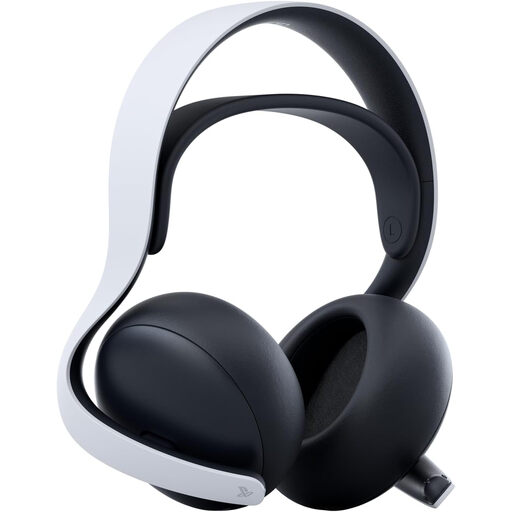
Sony PULSE Elite Wireless Headset (White)
A wireless headset to consider if late-night gaming is your main use. Confirm that your exact gaming device supports the intended audio and microphone connection, and check leakage at your usual volume.
View on Joybuy
 No image available
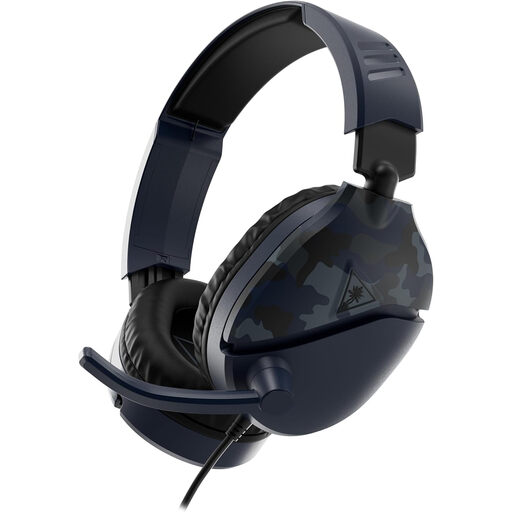
Turtle Beach Recon 70 Gaming Headset (Blue Camo)
For gaming on a listed Xbox, PlayStation, Nintendo Switch or PC setup, check how your particular device connects and whether that connection carries microphone input for chat. The product name lists Xbox Series X|S, Xbox One, PS5, PS4, Nintendo Switch and PC; it does not establish sound leakage in your room.
View on Joybuy
 No image available
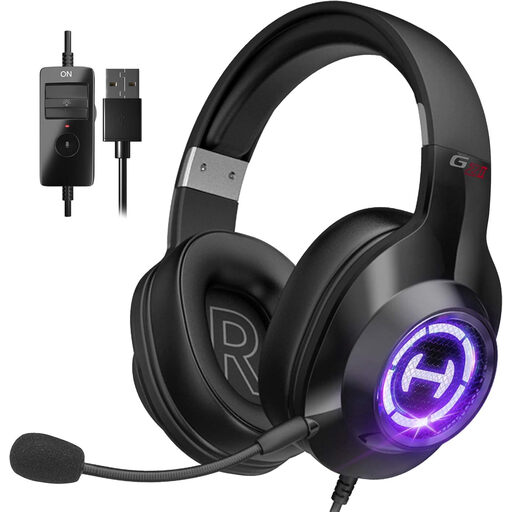
Edifier G2II USB Gaming Headset (Black)
A wired USB option for a gaming setup that supports its audio and microphone connection. Its product name lists PC, PS4 and Mac compatibility, a 50 mm driver and 7.1 surround sound; confirm support on your exact device. Do not choose it for an Xbox setup.
View on Joybuy
 No image available
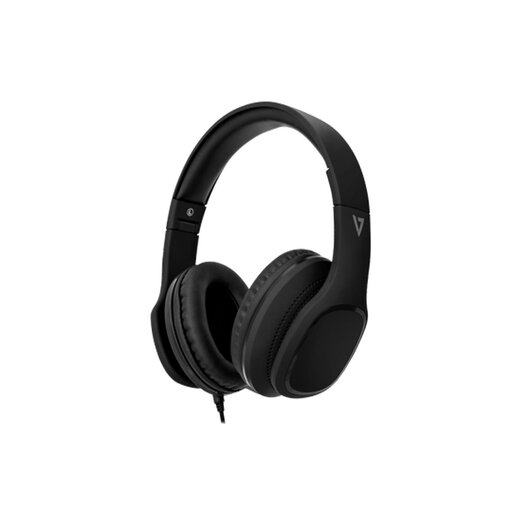
V7 HA701-3EP Wired Over-Ear Headphones
Consider these for calls and media if your device has a compatible connection. The product name specifies 40 mm drivers and an in-line MEMS microphone; confirm that your device’s port accepts microphone input before relying on them for calls.
View on Joybuy
 No image available
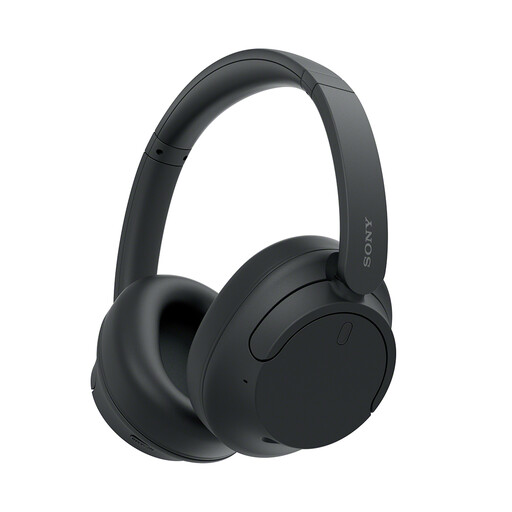
Sony WH-CH720N Noise-Cancelling Headphones (Black)
For personal listening across devices, Sony specifies Bluetooth and a detachable stereo-mini cable with passive operation for the WH-CH720N. If you need wired calls, confirm microphone support through the cable; noise cancellation does not establish how much audio others can hear.
View on Joybuy
Questions before you buy
Will active noise cancellation stop housemates hearing my audio?
Not necessarily: active noise cancellation alone does not establish a headphone’s outward sound leakage. Royal Free London NHS Foundation Trust discusses it as a way to reduce the listener’s urge to turn up the volume in noisy surroundings. Check what can be heard nearby at your normal volume.
Can I assume Bluetooth will work well for games and video?
No; check the exact headset, host device and connection mode rather than treating all Bluetooth setups alike. Logitech G lists a dedicated LIGHTSPEED gaming connection separately from Bluetooth on the G435, while JBL describes a video mode for the Tune 770NC. Confirm compatibility and assess synchronisation on the setup you intend to use.
How do I choose a connection for my laptop, phone or console?
Start with the ports and wireless modes supported by your exact device, then check whether the chosen route carries microphone input if you need calls or chat. Sony specifies a stereo-mini cable and passive operation for the WH-CH720N; Logitech G lists G435 LIGHTSPEED support for PC, Mac, PS4 and PS5. Do not assume that a cable, adaptor or wireless receiver works across platforms.
What should I do during a long late-night listening session?
Keep the volume at a comfortable level and take breaks rather than increasing it to cover household noise. If you are considering noise cancellation, assess it for your own listening comfort; it does not replace checking whether your audio disturbs someone nearby.


