What matters when choosing?
Decide whether playback is primarily private or communal before comparing connections and extra features. For mixed use, check the personal and room-listening arrangements separately rather than expecting one device to cover both.
| Concern |
What to check |
Who this matters to |
| Private listening |
Choose a headphone or earbud format you would use at home; for wireless models, check the battery rating in the mode you need. |
If other people need quiet or want different content, I need to hear my own audio without playing it across the room. Around 33% of consumers put private listening first. |
| Shared-room playback |
Check the intended music and radio services, playback controls and, for a smart speaker, household profiles and privacy settings. |
When we want to listen together, everyone needs access to the room’s audio without relying on one person’s headphones. Shared playback is the primary need for around 33% of consumers. |
| Source compatibility |
List the phones, computers, televisions and services you will use; check the exact Bluetooth, wired, Wi-Fi or app requirements. |
I move between existing devices and do not want to discover that a preferred source cannot connect. For around 20% of consumers, fitting those sources is the deciding concern. |
| Calls and uninterrupted use |
For personal devices, compare call-time with music-time ratings and check microphone, charging and any required low-delay mode. |
Calls or long listening sessions are difficult if my device needs charging at the wrong time; around 14% of consumers place dependable personal use first. |
Wired headphones are worth considering if a compatible output or adapter gives you the private connection you need without relying solely on Bluetooth pairing. For a room, a smart speaker adds account and voice-control decisions; a compact speaker paired with separate headphones keeps shared and private listening distinct.
Relevant brands to consider
These examples illustrate features to check on particular product lines, not a judgement about every device a brand makes.
Sony
The WH-1000XM6 illustrates private wireless over-ear listening with an optional wired route.
- Sony lists multipoint, a stereo mini-jack input and passive operation for this model.
- Sony rates music playback at up to 30 hours with noise cancelling on or 40 hours with it off; communication has separate ratings. Check the conditions relevant to your use.
Sonos
The Era 100 is an example of a compact speaker for shared-room playback.
- Sonos lists Wi-Fi, Bluetooth and an option to connect an auxiliary source.
- Line-in requires the Sonos Line-In Adapter, while setup requires the Sonos app and Wi-Fi.
Apple
AirPods 4 illustrate portable personal listening for someone considering earbuds alongside an Apple-centred device setup.
- Apple lists up to five hours of listening on one charge and up to 30 hours with the charging case.
- Apple says a USB-C charging cable and power adapter are not included with AirPods 4; check the exact version and your devices before buying.
Bose
The QuietComfort Ultra Headphones (2nd Gen) illustrate rechargeable private over-ear listening with a cable option.
- Bose lists a built-in microphone, an audio cable and up to 30 hours of battery life for this model.
- Its stated 15-minute charge for up to three hours of use is a model-specific specification, not a measure of call quality or a comparison with other headphones.
Joybuy product choices
These options cover personal listening with wireless or wired headphones and communal listening with tabletop speakers. Choose the route that fits your household first, then check the exact device connections and setup requirements.
 No image available
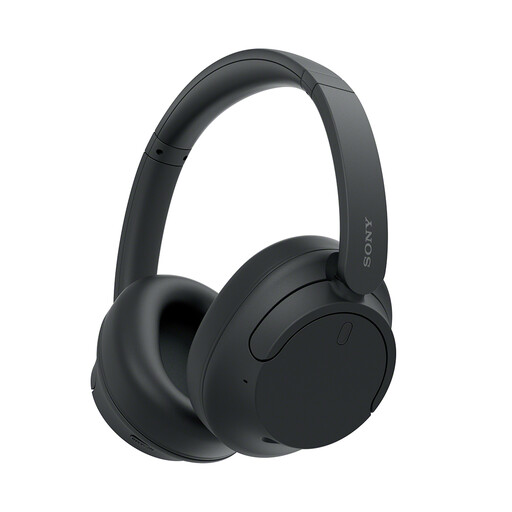
Sony WH-CH720N noise-cancelling over-ear headphones, black
Consider these for personal listening when playing audio into a shared room would disturb others. Check that the connections and battery conditions suit your source devices and listening routine.
View on Joybuy
 No image available
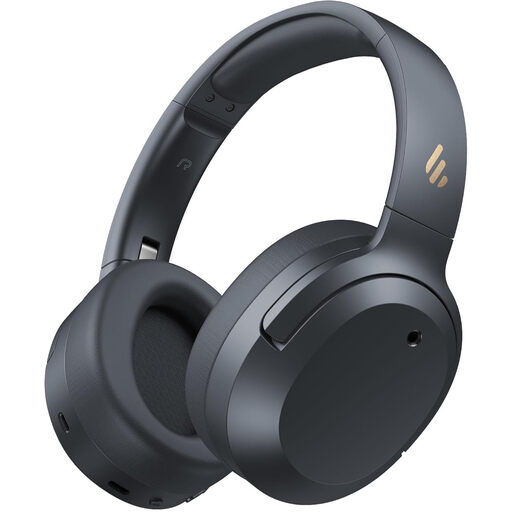
Edifier W820NB Plus wireless over-ear headphones
These are a personal-listening option where a wireless over-ear format appeals. Confirm whether the item is the W820NB Plus or W820NB Plus Gen 2 before relying on variant-specific features, battery figures or compatibility.
View on Joybuy
 No image available
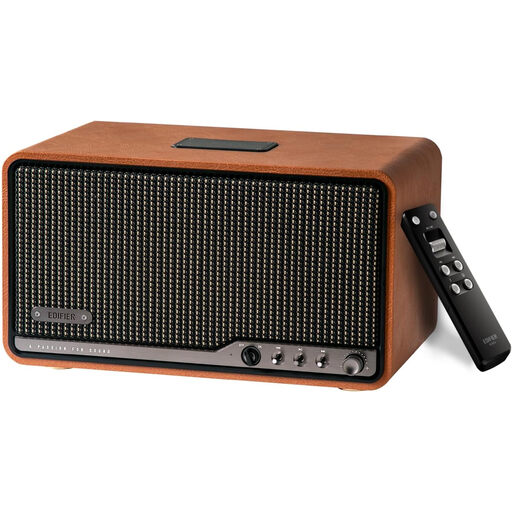
Edifier S300 wireless multi-room tabletop speaker, brown
This tabletop speaker is a choice for audio intended to be heard in a shared room. Check how its multi-room setup works with your household’s devices and app; use a separate personal device when private listening is needed.
View on Joybuy
 No image available
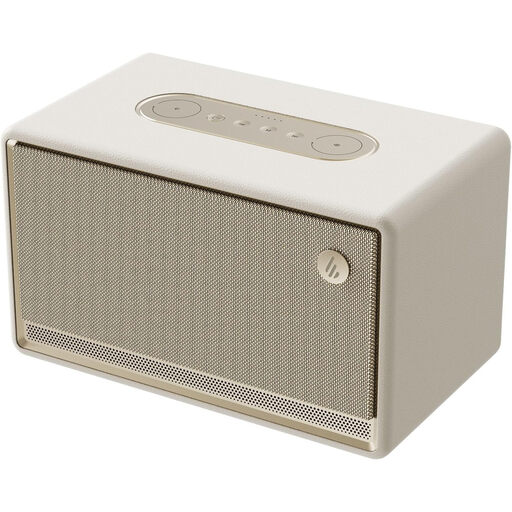
Edifier ES300 wireless tabletop speaker, ivory
Consider this for communal room playback rather than personal listening. The product name specifies Bluetooth 5.3 and 12-hour playtime; check the playback conditions and whether its other connection and app options work with your devices.
View on Joybuy
 No image available
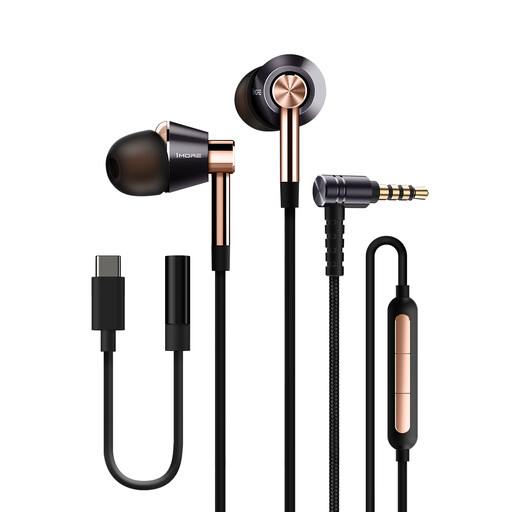
1MORE E1001 Triple Driver wired in-ear earphones, gold
These offer a personal wired route when you do not want Bluetooth pairing to be the only option. The product name specifies a MEMS microphone; confirm the cable connector fits your source device or an appropriate adapter before buying.
View on Joybuy
Common questions
Should we get headphones or a speaker first?
Get headphones first if avoiding disturbance or keeping programmes personal is the priority; choose a speaker first if the intended listening is communal. If both are routine, separate devices address the two uses more directly than asking one speaker to provide private listening.
Can everyone use their own music account on a smart speaker?
Personal accounts can work on some setups, but the rules depend on the ecosystem and service. Google says each person can link one account per streaming service on a shared speaker and describes personalised media through Voice Match; Amazon says individual Alexa experiences require profiles created on the same Alexa Account. Check the exact speaker, subscription and household setup.
Which smart-speaker privacy controls matter in a shared room?
Check what information the speaker collects and shares, its app permissions, security-update support and available microphone controls. The Information Commissioner’s Office identifies a physical control that stops voice-data gathering as a feature some households may want.
What product marking should I check when buying audio equipment?
Check the marking applicable to the product and where it will be supplied. The Department for Business and Trade says CE marking continues to be recognised where applicable alongside UKCA for the Great Britain market; Northern Ireland can have different requirements. A marking does not establish that the device will work with your particular audio setup.
How should unwanted headphones or speakers be disposed of?
Use an appropriate collection route for electrical products and batteries rather than household rubbish. GOV.UK advises keeping unwanted electrical equipment and batteries out of household rubbish; check local collection instructions for a device with a non-removable battery.


