What to check before buying
For a journey involving a seatback screen, check the operating aircraft’s connection first. Then decide whether switching devices, wearing the headphones for a long session or keeping the setup simple matters most to you.
| Concern | What to check | Who this matters to |
|---|
| Seatback connection |
Confirm the operating aircraft and cabin’s screen connection, then check whether your plug fits it or an adapter is needed. |
If the aircraft screen is my main source of entertainment, I need a connection I can use rather than relying on Bluetooth permission alone. Around 36% of consumers put seatback connection certainty first. |
| Two-device use |
Check the headphone’s wired option, cable ends and Bluetooth use with your personal device. |
When I switch between my tablet and the aircraft screen, I want a workable route for each. Around 29% of consumers primarily value that flexibility. |
| Long-session practicality |
Try the fit where possible; check the carrying arrangement and the stated battery runtime for your intended mode. |
For a long journey, I need headphones I can wear and manage throughout the trip. Around 21% of consumers make long-session practicality their primary concern. |
| Wired simplicity |
Confirm the socket and cable compatibility, including whether the cable reaches from the seat. |
I would rather avoid pairing or charging for seatback listening, provided the wired connection fits. Around 14% of consumers put that simplicity first. |
Headphones to consider on Joybuy
These wired and wireless models are options for personal listening while travelling. Before relying on any of them for a seatback screen, confirm the operating aircraft’s audio connection and the cable or adapter you would use.
 No image available
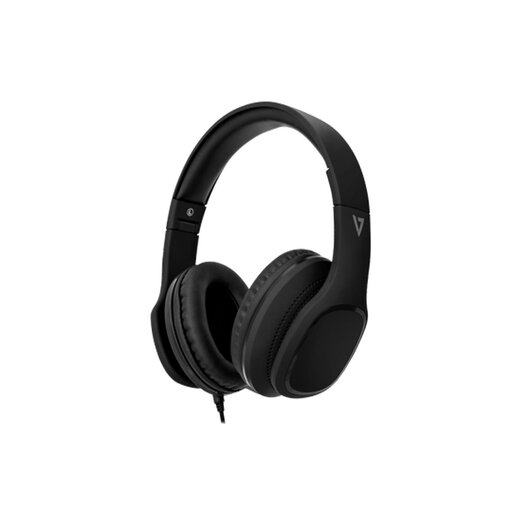
V7 HA701-3EP wired over-ear headphones
A wired option for travellers who can confirm a compatible aircraft output. The product name specifies 40 mm drivers; check the cable ends and reach before relying on it at your seat.
View on Joybuy
 No image available
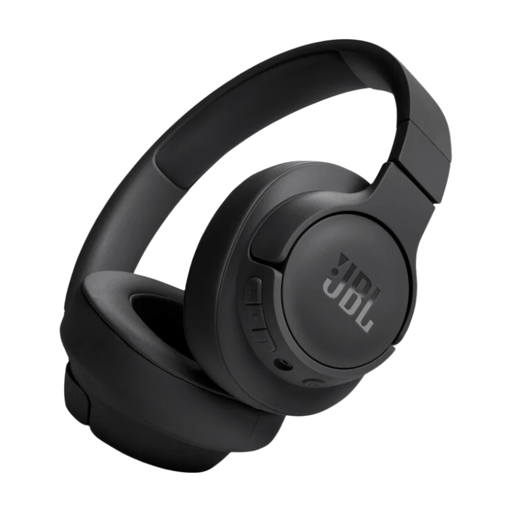
JBL Tune 720BT wireless over-ear headphones, Black
A wireless option for listening on your own device where the airline permits it. If you also want to use a seatback screen, check the wired connection and both cable ends rather than assuming the screen supports pairing.
View on Joybuy
 No image available
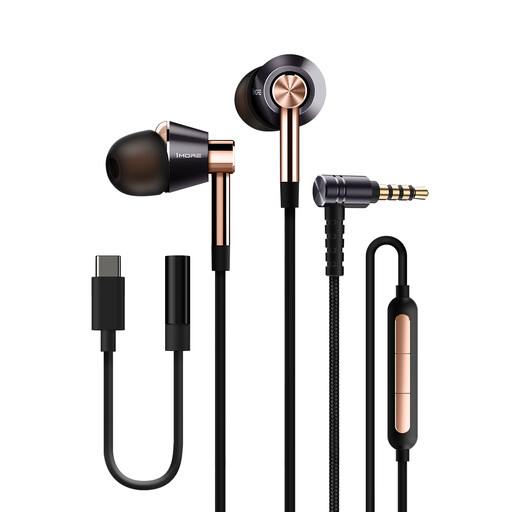
1MORE E1001 Triple Driver wired in-ear earphones, Gold
A wired in-ear option if you prefer that form factor for travel. Confirm the aircraft output before relying on a direct connection or choosing an airline adapter.
View on Joybuy
 No image available
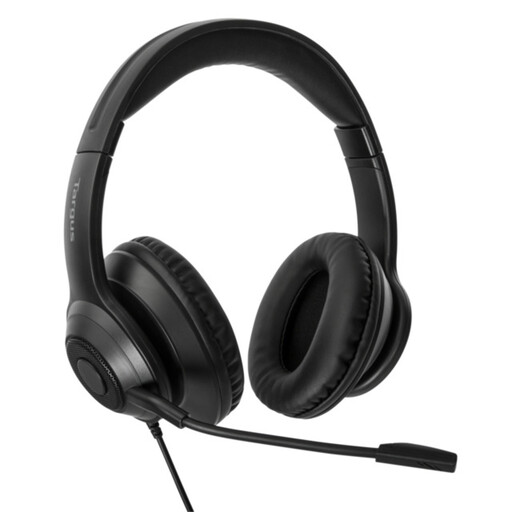
Targus Wired Stereo Headset
A wired headset to consider when you want to avoid Bluetooth pairing for listening. Check its plug against the aircraft output and make sure the cable will reach from your seat.
View on Joybuy
Common questions
Can I use Bluetooth headphones during a flight?
Yes, subject to the operating airline’s instructions and restrictions during particular flight phases. British Airways says Bluetooth devices may be used during the flight but must be switched off for taxi, take-off and landing; Virgin Atlantic permits Bluetooth headphones with your own devices during the flight but requires them to be switched off for take-off and landing. Follow the cabin crew’s instructions.
Will Bluetooth headphones pair with the seatback screen?
Only if that aircraft’s entertainment system offers compatible pairing. Virgin Atlantic describes Bluetooth-enabled entertainment on its A330neo, but permission to use headphones with your own device does not establish screen pairing on other aircraft. Check the operating aircraft and cabin.
When would I need an airline headphone adapter?
You need an adapter when the aircraft’s audio output cannot accept your headphone cable directly and a compatible adapter provides the required connection. Check the seat output and both sides of the adapter before buying one; Sennheiser’s MOMENTUM 4 Wireless adapter being model-compatible does not mean every flight requires it.
What should I pack with my headphones?
Pack the analogue cable that fits your model, a charging cable if you intend to use wireless features, and an adapter only if you have confirmed that it fits the aircraft connection. Check the operating airline’s electronic-device guidance too; GOV.UK notes that airlines may apply different hand-luggage restrictions.


