What to check before buying
For seat-back entertainment, establish the outlet type first, then decide whether you need a wired headset, a cable for wireless headphones, an adapter or a transmitter.
| Concern |
What to check |
Who this matters to |
| A wired fallback |
Confirm that the seat has a compatible 3.5 mm audio socket and that your headphones have the right cable and plug. |
I want to start watching without pairing another device, so a compatible wired connection is my priority; around 31% of consumers put that need first. |
| Using wireless headphones at the seat |
Check that the exact headphone model supports analogue listening and identify the cable’s headphone-side and seat-facing connectors. |
I use wireless headphones with my own devices and want to keep using them for seat-back films; roughly 25% of consumers prioritise that cable fallback. |
| A confirmed two-jack outlet |
Check that both seat connections are audio jacks, then choose an adapter specified for a two-prong airline output and a 3.5 mm headphone socket. |
If my seat has two audio jacks, I need my wired headphones to fit that outlet rather than a single socket; around 31% of consumers place this adaptation first. |
| Wireless listening from seat audio |
Confirm a usable analogue output, transmitter-to-headphone pairing and the operating airline’s current device-use instructions. |
I prefer to listen without a cable running to my headphones, even though that adds a device to charge and pair; about 13% of consumers make this their primary need. |
Joybuy headphone choices
These wired headsets and wireless headphones with a cable-listening route are choices to consider for seat-back audio. Check your flight’s outlet and each model’s cable arrangement before choosing; an aircraft adapter or transmitter is a separate decision.
 No image available
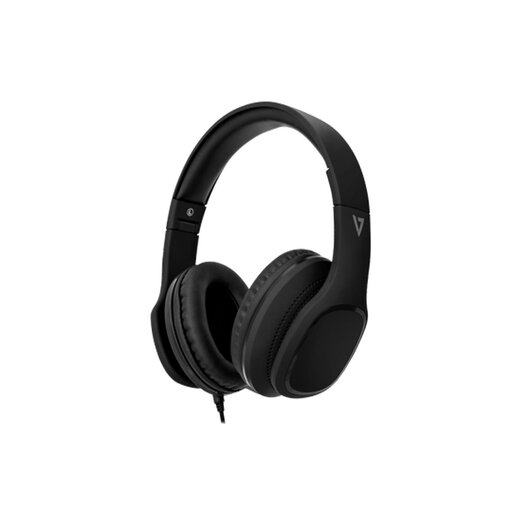
V7 HA701-3EP wired over-ear headphones, 40 mm drivers
Consider these for a wired seat-back connection if the seat outlet and headphone plug match. The product name specifies 40 mm drivers and an inline MEMS microphone; neither feature determines aircraft-socket compatibility.
View on Joybuy
 No image available
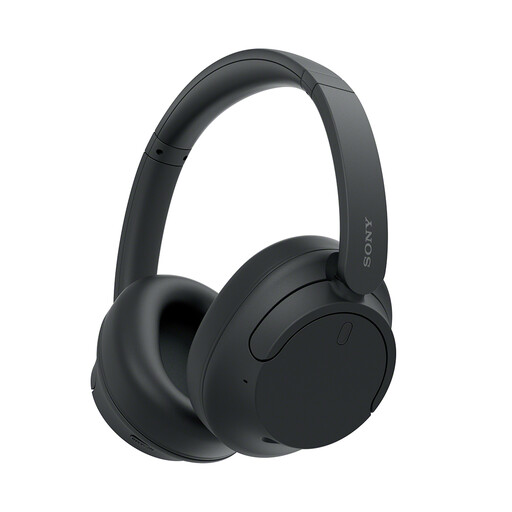
Sony WH-CH720N noise-cancelling over-ear headphones (Black)
Consider this model if you want wireless headphones for your own devices and a cable option for a compatible seat outlet. Check the cable connection before travel and confirm whether wired playback works with the headphones switched off if you need an uncharged fallback.
View on Joybuy
 No image available
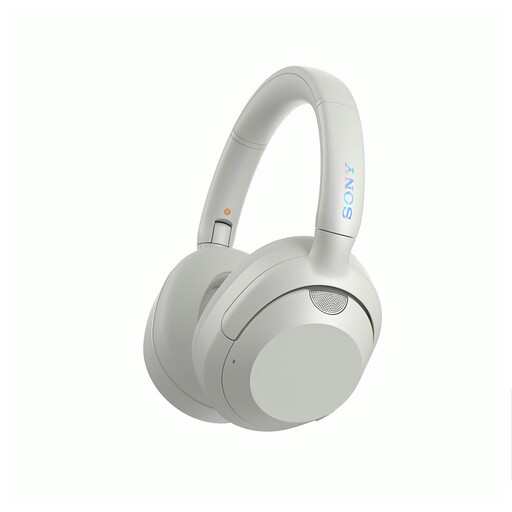
Sony WH-ULT900N ULT Wear noise-cancelling over-ear headphones (Off-White)
This is another wireless-headphone choice to assess if you want a cable route for seat-back viewing. Confirm that the cable fits the seat outlet, and check wired playback with the headphones switched off if that matters for your trip.
View on Joybuy
 No image available
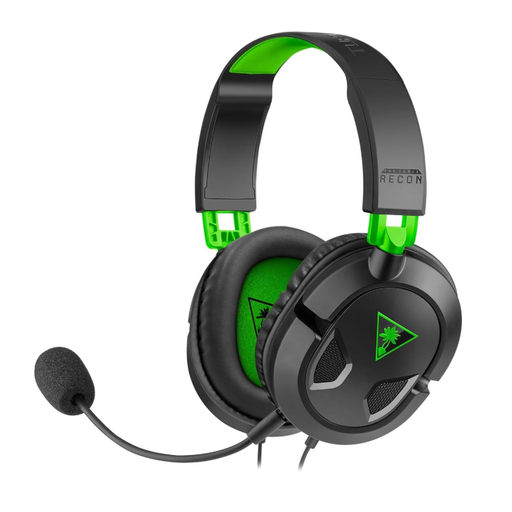
Turtle Beach Recon 50X wired headset (Xbox Series X or S, Xbox One)
A wired headset may suit you if you prefer not to rely on pairing or charging for seat-back listening. This model is presented as a gaming headset; check its plug against the seat outlet and assess its fit for the time you expect to wear it.
View on Joybuy
 No image available
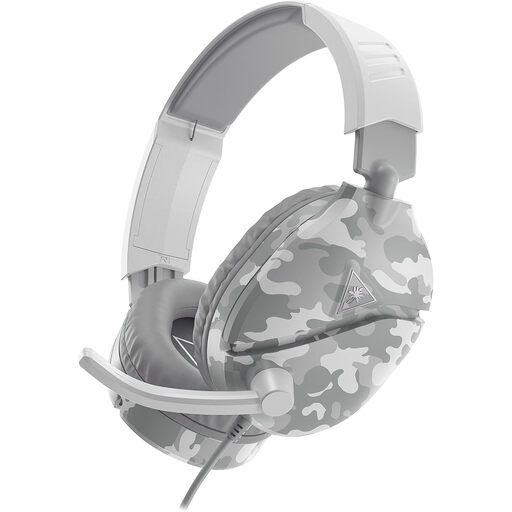
Turtle Beach Recon 70 wired headset (Camo White; PS5, PS4, Xbox Series X or S, Xbox One)
Consider this wired gaming headset only after checking that its plug matches the seat audio outlet. If the socket is far from where you will sit, confirm that the cable reaches comfortably before relying on it for the flight.
View on Joybuy
Common questions
Will Bluetooth headphones pair directly with any seat-back screen?
No: direct pairing depends on the aircraft entertainment system. Emirates describes Bluetooth headphone pairing on its latest A380 aircraft, with availability dependent on the aircraft and configuration. Check the operating airline’s information for your flight rather than treating permission to use Bluetooth headphones as confirmation of screen pairing.
When do I need a dual-prong airline adapter?
Use one when your seat has a matching two-jack audio outlet and your headphones need a standard 3.5 mm socket. Bose’s connection instructions say a single 3.5 mm audio jack needs no adapter, while a two-jack audio layout calls for a dual-plug adapter; check that neither connection is a separate power jack.
Can a Bluetooth transmitter replace a headphone cable on a flight?
It can provide a wireless route only if the seat has a usable analogue audio output, the transmitter pairs with your headphones and its use follows the operating airline’s instructions. Airline guidance about Bluetooth headphones alone does not confirm permission for every transmitter, so check the carrier’s current rules and follow cabin-crew directions.
What if I cannot confirm the seat outlet before travelling?
Take headphones with a documented analogue cable option if you can, but do not assume a dual-prong adapter will fit. Ask the operating airline about the aircraft and cabin entertainment connections; the layout may differ from the arrangement you expected when booking.


