What to check before buying
Start with the route you will use most often: a fixed wired desk setup, a wireless computer-and-phone setup, or a portable over-ear or earbud option. Then check the microphone, connection method and wearing comfort for your own call routine.
| Priority |
What to check |
Your needs |
| Clear outgoing voice |
Look for a positionable boom microphone and model-specific call-microphone information. Beamforming or multiple-microphone processing may help with background noise, but check the exact model. Do not use music reviews or ANC alone as a proxy for call quality. |
I want people on the call to understand me when someone nearby is talking, working or moving around. |
| Noise for both sides of the call |
Separate passive isolation or ANC for the wearer from microphone noise reduction for the remote listener. Check whether your meeting app offers adjustable background-noise suppression, then test the headset microphone in the room where you will call. |
I need to hear the conversation without turning the volume up, while reducing the household sound that reaches other participants. |
| Connection and app setup |
Match USB-A, USB-C or 3.5 mm connections to your device. For wireless models, check the exact receiver, Bluetooth and operating-system requirements. Select the headset as both speaker and microphone in the meeting app before an important call. |
My laptop or phone needs to recognise the intended microphone and speaker reliably, with controls that suit my meetings. |
| Comfort and power |
Compare stated talk-time conditions rather than relying on a maximum figure. For wired models, consider cable length, controls and cushion fit; for earbuds, fit can affect both comfort and call performance. |
I need something I can wear through consecutive calls or classes without charging surprises or pressure points becoming distracting. |
Joybuy headset options
Joybuy product options for shared-home work or study calls, covering wired boom-microphone headsets, over-ear call-focused headphones and a wireless call headset.
 No image available
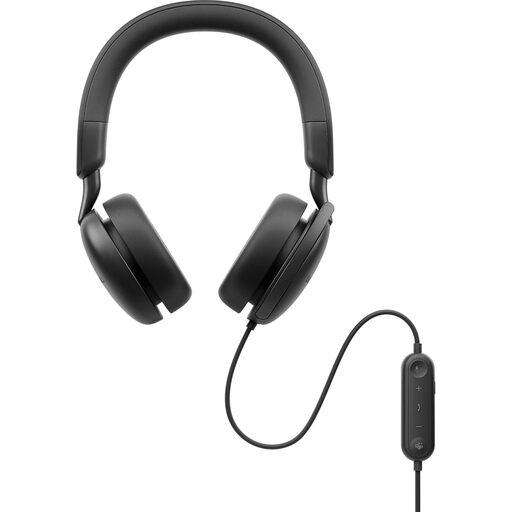
DELL Pro Plus Wired ANC Headset WH5024
A wired option for desk-based calls where a boom microphone, in-line controls and no battery management are useful.
The listing states a rotating beamforming boom microphone, flip-to-mute, USB-C connectivity and a USB-A adapter, plus replaceable memory-foam cushions.
ANC concerns incoming sound for the wearer; make a recording or meeting-app test to assess outgoing microphone performance in your room. Confirm that your computer and Teams or Zoom setup recognise the microphone.
Joybuy
 No image available
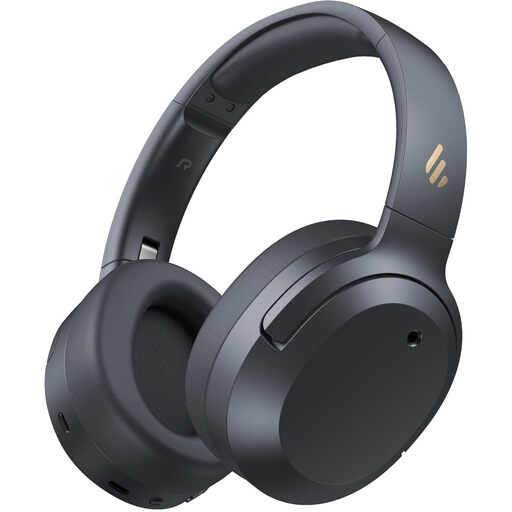
Edifier W820NB Plus Wireless Over-Ear Headphones
An over-ear choice for a laptop-and-phone routine where stated two-device multipoint and separate listening and call features matter.
The product name lists Bluetooth 6.1, multipoint, USB-C wired connection, LDAC Hi-Res Audio, spatial sound and memory-foam ear cushions. The listing separately claims hybrid ANC and AI clear calls.
Check whether wired mode supports microphone use with your computer and meeting app. Multipoint alone does not confirm microphone behaviour in call software.
Joybuy
 No image available
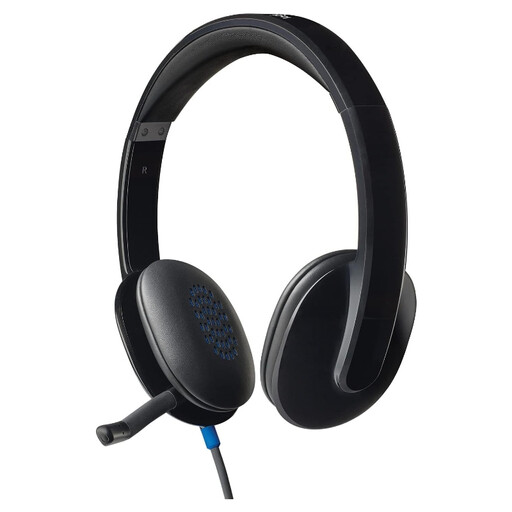
Logitech H540 Wired Headset
A fixed-desk USB headset for calls or online lessons where avoiding Bluetooth pairing and charging is helpful.
The listing states a tuckable noise-cancelling boom microphone, in-line volume and mute controls, an LED mute indicator, padded headband and soft earcups. It also lists compatibility with Windows, macOS and ChromeOS.
Check that your computer has a compatible USB port and select the headset as both speaker and microphone in the meeting app. Test its microphone with your usual household noise.
Joybuy
 No image available
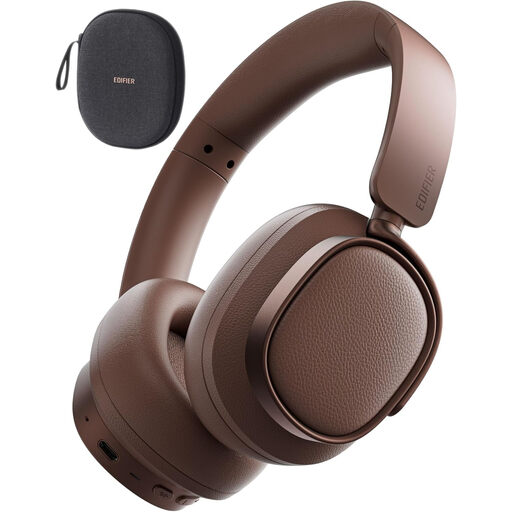
Edifier ES850NB Active Noise Cancelling Headphones
An over-ear wireless option for mixed home work and personal listening where call-related noise processing is stated separately from ANC.
The product name lists Bluetooth, wired and wireless modes, fast charging and clear calls. The listing states AI environmental noise suppression for calls, hybrid ANC, multipoint, foldability and memory-foam ear cushions.
Confirm whether wired mode carries microphone audio for your computer and meeting app. The stated maximum playback figure is not a guaranteed duration for a day of calls.
Joybuy
 No image available
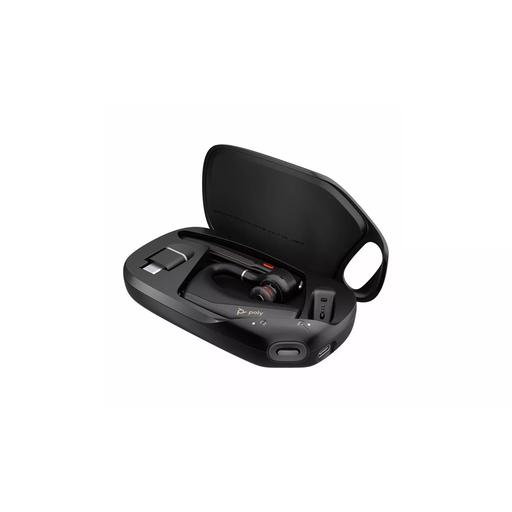
HP Poly Voyager Legend 50-M UC Bluetooth Headset
A lightweight wireless call route for users who move around the home and want on-ear call controls with a boom microphone.
The listing states Bluetooth pairing, USB-C charging, mute, call and volume controls, a secure-fit design, Poly NoiseBlock and WindSmart background-noise processing, plus UC-platform optimisation.
Confirm the computer connection route, whether a USB receiver is included and whether multipoint is available for your laptop-and-phone setup. Check that battery talk time suits your usual meetings.
Joybuy
Frequently asked questions
Does active noise cancellation make my voice clearer to people on a call?
Not necessarily. ANC primarily reduces environmental sound for you, the wearer; for shared-home calls, check the microphone design and any explicit microphone-noise-reduction or beamforming claim separately. Which? found that strong music sound does not reliably predict strong call quality.
Should I buy Bluetooth headphones or a USB headset for Zoom calls?
Either can work, but test the exact setup you plan to use. Zoom says Bluetooth headphones can act as both speaker and microphone, while warning that other participants may hear lower-quality microphone audio; a wired USB headset or USB receiver can be simpler when dependable computer calling matters more than portability.
Can I assume Bluetooth multipoint will work with my laptop and phone?
No. Check the exact model and variant, including receiver details, operating-system support and any app settings needed to enable two-device use. A Windows computer also needs Bluetooth hardware or a compatible USB Bluetooth adapter.
How should I test a new headset before an important meeting or lesson?
Connect the intended headset, explicitly select it as both speaker and microphone in the meeting app, then use its test function or make a recording. Zoom offers a speaker-and-microphone test that lets you change the selected device if either part fails.
What product marking should I expect for a headset sold for use in the UK?
For Great Britain, GOV.UK guidance dated 31 March 2026 lists UKCA or CE marking for electrical, electromagnetic compatibility and radio equipment. Northern Ireland follows a separate regime in the same guidance, so do not automatically apply a Great Britain conclusion to Northern Ireland listings.


