What to check before buying
Start with the microphone and connection method, then confirm that the headset works with the computer, call app and room where you normally speak.
| Priority |
What to check |
Your needs |
| Outgoing voice clarity |
Look for an adjustable boom, directional or noise-cancelling microphone design. Select the headset as the microphone in Teams or Zoom and make a test call. |
I want people to hear me clearly when conversations, keyboards or household noise are nearby. A boom places the microphone closer to the mouth than a typical built-in headphone microphone. |
| Hearing the meeting |
Consider closed ear cushions for passive isolation, or ANC where persistent room noise affects concentration. Check whether you need to remain aware of people around you. |
I need to follow speech without the room overwhelming the call. ANC affects what I hear, while microphone design matters separately for what other participants hear. |
| Teams and Zoom compatibility |
Check the exact wired, receiver or Bluetooth version; operating-system support; and whether call buttons are supported by the installed app. Microsoft Support and Zoom Support note that controls vary by device and connection method. |
I need the headset to work as both speaker and microphone on my actual computer. Physical answer, mute and volume controls are useful only when the device and app combination supports them. |
| Comfort and call duration |
Compare cushion style, headband fit, cable constraints and charging routine. For wireless models, treat stated talk time as a guide rather than a promise for every setup. |
I want a headset I can wear through repeated calls without choosing solely on battery claims. A wired model removes charging from the routine but keeps me at the desk. |
Joybuy headset options
Joybuy headset options for desk-based and mobile video calls in shared spaces, including wired USB, wireless receiver and call-focused noise-reduction designs.
 No image available
Poly Blackwire 3220 Stereo USB-C Headset with USB-C/A Adapter
A wired option for fixed-desk Teams or Zoom calls where avoiding Bluetooth pairing is useful.
The listed adjustable noise-cancelling microphone, stereo design and USB-C connection with USB-A adapter suit shared-room computer calls. Wired use limits movement away from the computer, and call-button behaviour should be checked in the installed app.
View on Joybuy
 No image available
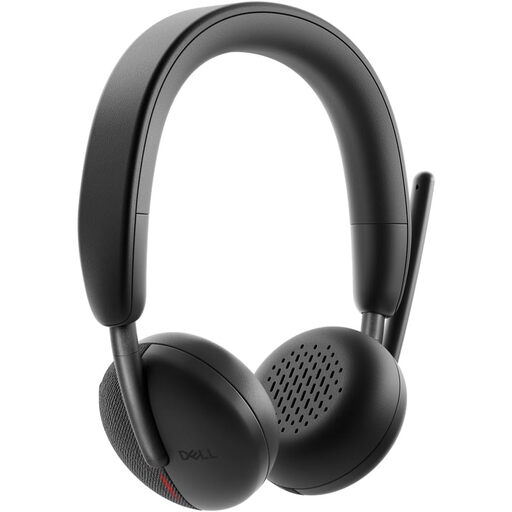
Dell Pro Headset WL3024
A wireless choice for callers who move between a laptop and phone during the day.
The listing includes a rotatable boom, Bluetooth multipoint and a wireless receiver with USB-A adapter. It requires charging, and Teams or Zoom control behaviour should be confirmed for the intended operating system and receiver connection.
View on Joybuy
 No image available
Logitech 960 Wired USB Headset with Inline Remote
A wired USB-A headset for desk-based work or study calls where charging is not wanted.
The listing describes an adjustable noise-cancelling microphone, inline mute and volume controls, and compatibility with Windows, macOS and ChromeOS. Confirm the exact supplied model and whether its buttons provide app-level call controls.
View on Joybuy
 No image available
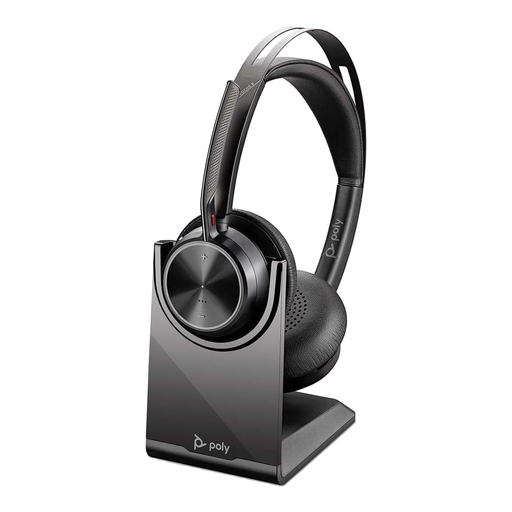
Poly Voyager Focus 2-M USB-C Headset with Charging Stand
A call-focused option for noisy rooms and hybrid desk-and-phone use.
The listing includes hybrid ANC, a noise-cancelling microphone boom, Bluetooth multipoint, a BT700 USB-C dongle and USB-A adapter. ANC addresses listening noise separately from outgoing audio, so test the microphone in your usual room.
View on Joybuy
 No image available
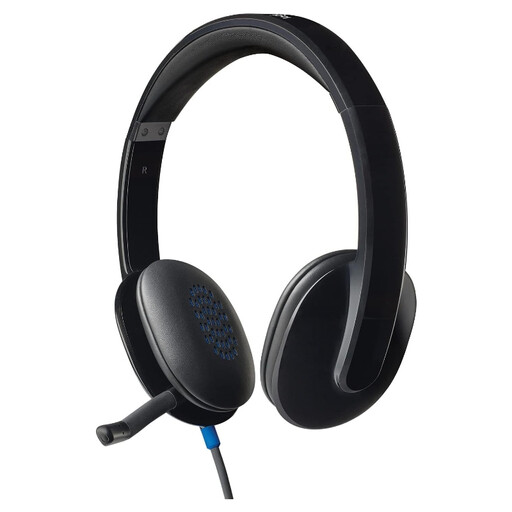
Logitech H540 Wired Headset
A simple USB headset for home-office, study and online-learning calls at a fixed computer.
The listing states a noise-cancelling boom microphone, USB-A connection, padded earcups and inline mute and volume controls. Check that your computer has a suitable port and make a test call to confirm Teams or Zoom setup.
View on Joybuy
Frequently asked questions
Will any Bluetooth headphones work for Zoom calls?
Bluetooth headphones can work as both speaker and microphone for Zoom, but Zoom Support warns that other participants may experience lower-quality microphone audio. Native Bluetooth call controls have specific headset, Windows, Zoom app and hardware requirements; on macOS, a USB adapter is needed for full call-control functionality.
Do I need a Teams-certified headset?
No, not for basic audio: Teams lets you choose a speaker and microphone in its device settings. Certification matters most when you want physical answer, mute or volume controls to work reliably with the installed Teams app; Microsoft Support notes that older certified devices may not work as expected.
How should I test a headset before an important call?
Select the headset as both speaker and microphone, then make a Teams test call or use Zoom audio settings to test both functions. Test from the chair and room you normally use, with typical background activity where practical, and listen to the recorded playback.
Does ANC stop people on the call hearing my room?
No. ANC concerns the sound reaching the wearer, not automatically the sound sent to other participants. For outgoing calls, look separately for a boom, directional beamforming or noise-cancelling microphone system, then test it in the call app.
What UK end-of-life checks are relevant for wireless headsets?
For a UK purchase, check that the seller can identify the product and responsible supplier, and review applicable marking information for the relevant market. GOV.UK states that waste electrical products can be taken to a local household waste recycling centre; handle batteries according to local guidance.


