Recordists with an interface or mixer
If you already record through an interface or mixer, the headset must match its microphone input, connector and available power.


Choose the connection path before comparing microphone features. A wired XLR headset needs a compatible microphone input and, for some condenser models, suitable power; a bodypack-specific headset needs the matching wireless system. If unwanted room sound is a priority, consider a directional model and careful boom placement, while checking that the fit works for repeated hands-free takes.
If you already record through an interface or mixer, the headset must match its microphone input, connector and available power.
If computer or household sound reaches your recording space, pickup pattern and consistent microphone placement matter when choosing a headset.
If you rehearse, play an instrument or capture several ideas in succession, look for a fit that stays comfortable and keeps the boom in a repeatable position.
Start with the equipment the microphone must connect to, then weigh room sound against comfort and placement. An XLR connector, a wireless bodypack plug and a computer USB connection are different recording paths; check the exact model before choosing among them.
| Concern | What to check | Who this matters to |
|---|---|---|
| Connection and power | Match the complete model variant and connector to your input. For a condenser XLR model, check its power requirements too. | If I already have an interface or wireless system, a headset that cannot connect to it will stop the recording before it starts; around 42% of consumers put connection compatibility first. |
| Room sound | Check the stated pickup pattern and how the boom should be positioned; directional pickup does not eliminate every background sound. | When computer or household noise is present, I want my voice to remain the focus of an idea take; roughly 33% of consumers make room-sound control their primary concern. |
| Fit and placement | Consider headset adjustment, boom position and cable routing for your recording setup. | For repeated takes, I need the headset to stay comfortable and the microphone to stay near the same position; about 25% of consumers prioritise fit and placement. |
Audio-Technica lists wired XLRM and bodypack-specific versions in the PRO 8HE family. Sennheiser also offers different HSP Essential plugs. A shared family name does not make those versions interchangeable.
Check the full model suffix and connector against your interface or bodypack before ordering.
Choosing a bodypack-specific version may mean needing a compatible transmitter as well.
The Shure SM35 is a condenser model whose published specifications use 48 V DC phantom power; the Audio-Technica PRO8HEx is a dynamic model. The connector alone does not settle the power question.
Check the requirements for the exact wired variant and what your interface or preamp can provide.
If your intended input cannot provide the required power, you may need a different compatible recording path.
Sennheiser describes the HSP Essential Omni as omnidirectional, while Shure and Audio-Technica describe directional pickup for the SM35 and PRO8HEx respectively. Those patterns address different priorities.
If reducing sound arriving from away from your mouth matters most, consider a directional headset and position its boom consistently.
Sennheiser warns that bending or turning the HSP Essential microphone boom incorrectly can impair its function or break it.
Use the adjustment points and placement instructions for your exact headset rather than forcing the boom into position.
The SM35 is relevant if you are considering a directional condenser headset in either a bodypack-oriented TQG version or an XLR version.
The wired PRO8HEx is an option to examine if you have a compatible XLR microphone input.
The HSP Essential Omni is relevant if you use, or intend to use, a compatible bodypack system and want a lightweight neck-worn design.
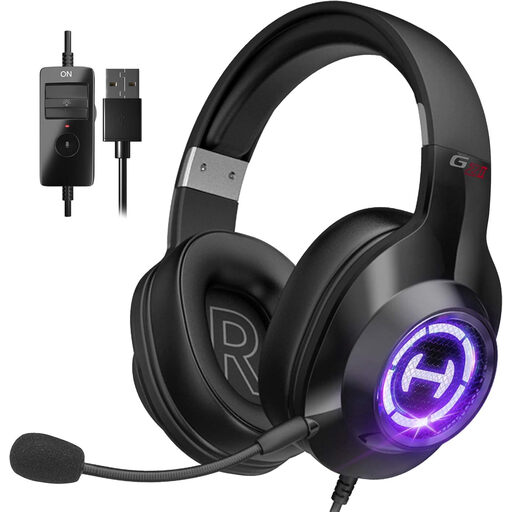
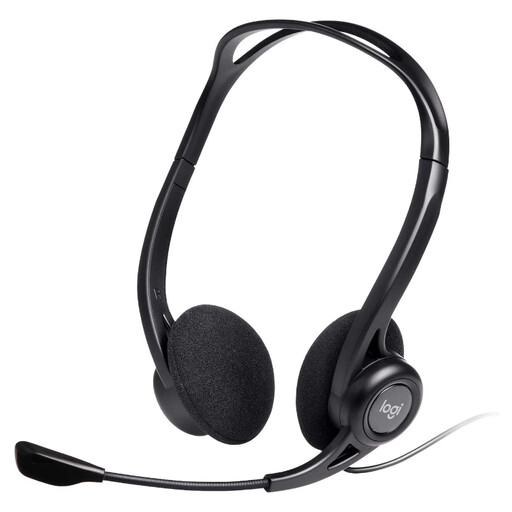
These wired USB computer headsets offer a hands-free way to capture ideas at a computer. Their stated uses centre on gaming or calls, so check how their microphones work with your recording software and whether the resulting voice recording meets your needs.
 No image available
Consider this headset if you want hands-free microphone use at a compatible computer and can assess the recording in your own workflow.
The product name lists a noise-cancelling microphone, 50 mm drivers, 7.1 surround sound and RGB lighting. Check the connection and recording-software setup you intend to use; those listed features do not establish home-studio microphone performance.
 No image available
Consider this headset for hands-free voice capture at a computer if a wired USB connection suits your setup.
The product name lists an inline remote and a noise-cancelling microphone. Check its connection to your recording software and assess whether its microphone output suits your intended idea takes.
No: headset microphones use different connection paths, so check the exact model and your laptop or recording hardware. The Audio-Technica PRO8HEx has a wired 3-pin XLRM connector, Shure lists TQG and XLR SM35 versions, and Sennheiser describes connecting the HSP Essential to a bodypack transmitter.
Power requirements depend on the exact microphone and connection version. Shure measures its published SM35 specifications with 48 V DC phantom power, whereas Audio-Technica specifies the PRO8HEx as a dynamic microphone. Check the manufacturer's instructions for your chosen variant and the power available from your recording equipment.
Follow the placement instructions for your exact model. For the HSP Essential, Sennheiser specifies positioning the microphone 2–3 cm from the corner of the mouth and using the windshield; do not assume those dimensions apply to every headset.