Hybrid discussion hosts
If you lead the conversation while others sit nearby, a personal boom microphone lets you focus on getting your own speech to remote guests. It is less suited to picking up every contribution around the table.


For a host speaking to remote guests from one computer, start with a wired headset that has a boom microphone and microphone-side noise reduction. Check the connection first if you switch devices, and choose wireless only if you need to move away from the computer; a personal headset will not take the place of a shared microphone when remote guests must hear everyone around the table.
If you lead the conversation while others sit nearby, a personal boom microphone lets you focus on getting your own speech to remote guests. It is less suited to picking up every contribution around the table.
If you may host from a laptop, tablet or phone, check the device ports, any required adapter and the exact headset variant before choosing a connection.
If you need to move away from the computer while keeping a personal microphone connection, a wireless headset may suit the session. Allow for Bluetooth pairing and charging.
For a small-room book discussion, decide whose voices remote guests need to hear before comparing microphone features, connections and how much of the room you need to hear yourself.
| Concern | What to check | Who this matters to |
|---|---|---|
| Host voice and room noise | Look for a boom microphone and check whether noise reduction applies to the microphone, the listening earpieces or both. | When nearby readers speak or move papers, I want remote guests to hear me without relying on headphone noise cancellation. Around 50% of consumers put host-voice pickup first. |
| Device and platform fit | Match the exact headset connection to the host device; check the variant if you rely on a particular meeting platform. | If I alternate between a laptop and a phone, I need a connection that works with both. Roughly 30% of consumers prioritise device and platform fit. |
| Comfort and room awareness | Consider fit, ear-cup style and whether a cable restricts movement; check charging arrangements if you choose wireless. | While leading a longer discussion, I need to stay comfortable and hear people at the table. About 20% of consumers put comfort, awareness or mobility first. |
Active noise cancellation for the wearer’s listening does not, by itself, tell you how the microphone handles nearby voices.
Check the exact model’s microphone description. If the host must be heard over room noise, look for microphone-side noise handling rather than relying on ANC alone.
A personal microphone is intended to pick up its wearer. Remote guests may struggle to hear other readers around the table.
If everyone in the room must contribute remotely, assess a shared conference microphone or room-audio setup instead.
USB-A, USB-C, 3.5 mm and Bluetooth place different requirements on the device hosting the call; meeting-platform variants can differ too.
Check the host device’s ports and software, then confirm the precise headset variant and any adapter you need.
Wireless movement comes with pairing and charging tasks that a seated, wired setup avoids.
Choose Bluetooth if you need to move away from the computer; otherwise, compare it with a wired connection for the device you will use.
A wired USB option for a host using a computer in a room with nearby distractions.
Wired business headsets with different connection and noise-control features across models.
A headset line to consider when collaboration-platform variants and passive listening isolation matter.
A wireless option for a host who needs to move or use several compatible devices.
These wired USB and 3.5 mm options offer personal microphones for a discussion host. Check the connection and microphone arrangement against your device and how much nearby room sound you need remote guests to hear.
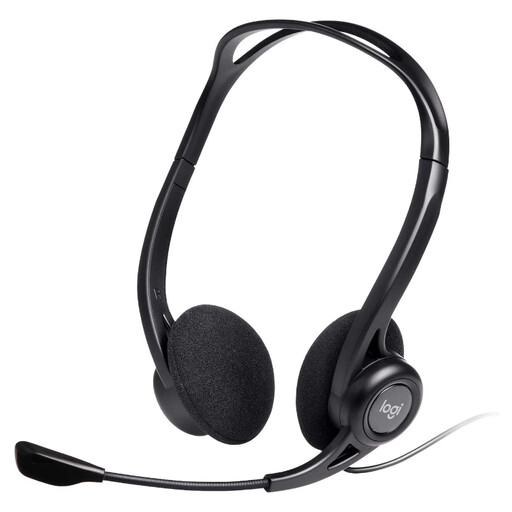 No image available
A wired personal headset for a host speaking from a computer rather than trying to capture the whole table.
The product name specifies an inline remote and a noise-cancelling microphone. Check that your host device has the required USB connection.
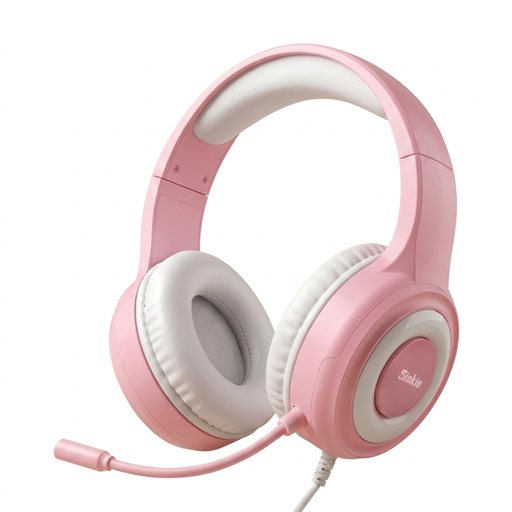 No image available
Consider this personal headset only if its audio and microphone connections fit the device hosting the discussion.
The title lists a noise-cancelling microphone, 3.5 mm connections and USB. Check the separate audio and microphone inputs: USB is described for lighting, not as the call-audio connection. Confirm suitability for your meeting platform.
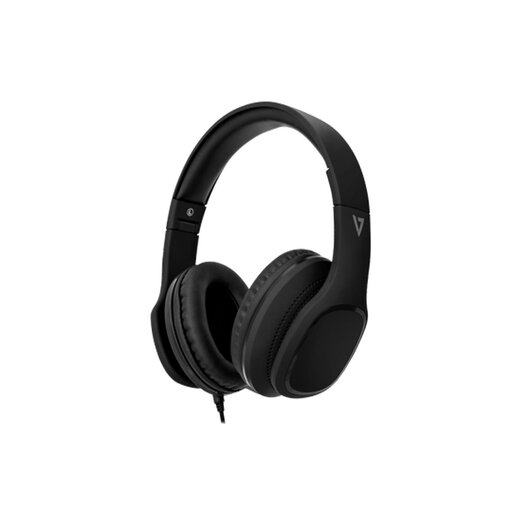 No image available
This is a personal wired option if you want an inline microphone and your hosting device accepts its 3.5 mm connection.
The title specifies 40 mm drivers and passive noise cancellation, which concerns listening rather than establishing microphone-side noise reduction. If other readers will sit close by, check whether the inline microphone meets your voice-pickup needs.
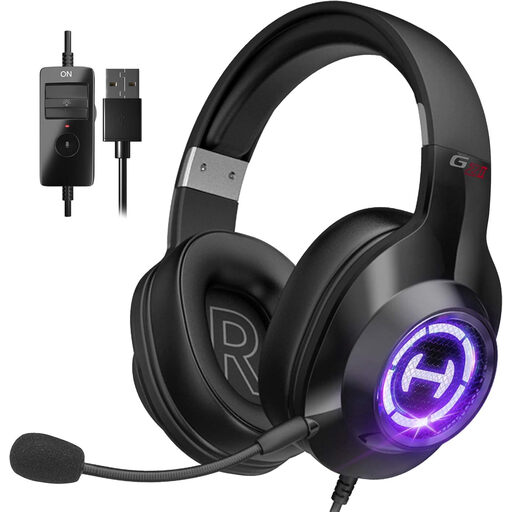 No image available
A personal USB microphone option to consider when the discussion is hosted from a compatible computer.
The title lists a noise-cancelling microphone and 50 mm drivers. Check how its microphone works with your meeting platform and whether it suits speech from a host seated near other readers.
Do not rely on a personal headset for that job: its microphone is intended to pick up the wearer’s voice. If remote guests need to hear several readers, assess a shared conference microphone or room-audio setup.
Place it close to your mouth. Jabra gives that instruction for its Evolve2 headset; adjust the headset for a comfortable fit before the discussion begins.
Choose a connection that works with the device hosting the discussion. Multi-connector wired models can accommodate different compatible devices, while Bluetooth allows movement but requires pairing and charging; check the exact ports and headset variant before buying.
Look for an appropriate electrical-equipment reuse or recycling route. The UK Office for Product Safety and Standards describes the WEEE framework as encouraging recovery, reuse and recycling of electrical products and components.