What matters when choosing?
For a PC lesson or meeting, decide whether one person or a room needs to be heard before choosing between a personal headset, separate microphone and shared-room device. Then check how the chosen audio connects to the PC.
| Concern |
What to check |
Who this matters to |
| Private, one-person audio |
Check the headset connection against your PC ports and whether its microphone sits close to your mouth. |
If I join alone, I want to hear without broadcasting the call into the room and speak through a nearby microphone; around 36% of consumers put private one-person audio first. |
| Shared-room participation |
Compare stated microphone coverage with the furthest seat, and check for full-duplex audio and echo control. |
When several of us share a display, each person needs a chance to speak without passing a headset around; roughly 29% of consumers prioritise shared-room participation. |
| Simple first-session setup |
Check the webcam's stated pickup distance if using its microphone, then select the intended input in Windows and the meeting app. |
If I sit near the PC and need video too, I would rather manage fewer separate devices; around 21% of consumers place a straightforward setup first. |
| Cordless movement |
Confirm the exact Bluetooth or receiver connection, whether a receiver is included, and how the device charges. |
If I need to move away from the PC during a session, a cable gets in the way; approximately 14% of consumers make cordless movement their primary concern. |
Joybuy products for different setups
These choices cover shared-room speakerphones, a personal wired headset, a webcam with audio and a standalone desk microphone. Start with the number of people who need to speak; for a separate microphone, plan how you will listen as well.
 No image available
DELL Pro Wired Speakerphone SP325
Consider this wired speakerphone when several people need to use the same PC for a lesson or meeting. Check its connection against the PC and its stated microphone coverage against the furthest seat.
View on Joybuy
 No image available
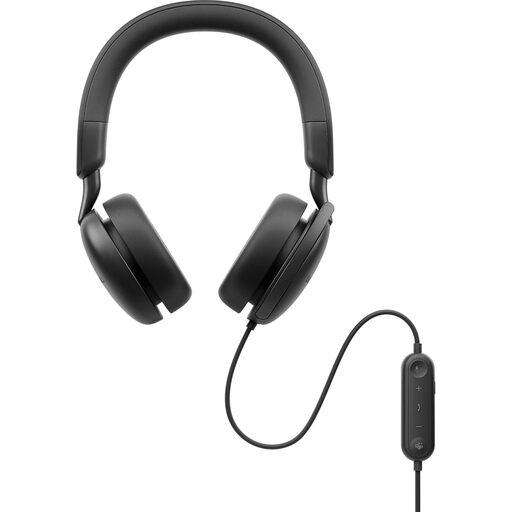
DELL Pro Plus Wired ANC Headset WH5024
A wired headset is a personal option for one participant who wants to listen privately. This WH5024 variant is identified as an ANC headset; check its connector against the PC and select its microphone in the meeting app. It is not a shared-room audio setup.
View on Joybuy
 No image available
EMEET All-in-One 4K Webcam with Sony Sensor
Consider this combined video-and-audio device when a PC meeting needs a webcam as well as sound. Its title specifies a four-microphone array, two speakers, fixed focus, a 98° adjustable field of view and USB connectivity. Compare the intended seating positions with its stated audio pickup coverage, and check that the meeting app selects the intended input and output.
View on Joybuy
 No image available
EMEET Lunaplus 8-Mic Bluetooth Conference Speaker
This conference speaker is a shared-room option when participants prefer a Bluetooth connection. Its title specifies eight microphones, 360° voice pickup, dual connection and a 5W speaker. Confirm the available connection modes, and compare microphone coverage with where people will sit rather than relying on 360° pickup alone.
View on Joybuy
 No image available
FIFINE AM8 USB/XLR Dynamic Microphone
A separate desk microphone can suit one mostly stationary speaker who already has a way to hear the meeting. The AM8 title specifies USB/XLR connections, a mute button, headphone jack and desktop stand. Check the connection and accessory requirements for the mode you intend to use; the microphone alone does not provide listening audio.
View on Joybuy
Frequently asked questions
Should I choose a headset or a speakerphone for a group lesson?
Choose a headset for one person's private listening, but consider a speakerphone or conference device when several people in the room need to speak. Check its stated pickup coverage against the furthest seat; Jabra specifies full-duplex audio and acoustic echo cancellation for the Speak 750, while Logitech positions the BCC950 for groups of up to four.
What should I check before using a Bluetooth headset with a PC?
Confirm that the PC supports the headset's connection method, then pair, charge and test it in the room where you will join. Microsoft Support notes that Bluetooth can have pairing and audio issues; if a headset offers a USB receiver, check whether that receiver is included with the exact variant.
Why can I hear the meeting when nobody can hear me?
The meeting may be using the wrong microphone, or microphone access or a mute control may be preventing input. Check the selected recording device and app permissions, then use a microphone test before the live session, as described by Microsoft Support.
Will a webcam microphone work if my PC uses a television?
It may work for a nearby speaker, but the television's size does not tell you whether the microphone reaches everyone. Logitech states up to 1.5 m voice pickup for its C270 webcam and up to 2.4 m for its BCC950 conference camera; compare the applicable model's stated distance with where people will sit.


