What matters when choosing call audio?
Decide first whether the call can be heard by others in the room, then check how the chosen device connects and behaves in your calling app.
Wired headset
Choose it when: Most calls happen at one computer and you want meeting audio out of the room without managing a battery.
Trade-off: The cable restricts movement, and its connector must fit your computer.
Wireless headset
Choose it when: You need to move around or switch between a computer and phone during your working day.
Trade-off: Charging becomes part of the routine, and Bluetooth audio alone does not establish that headset buttons will control your desktop app.
Speakerphone
Choose it when: More than one person at the desk needs to join, or wearing a headset is unsuitable and room-audible calls are acceptable.
Trade-off: Other people nearby can hear meeting audio, so it does not meet a need to keep that audio private to the caller.
| Priority | What to check | Your needs |
|---|
| Room disruption |
Decide whether incoming audio should play only through headphones. Check whether other people need to join from the same desk. |
I do not want a meeting playing into our shared room. Even with headphones, my own speaking voice may still disturb someone nearby. |
| Microphone pickup |
Check the exact model’s microphone arrangement and stated call-noise features. Test a call in the room where you normally work; a noise-reduction claim does not promise to remove nearby speech. |
Colleagues need to hear me during ordinary household activity, without my assuming a microphone will isolate every background voice. |
| Repeated-call practicality |
Consider wearing style and fit for extended calls. For wireless models, check the stated talk time and charging method; for wired models, check cable length. |
I will be on calls repeatedly, so the wearing style and whether I can stay near a cable matter more than a feature I rarely use. |
| Connection and controls |
Match the exact connector or included receiver to your device. Check the operating system, installed app or browser, and support for hardware mute and answer controls. |
I need the intended headset to work as both speaker and microphone, with the buttons I rely on working in my actual call setup. |
Wired headset options on Joybuy
These are wired headset options for individual computer calls, including two gaming models. Check the connection and calling-app behaviour of the exact model before using it for frequent work meetings.
 No image available
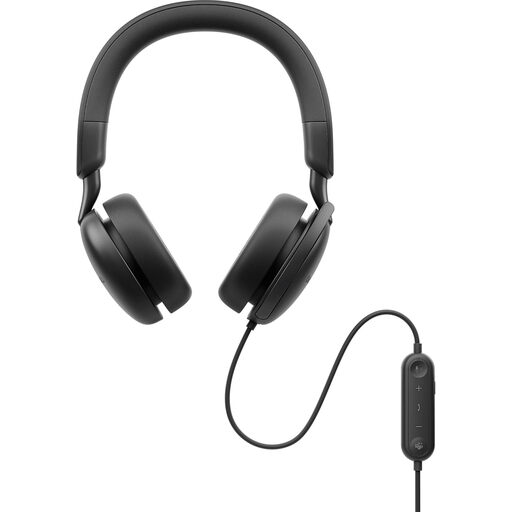
Dell Pro Plus WH5024 Wired ANC Headset
A wired headset to consider for calls at one desk. ANC in the name does not tell you how the microphone will handle household voices; check the connection, call controls and microphone in your own setup.
View on Joybuy
 No image available
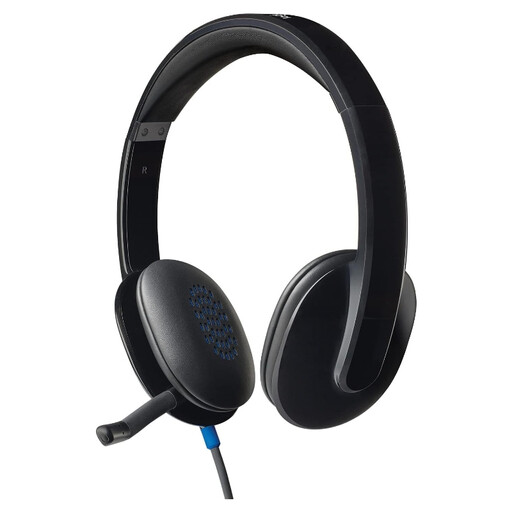
Logitech H540 Wired Headset
A wired option for computer calls when you plan to stay at your desk. Confirm that its connector fits your computer and that any controls you need work in your calling app, particularly if you join through a browser.
View on Joybuy
 No image available
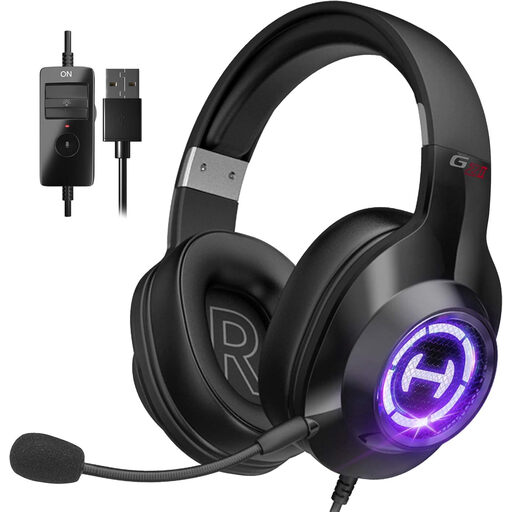
Edifier G2II USB Wired Gaming Headset, black
A gaming headset that may also suit calls at a PC or Mac if the microphone and connection meet your work needs. Its title lists USB, a noise-cancelling microphone, 50 mm drivers and 7.1 surround sound; test microphone pickup in your room and check your calling app’s controls.
View on Joybuy
 No image available
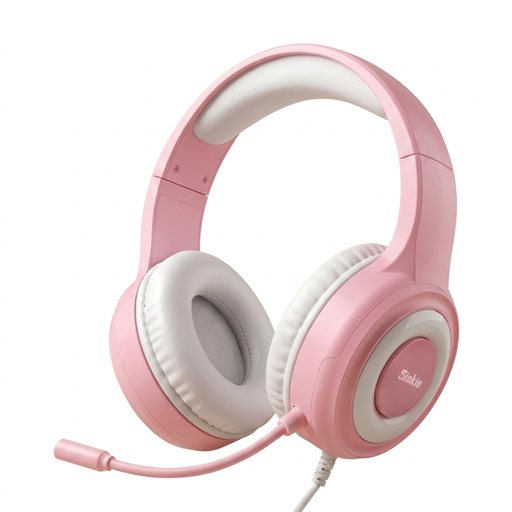
Siukie CH25 Wired Gaming Headset, USB and 3.5 mm
An over-ear gaming headset to assess for PC calls. Its title lists a microphone, 50 mm drivers, USB and a 3.5 mm jack; confirm what each connection does for headphone and microphone audio before choosing it for work calls.
View on Joybuy
Common questions
Will a noise-cancelling headset make calls quiet for everyone at home?
No. A headset keeps incoming meeting audio off room speakers, but other people may still hear you speak. Microphone noise-reduction claims are not a promise that colleagues will never hear household speech.
What should I check for Microsoft Teams calls?
Check the exact headset, connector and whether you use installed Teams or a browser. Microsoft documents certified-device controls for installed Teams on Windows and Mac, while some headset actions are unavailable in browser calls. After connecting, select the headset as both speaker and microphone in Teams.
Can a Bluetooth headset handle Zoom calls on a Mac?
It can provide Bluetooth audio, but Zoom says a USB adapter is required for full call controls with a Zoom-certified Bluetooth headset on macOS. Check the exact headset, adapter and Zoom setup if you want its buttons to manage calls.
How can I check a headset before relying on it for work calls?
Select and test the intended speaker and microphone in your calling app. Zoom provides speaker playback and microphone recording tests; for a shared home, repeat a test call with ordinary room sounds present and ask another participant how clearly they hear you.


