
24/7 Customer Support

Free returns

Same-day & Next-day Delivery

Quality Guaranteed

Unlock Your Welcome Offers: FREE Delivery | Up to 80% OFF | Free 30-day JoyPlus trial
Download the APP
A case with glowing lighting and a long fan specification can look appealing, but appearance alone does not guarantee effective cooling. For a gaming PC, workstation or content-creation build, the wrong enclosure may restrict intake, leave little room for a graphics card or make future upgrades unnecessarily difficult.
The same applies to ARGB case fans. A fan may fit a 120mm mounting point yet still be unsuitable if its connector, airflow characteristics or radiator compatibility do not match the rest of your system.
Lighting is easy to see in product photography; airflow is not. A closed or heavily restricted front panel can limit the amount of cool air entering the case, even when several fans are installed. A mesh front PC case generally offers a more direct intake path, although the mesh density and filter design still matter.
“Three fans included” does not explain whether they are arranged as front intake and rear exhaust, or whether they can be repositioned. Balanced intake and exhaust help move warm air away from the CPU and graphics card. Also check whether the included fans use 4-pin PWM connectors, which allow motherboard-controlled speed adjustment.
A case can support an ATX motherboard but still be unsuitable for a long GPU, tall air cooler or front-mounted radiator. Always compare the case’s maximum measurements with your actual components. Installing a 360mm radiator, for example, may reduce the available graphics card length when mounted at the front.
For many UK gaming and workstation builds, a mesh intake panel is a practical starting point. Check the supported fan positions rather than relying only on the word “airflow”. The Cooler Master TD500 Mesh V2 White supports up to three 120mm or two 140mm fans at both the front and top, plus one 120mm rear fan. It also arrives with two front and one rear 120mm PWM fans.
A smaller white MATX PC case may offer fewer mounting points, but that is not necessarily a drawback if the layout suits your components. The TD300 Mesh White includes two front and one rear 120mm PWM fans, with support for up to five 120mm fans overall.
A 120mm PWM ARGB fan typically has two separate connections:
Do not connect a 5V ARGB plug to a 12V RGB header, as the voltage mismatch can damage the lighting system. If your motherboard lacks a suitable ARGB header, a compatible controller can provide an alternative control method.
The Cooler Master SickleFlow EDGE 120 ARGB is specified with a 690–2500 RPM PWM range, maximum airflow of 70.7 CFM and maximum static pressure of 3.61 mmH₂O. These figures are useful when comparing a general RGB PC cooling fan with one intended for radiator or restricted-panel use.
For an ATX or E-ATX build, check:
A tempered glass PC case can display an illuminated build neatly, but the panel needs careful handling during assembly. Removable dust filters at the front, top and bottom are also useful for maintaining airflow in homes where dust accumulation can gradually restrict intake.
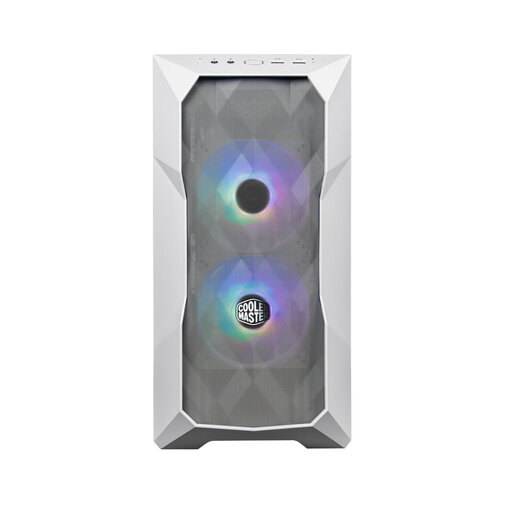
Why This Fits Their Persona: A compact option for UK bedrooms, home offices and small-footprint setups where a full ATX tower may take up unnecessary space.
The mesh front and three pre-installed PWM fans provide a defined intake-and-exhaust arrangement instead of leaving a new builder to purchase fans immediately.
Supports Mini-ITX and MATX boards, graphics cards up to 360mm without a front radiator, and front radiators up to 360mm.
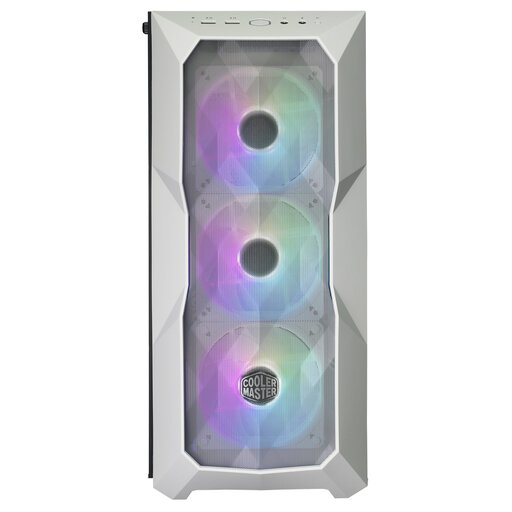
Why This Fits Their Persona: Suitable for a clean white ATX PC case build with visible components, broad motherboard support and room for future upgrades.
Its published clearances and detachable filters make it easier to plan component fit and routine dust cleaning before buying.
Supports Mini-ITX through E-ATX motherboards, GPUs up to 410mm without a front fan, and 120/240/360mm liquid cooling radiators.
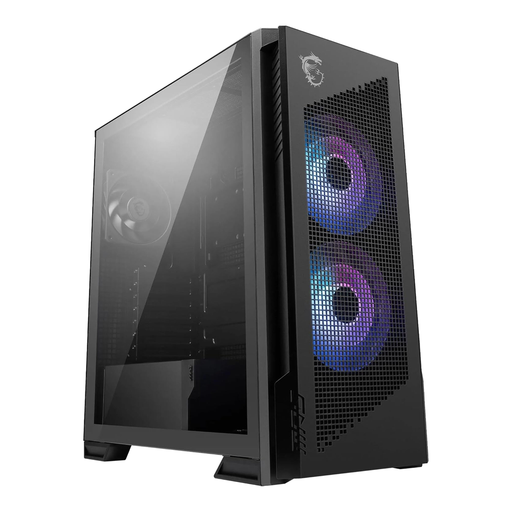
Why This Fits Their Persona: A practical match for demanding gaming or professional systems that need ATX support, multiple cooling positions and a spacious internal layout.
The airflow-focused front and radiator support address the risk of choosing a visually styled case with limited cooling flexibility.
Supports radiators up to 360mm, ATX motherboards, extensive storage options and a tempered glass side panel.
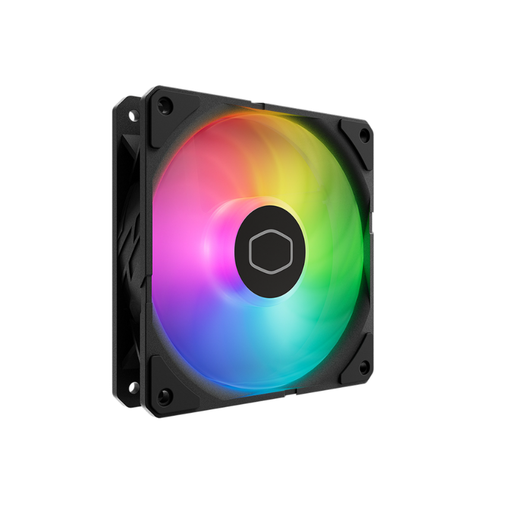
Why This Fits Their Persona: Designed for builders adding controlled airflow and addressable lighting to an existing case, radiator or new high-performance system.
The separate 4-pin PWM and 3-pin 5V ARGB connections make speed and lighting requirements clear, while the included mini controller helps with systems without a suitable motherboard header.
120mm format, 690–2500 RPM PWM control, 70.7 CFM maximum airflow and 3.61 mmH₂O maximum pressure.
We have compiled a complete, real-time list of products that fully satisfy these strict selection criteria and UK safety regulations.
Not necessarily. Additional fans are useful only when the case has suitable mounting positions and a sensible airflow direction. Start with front intake and rear exhaust, then add top exhaust if required. Use motherboard fan curves to avoid running every fan at maximum speed unnecessarily.
A fan’s motor and lighting draw power from the PC, but the exact running cost depends on wattage, usage hours and your electricity tariff. PWM control can reduce motor speed during light workloads. For an accurate estimate, multiply the fan’s rated power consumption by operating hours and your household electricity rate.
Lifespan varies with bearing design, dust levels, operating temperature and daily use. Regularly clean detachable filters and keep cables away from the blades. If a fan develops persistent rattling, grinding or inconsistent speed, replacement is safer than continuing to use it.