
24/7 Customer Support

Free returns

Same-day & Next-day Delivery

Quality Guaranteed

Unlock Your Welcome Offers: FREE Delivery | Up to 80% OFF | Free 30-day JoyPlus trial
Download the APP
Navigating the world of high-performance laptops can feel overwhelming. You need a machine that doesn’t just keep up, but actively accelerates your workflow, whether you're rendering complex 3D models, editing 8K video or compiling massive codebases. The challenge is cutting through the marketing clutter to find a device that genuinely delivers the power and reliability you require.
This guide is designed to help you do just that. As the Joybuy Product Recommendation Officer, my role is to provide clear, practical advice to help you identify the features that matter most for your needs. We will explore what defines a top-tier laptop in 2026 and look at a few standout models that exemplify modern performance.
Before diving into specific models, it’s useful to understand the key components that separate a standard laptop from a true powerhouse. Here are a few considerations for your search.
The processor (CPU) and graphics unit (GPU) are the heart of any high-performance machine. For tasks like software development or data analysis, a CPU with a high core count and clock speed is paramount. For creative work, a powerful, dedicated GPU is non-negotiable.
In 2026, we're also seeing a greater emphasis on integrated AI accelerators or Neural Engines, like those found in Apple's M-series chips. These are designed to speed up machine learning tasks, from AI-powered features in creative software to on-device language processing, making your workflow more efficient. When looking at a video editing laptop, for example, a strong GPU and fast AI processing can dramatically reduce export times.
Your screen is your window to your work. For laptops for creative professionals, colour accuracy, brightness and refresh rate are critical. Look for displays with high DCI-P3 colour gamut coverage and high peak brightness (measured in nits), which is essential for HDR content creation.
Technologies like OLED and Apple's Liquid Retina XDR offer exceptional contrast and true blacks. A higher refresh rate, such as 120Hz, also provides a much smoother and more responsive user experience, not just in games but across the entire operating system.
A lightweight powerful laptop used to be a contradiction in terms. Thanks to more efficient processors and advanced thermal designs, it's now possible to get significant power in a chassis under 2 kg. Pay attention to battery life claims, but also consider the power adapter. Many modern laptops now use USB-C Power Delivery, offering more flexible charging options. A robust cooling system, like the ASUS IceCool technology, is also vital to ensure the laptop can sustain peak performance without throttling during long, intensive tasks.
Here are a few models that showcase the pinnacle of performance and design available today.
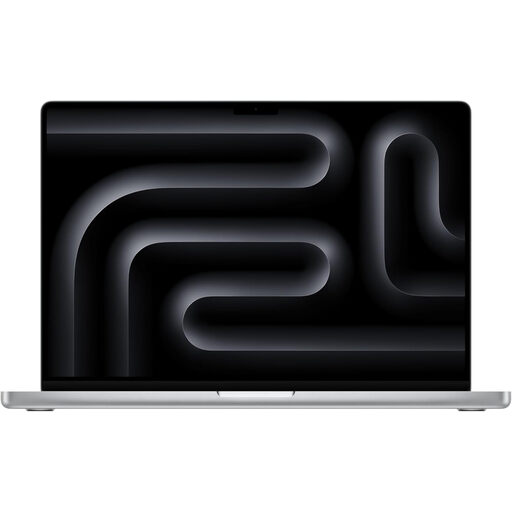
Why It Stands Out The MacBook Pro M5 Max represents a formidable option for professionals who demand exceptional processing power. The M5 Max chip is engineered for the most intensive creative and technical workflows, integrating a powerful CPU, a 40-core GPU and advanced Neural Accelerators. This architecture excels at handling demanding applications, from 8K video timelines to complex AI model training, all while maintaining impressive power efficiency.
Pros
Who is it for? This machine is built for creative professionals, developers and scientists who need uncompromising performance and are invested in the Apple ecosystem. It is particularly well-suited for those working with high-resolution video, 3D animation and large-scale data processing.

Why It Stands Out The ASUS VivoBook Pro Ryzen 9 offers a compelling blend of performance and value for Windows users. It pairs a powerful AMD Ryzen 9 7940HS processor with a dedicated NVIDIA GeForce RTX 4050 GPU. This combination provides ample power for content creation, rendering and even gaming, while the 15.6-inch 120Hz OLED display delivers vibrant colours and smooth motion, making it a fantastic canvas for any visual work.
Pros
Who is it for? This is an excellent choice for creative students and professionals who work primarily within the Windows ecosystem. It offers a great balance of processing power, display quality and price, making it a versatile tool for video editing, graphic design and more.

Why It Stands Out The MacBook Neo carves out a niche for those who need a lightweight powerful laptop for daily productivity. Powered by the new A18 Pro chip, it delivers snappy, efficient performance for multitasking, web browsing and office applications. Its ultra-portable design, combined with a vibrant Liquid Retina display and the security of Touch ID, makes it a sophisticated companion for work and study on the go.
Pros
Who is it for? The MacBook Neo is ideal for students, business professionals and anyone seeking a premium, reliable and highly portable laptop for everyday productivity. It’s for users who value design, ease of use and the Apple ecosystem for tasks that don't require the extreme power of the Pro models.
The models featured here are just a snapshot of what's available. If your needs call for different specifications, screen sizes or price points, there are many other excellent devices to consider.
Explore our full range of professional-grade laptops to find the perfect match for your workflow. Browse the Pro Computer Collection at Joybuy UK
This depends entirely on your primary use case. For video editors and 3D artists, a powerful, dedicated GPU and fast RAM are crucial. For software developers compiling large projects, a CPU with a high core count is more important. For general power users, a balanced system with a fast SSD, at least 16GB of RAM and a modern processor is the key to a responsive experience.
Both platforms offer some of the best laptops UK creatives can buy. MacBooks, like the MacBook Pro M5 Max, are celebrated for their software optimisation and seamless integration with other Apple devices. Windows laptops, such as the ASUS VivoBook Pro, provide greater hardware diversity, customisation and often more performance for your money. The decision typically comes down to your preferred operating system and existing software workflow.
For 2026, 16GB of RAM should be considered the minimum for any serious high-performance workload. If your work involves 4K or 8K video editing, complex 3D rendering or running multiple virtual machines simultaneously, opting for 32GB, 48GB or even more will provide a significantly smoother and more efficient workflow.