
24/7 Customer Support

Free returns

Same-day & Next-day Delivery

Quality Guaranteed

Unlock Your Welcome Offers: FREE Delivery | Up to 80% OFF | Free 30-day JoyPlus trial
Download the APP
High-performance laptops are designed for work that can overwhelm ordinary notebooks: 4K video editing, 3D rendering, software development, local AI workloads and high-refresh-rate gaming. However, a high price does not automatically mean the specification suits your needs.
The practical choice depends on the balance between processor performance, graphics capability, memory, storage, display quality, cooling and portability. This guide explains the key details to check before choosing among premium laptops, gaming laptops, professional laptops and laptops for content creation.
A modern processor name is only part of the picture. Core count, power limits, cooling and the type of software you use can have a significant effect on real-world performance. A thin laptop with a powerful chip may behave differently from a larger model with a more substantial cooling system.
For demanding workloads, check the complete platform: CPU, GPU, memory capacity, storage and cooling design.
A dedicated graphics card can benefit gaming, 3D software, video editing and machine-learning applications, but GPU memory also matters. A graphics processor with more video memory may be more suitable for large creative projects, complex scenes or compatible AI workloads.
For example, laptops with RTX 5080 graphics and laptops with RTX 5090 graphics sit at a different performance and price level from RTX 4070 models. Choose according to your applications rather than the model number alone.
Some high-performance laptops require a large mains adaptor and can weigh considerably more than mainstream models. A desktop replacement may be suitable for a home office or studio but less convenient for regular rail travel or commuting.
Apple MacBook Pro models also require a separately purchased USB-C power adaptor or compatible USB Power Delivery charger in the supplied configurations. The 14-inch models require at least 70W, while the 16-inch M5 Max model described here requires at least 94W.
For professional workloads, look beyond clock speed. Multicore performance helps with rendering, compiling and exporting, while specialised AI hardware can accelerate compatible on-device tasks.
Apple silicon models combine CPU, GPU and Neural Accelerators with unified memory under macOS. Windows alternatives, such as the Lenovo Legion Pro 7 and ASUS ProArt P16, combine powerful processors with dedicated NVIDIA graphics. Developers should also check whether their required tools, plug-ins and virtual machines support macOS, Windows or ARM-based software environments.
The GPU is particularly important for gaming, 3D design, colour grading and AI applications. Check:
A 4K OLED laptop can provide a highly detailed image and deep contrast, while a QHD+ 240Hz screen may be more appropriate for competitive gaming. OLED and Mini LED displays can also have different brightness, colour and power characteristics, so consider your working environment.
For current professional workloads, 32GB RAM is a sensible starting point when using large design files, multiple development environments or demanding creative applications. Users working with virtual machines, high-resolution video or large datasets may benefit from 64GB or more.
A 2TB SSD provides room for applications, project files and media, but storage requirements vary. Video editors and game libraries may quickly exceed 2TB, making external Thunderbolt, USB or network storage useful. Check whether the memory and SSD are upgradeable: the Lenovo Legion Pro 7 includes two DDR5 SO-DIMM slots and two internal M.2 NVMe slots, while some slim laptops use memory that cannot be replaced.
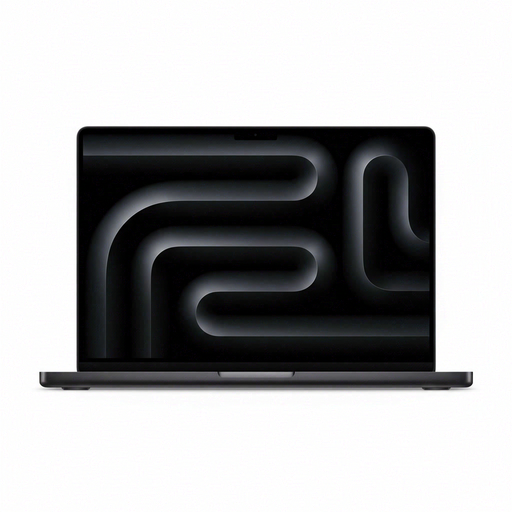
Why This Fits Their Persona: A compact option for students, freelancers and professionals who need substantial memory and storage without moving to a larger 16-inch chassis. macOS and Apple device integration may also reduce setup friction for existing Apple users.
It lists 24GB unified memory and a 2TB SSD clearly, while the Liquid Retina XDR display provides a defined specification rather than relying only on general performance language. Remember to budget for a compatible power adaptor.
15-core CPU, 16-core GPU, 24GB unified memory, 2TB SSD and three Thunderbolt 5 ports in a 14.2-inch format.
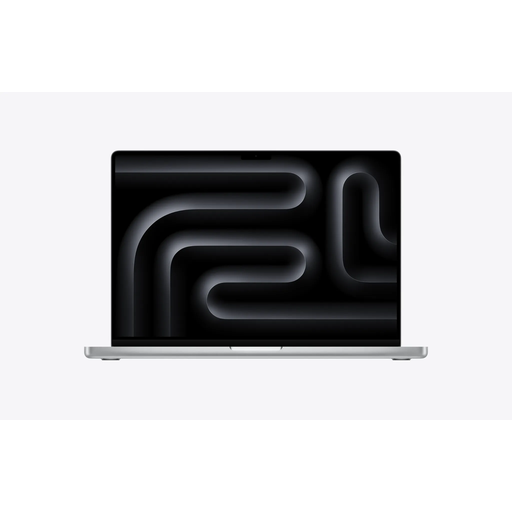
Why This Fits Their Persona: Suited to professionals who value a larger workspace, macOS workflows and strong on-device processing for creative, development and AI-compatible applications.
The 16.2-inch display, 36GB unified memory and 2TB SSD address workspace and capacity requirements directly. Buyers should still verify software compatibility before moving from Windows.
18-core CPU, 32-core GPU, 36GB unified memory, 2TB SSD, Liquid Retina XDR and Thunderbolt 5 connectivity.
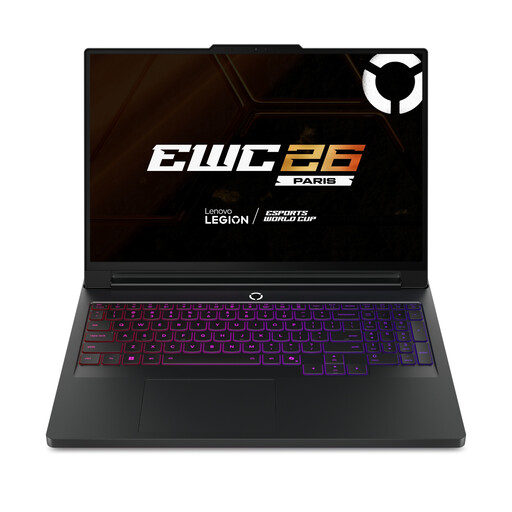
Why This Fits Their Persona: A Windows choice for gamers, 3D users and professionals who need high graphics performance, substantial memory and upgrade options.
The specification identifies 24GB GDDR7 graphics memory, 64GB DDR5 RAM and two M.2 slots. Its cooling vents must remain unobstructed during intensive use.
RTX 5090 with 24GB GDDR7, 64GB DDR5, 2TB SSD and a 16-inch WQXGA OLED display with a 240Hz refresh rate.

Why This Fits Their Persona: Designed for creators and designers who want a high-resolution touchscreen, dedicated graphics and AI-capable processing in a Windows laptop.
It combines named GPU memory, 64GB LPDDR5X and a 2TB PCIe NVMe SSD with a specified 3840 × 2400 OLED panel. Keep ventilation openings clear during rendering or other sustained workloads.
RTX 5080 with 16GB GDDR7, 4K OLED touchscreen, 120Hz refresh rate, Ryzen AI 9 HX 370 and Wi-Fi 7.
We have compiled a complete, real-time list of products that fully satisfy these strict selection criteria and UK safety regulations.
Yes, although they may offer more capability than office applications require. A powerful laptop can be useful if you also edit video, run development tools, use virtual machines or want a longer period before upgrading. Larger gaming models may be less convenient for commuting and typically use more power than thin productivity laptops.
Lifespan depends on workload, heat management, battery care, software support and build quality. Selecting sufficient RAM and SSD capacity can delay the need for an upgrade. Models with upgradeable memory or storage may offer greater flexibility, while soldered components should be considered fixed for the life of the machine.
They can use more electricity when the CPU and GPU operate at high power, particularly during gaming, rendering or model processing. Actual running cost depends on usage time, performance settings and the UK electricity tariff. Using balanced modes for everyday tasks and keeping vents clear can help avoid unnecessary heat and power consumption.