
24/7 Customer Support

Free returns

Same-day & Next-day Delivery

Quality Guaranteed
Download the APP
Categories
In the world of PC gaming, a split-second can make all the difference. Stuttering, motion blur and input lag are more than just minor annoyances; they can be the deciding factor between victory and defeat. Navigating the market for a new high refresh rate gaming monitor can feel overwhelming, with a dizzying array of technical specifications and marketing claims.
This guide is designed to cut through the clutter. As a Joybuy Product Recommendation Officer, my role is to provide clear, practical advice to help you identify the features that truly matter for your gaming setup. We will explore the key considerations for choosing a new display and highlight a few standout options available right now.
Before diving into specific models, let's break down the essential technical terms. Understanding these will empower you to make a choice that aligns with your needs and budget.
The two most discussed specifications are refresh rate (measured in Hertz or Hz) and resolution (the number of pixels).
The key is to find a balance that your gaming PC can support. There is little point in having a 240Hz QHD monitor if your graphics card can only produce 60 frames per second in your favourite games.
Smoothness is only half the battle; clarity is just as important. This is where response time and synchronisation technology come in.
Finally, consider the panel technology and physical size of the monitor. A 27 inch gaming monitor is a popular choice for an immersive experience, while many competitive players prefer a 25 inch monitor for easier focus across the entire screen.
Panel technology also affects the visual experience. IPS panels are known for their excellent colour accuracy and viewing angles, while VA panels typically offer superior contrast for deeper blacks. An HDR monitor (High Dynamic Range) can display a wider range of brightness and colour, adding depth and realism to compatible games and media.
Based on a combination of performance features and overall value, here are our recommendations for gamers looking to upgrade their display.
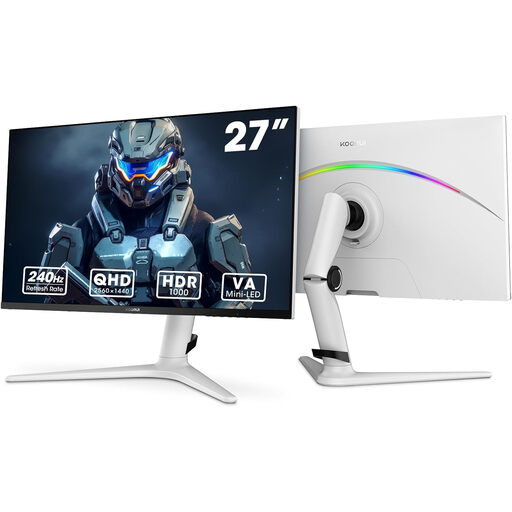
Why It Stands Out: This KOORUI monitor strikes an impressive balance between speed and visual fidelity. The Mini-LED backlight technology combined with a VA panel delivers outstanding contrast, making it suitable for both brightly lit and dark gaming environments. It pairs a sharp QHD resolution with a very fast 240Hz refresh rate, offering both detail and fluidity. With a 1ms response time and 95% DCI-P3 colour coverage, it’s a high-performance display for immersive gaming and media consumption.
Pros:
Who is it for? Gamers and media enthusiasts who want a premium visual experience that combines high resolution, fast refresh rates and strong HDR capabilities.
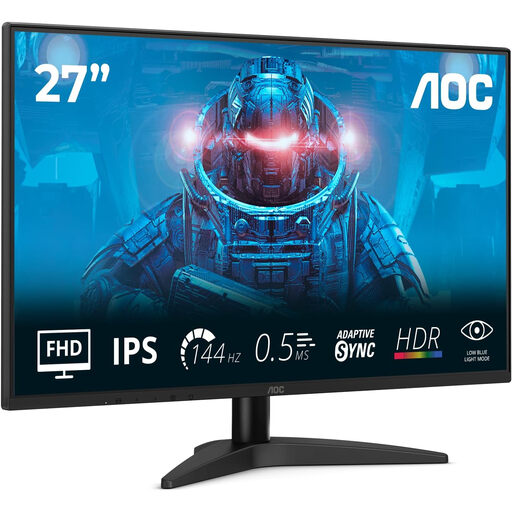
Why It Stands Out: The AOC 27B36X is a versatile and accessible PC gaming monitor that delivers a solid performance foundation. Its 144Hz refresh rate is a significant upgrade over standard 60Hz displays, providing the smoothness needed for most gaming genres. The FHD 1080p IPS panel ensures vibrant colours and wide viewing angles, while Adaptive Sync support helps eliminate screen tearing. It’s a well-rounded package for those entering the world of high refresh rate gaming.
Pros:
Who is it for? Gamers and all-round users seeking a capable and affordable 27 inch gaming monitor that excels at both productivity and play.
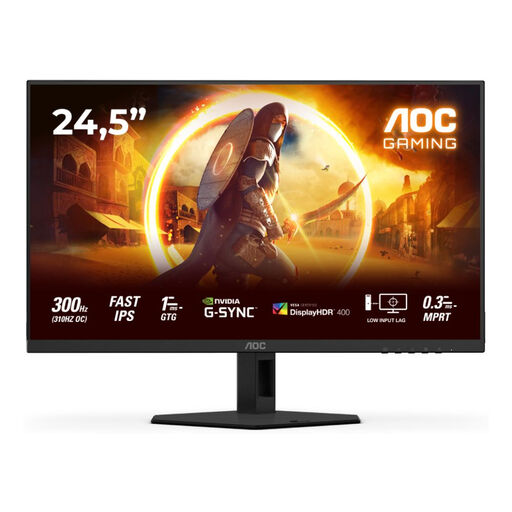
Why It Stands Out: This monitor is built for one thing: competitive speed. As a 300Hz esports monitor, it offers an incredibly high refresh rate that provides maximum motion clarity in fast-paced titles. The Fast IPS panel delivers an ultra-low response time to minimise ghosting, while its G-Sync Compatible certification ensures a tear-free experience with NVIDIA GPUs. The compact 25 inch monitor size is preferred by many professional players for maintaining focus on the entire screen.
Pros:
Who is it for? Competitive and aspiring esports players who prioritise raw speed and responsiveness to gain an edge in fast-action games.
Every gaming setup is unique, and the right monitor depends on your specific games, hardware and preferences. If these recommendations aren't quite what you're looking for, there are many other models to consider.
For a wider selection of displays tailored to different needs and budgets, explore our full range of gaming led.
Is a 240Hz monitor worth it for gaming? For players of fast-paced competitive games like first-person shooters or racing simulators, the jump from 144Hz to 240Hz provides a noticeable increase in smoothness and can offer a tangible advantage in tracking targets. For more casual or story-driven games, a 144Hz monitor is often more than sufficient.
What is more important for gaming: refresh rate or response time? Both are critical and work together. A high refresh rate (Hz) dictates how smooth the motion appears, while a low response time (ms) determines how clear that motion is by reducing blur. A great gaming monitor must have a good balance of both—a high refresh rate paired with a low response time.
Can my PC run a high refresh rate monitor? This depends entirely on your PC's graphics card (GPU) and the games you play. To take full advantage of a high refresh rate monitor, your PC must be able to generate a frame rate (FPS) that matches or exceeds the monitor's refresh rate. For example, to benefit from a 240Hz monitor, your PC should be able to run your game at or near 240 FPS. We recommend checking performance benchmarks for your specific GPU and games.