
24/7 Customer Support

Free returns

Same-day & Next-day Delivery

Quality Guaranteed

Unlock Your Welcome Offers: FREE Delivery | Up to 80% OFF | Free 30-day JoyPlus trial
Download the APP
Choosing a Hisense 4K Smart TV for a UK home involves more than selecting the largest screen at the lowest price. Panel technology, viewing distance, refresh rate, smart-platform support and wall-mount dimensions can all affect whether a television suits your room.
This guide from the Joybuy Product Recommendation Officer focuses on practical buying decisions, common marketing pitfalls and selected models for different household needs.
A 4K television has a resolution of 3840 × 2160 pixels, but resolution alone does not determine contrast, brightness or colour performance. A standard Direct LED model, a Hisense QLED TV and a Hisense Mini LED TV may all display 4K content while using different backlighting and colour technologies.
QLED models use Quantum Dot Colour technology to produce a broad range of colours. Mini LED models add smaller backlight zones and local dimming, which can help produce stronger contrast between bright and dark areas. These features may be useful for films, HDR content and rooms where picture impact matters more than keeping the purchase price low.
A 144Hz TV or 165Hz TV can display motion more frequently than a standard 60Hz panel, but the benefit depends on the source device. Many UK broadcast channels and films do not run at 144Hz or 165Hz. To make use of higher refresh rates, check that your gaming PC or console, HDMI connection and selected game support the required signal.
For console gaming, also check for HDMI 2.1, Variable Refresh Rate (VRR) and Auto Low Latency Mode (ALLM). A listed refresh rate should not be treated as the same thing as lower input lag in every situation.
VIDAA provides access to popular streaming services, but app availability can change by region and over time. Before buying a Hisense VIDAA Smart TV, check the services your household uses most, such as Netflix, Prime Video, Disney+, YouTube or Freely. A TV can also be paired with an external streaming device if a required app is unavailable.
Voice control, AirPlay 2 and Bluetooth are useful conveniences, but they should not replace checking the actual ports and platform features listed for the precise model.
Screen dimensions should match the room rather than simply the available budget. Compact models such as a 40-inch or 43-inch set can suit bedrooms, studies and smaller lounges. A Hisense 55-inch TV is a flexible choice for many living rooms, while 65-inch, 75-inch and Hisense 85-inch TV models require more floor or wall space.
Before ordering, measure:
Large models should be lifted by two people and securely anchored where appropriate. A stable stand or certified wall bracket helps reduce tip-over risks, particularly in homes with children or pets.
A Hisense 4K HDR TV may support HDR10, HDR10+, HLG or Dolby Vision. These formats provide different ways of carrying brightness and colour information. Support for a format does not guarantee that every programme will use it, and perceived results also depend on the panel and content.
Features such as AI 4K upscaling process lower-resolution broadcasts or older videos so they fit a 4K screen. This can make content appear cleaner, but it does not convert standard-definition footage into native 4K detail. Likewise, AI Smooth Motion or MEMC can make sports and fast scenes appear more fluid, although some viewers may prefer to adjust motion processing for films.
Built-in speakers are convenient, but thin televisions have limited internal space for bass. A Hisense Dolby Atmos TV can create a more spacious audio presentation from compatible content, while models with a built-in subwoofer or 2.1.2-channel system may offer more low-frequency presence.
Check the number and type of HDMI ports, eARC support, USB connections, optical output, Ethernet and Bluetooth. If you plan to connect a soundbar, games console and set-top box, port allocation matters. Also review the TV’s energy label and stated consumption. The reference models include energy classes that vary by model and viewing mode, so compare the official product information before purchase.
The following options match different UK household profiles. Features are based on the supplied product specifications; availability of apps and services may vary.
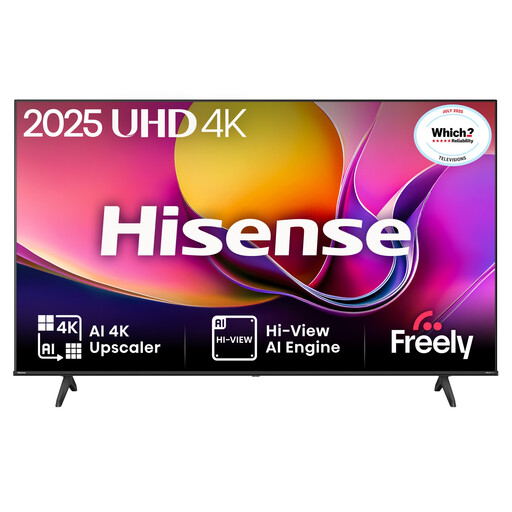
Why This Fits Their Persona: Its 43-inch format suits a smaller UK lounge, bedroom or first home setup without the footprint of a large-screen model.
It clearly uses Direct LED and a native 4K resolution rather than relying on a high refresh-rate headline. Check the listed app availability before ordering.
4K resolution, Dolby Vision support, ALLM and integrated Freely access are listed features.
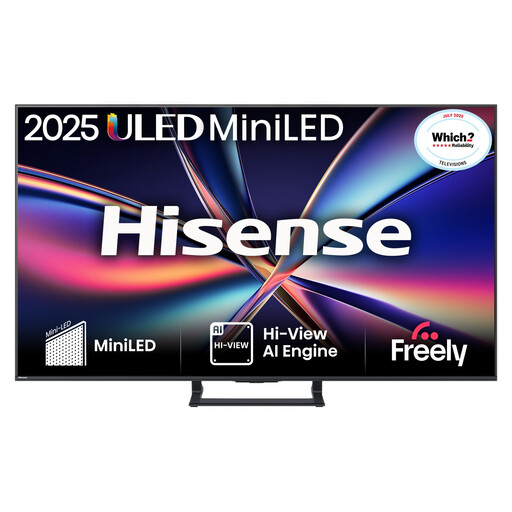
Why This Fits Their Persona: The 75-inch screen is designed for large rooms and home cinema layouts where scale and HDR-compatible content are important.
Mini LED backlighting and local dimming are specified, avoiding the assumption that every 4K Direct LED model offers the same contrast control.
75-inch 4K Mini LED display, VIDAA OS, multiple HDMI and USB ports and enhanced built-in audio.
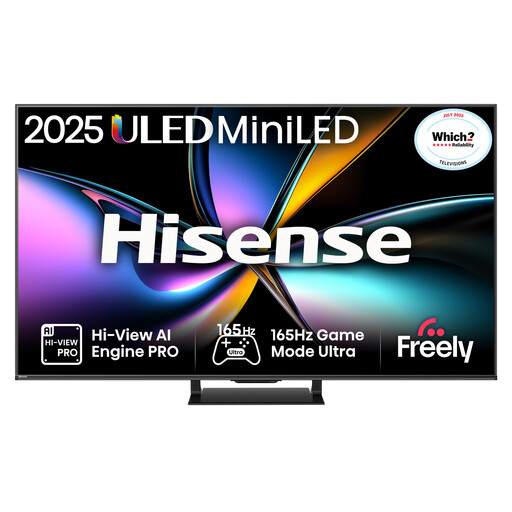
Why This Fits Their Persona: It targets users with compatible gaming hardware who also want a large screen for sports and fast-action viewing.
Its specifications identify native 165Hz, HDMI 2.1, VRR and ALLM. Buyers should still confirm which device can output the chosen signal.
165Hz refresh rate, four HDMI 2.1 ports, VRR on all HDMI ports and a listed input lag of up to 7ms at 4K 120Hz input.
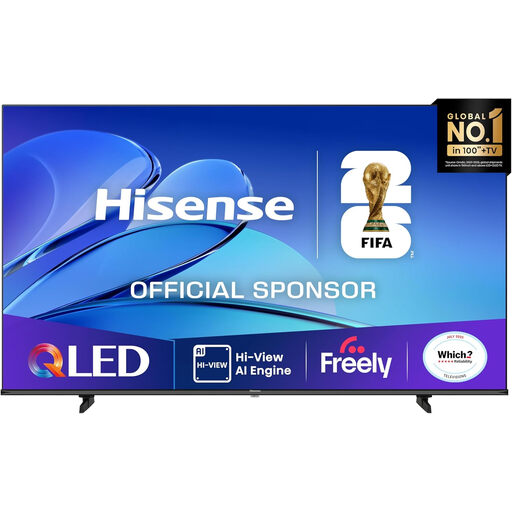
Why This Fits Their Persona: This 85-inch option is intended for spacious lounges or dedicated viewing rooms where a very large picture is the priority.
The listing provides separate dimensions with and without the stand, helping buyers plan delivery, placement and installation more accurately.
QLED Quantum Dot Colour, Dolby Vision, HDR10+, Dolby Atmos, VRR and ALLM are specified.
We have compiled a complete, real-time list of products that fully satisfy these strict selection criteria and UK safety regulations.
Yes, many models use VIDAA OS and list services such as Netflix, Disney+, YouTube and Freely. App support can vary by model and may change, so check the individual product page before purchase. A reliable Wi-Fi connection or Ethernet connection is also important for streaming.
Lifespan depends on usage, operating conditions, ventilation and component wear. Keep ventilation openings clear, avoid placing the TV near heat or moisture, install software updates and use a stable stand or suitable wall bracket. The listed reference products include a two-year manufacturer’s warranty, but warranty terms should be confirmed for the exact model.
A larger screen may use more electricity, and HDR viewing can have different consumption from standard dynamic range viewing. Check the model’s UK energy label and kWh information rather than judging running costs from screen size alone. Reducing brightness and switching the TV fully off when it is not needed can also reduce unnecessary consumption.