Travellers with a USB-C laptop and phone
A multi-port charger could replace separate mains chargers if its charging method, cable and available output meet the laptop’s requirements while the phone is connected.


Start with your laptop’s charging requirements, then check whether a charger can supply enough power through the ports you will use while your phone is connected. Pack a plug adaptor only for the sockets on your itinerary, and check the operating airline’s rules before adding a power bank; fewer chargers do not remove the need for compatible cables.
A multi-port charger could replace separate mains chargers if its charging method, cable and available output meet the laptop’s requirements while the phone is connected.
A power bank may help during transfers or days out. Before packing one, check the operating carrier’s current rules on carriage, quantity and use.
Check the destination socket, the charger’s input-voltage marking and any adaptor you intend to carry. A plug that fits does not, by itself, establish electrical compatibility.
Check device compatibility before deciding how many chargers and accessories to carry.
| Priority | What to check | Your needs |
|---|---|---|
| Laptop charging | Check the laptop’s supported charging method and required input wattage. Match those requirements to the charger and cable, including USB Power Delivery where applicable. | My laptop needs to charge from the kit, not merely accept a USB-C connector. Apple’s MacBook Air specifications, for example, give model-specific charging requirements rather than a wattage that applies to every laptop. |
| Shared output | Check the number and types of ports, the single-port output and the maker’s power allocation for the ports used together. A total output figure is not a promise that each port delivers that figure. | When my phone is plugged in beside my laptop, I want to know how much power remains available to the laptop. Anker’s charging guidance notes that multi-port USB-C Power Delivery chargers share their total output. |
| Backup power | Check the power bank’s watt-hour marking against the operating airline’s current battery rules, including carriage, quantity and use. | For time away from mains sockets, I may want a power bank I can take on my booked flight. British Airways requires power banks in hand baggage; easyJet states a limit of two per person, in cabin baggage only. |
| Destination plugs | Confirm the socket types on the itinerary, the charger’s input-voltage marking and whether the adaptor fits the intended plug. | I need to connect my charger at the destination without assuming that an adaptor changes its electrical input requirements. |
| Cables and packing | Check the connectors and cable rating needed by each device. Count the cables, plug tips and other small items you plan to carry. | If one charger serves several devices, I still need the right cables for each of them. An organiser may help keep those separate items together. |
A multi-port charger’s output is shared, so connecting a phone or accessory can change the power available to a laptop.
Compare your laptop’s requirement with the charger’s single-port output and its stated allocation for the exact ports you plan to use together.
GOV.UK directs travellers to check airline battery restrictions. British Airways requires power banks in hand baggage, while easyJet specifies a maximum of two in cabin baggage per person.
Read the operating carrier’s current battery and in-flight-use rules before packing, particularly if another airline operates part of the trip.
Electronic devices may need to be charged for airport screening on flights to the United Kingdom.
Charge your laptop and phone before leaving and keep any cable or charger you may need accessible in hand baggage.
A plug adaptor does not establish that a charger accepts the destination’s supply. The UK Office for Product Safety and Standards has also reported an international travel adaptor with accessible live parts and a serious electric-shock risk.
Confirm the destination socket type, inspect the charger’s input marking and choose an adaptor with clear safety information.
UGREEN offers a travel charger described with US, UK and EU plug types.
Belkin offers a travel adapter kit with interchangeable UK and EU plug tips.
Anker offers USB-C travel-charging options and guidance on choosing a charger for several devices.
These wall chargers are options to consider for the mains-charging part of a laptop-and-phone travel kit. Choose against your devices’ requirements and destination sockets; a separate power bank remains subject to airline rules.
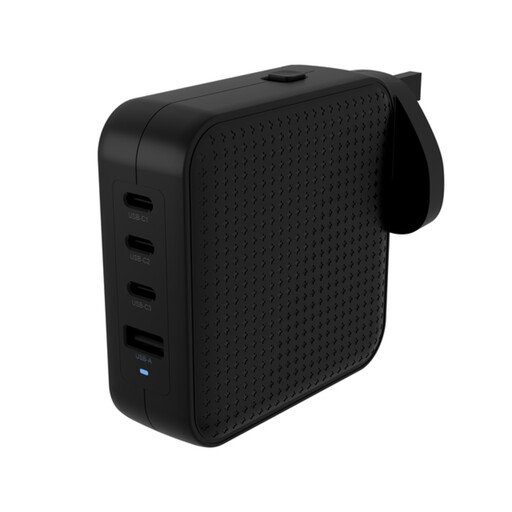 No image available
Its three USB-C ports and one USB-A port offer connections for a laptop, phone and other devices from one charger. The stated output is 100W; check the power available on your chosen ports and whether the plugs suit your destination.
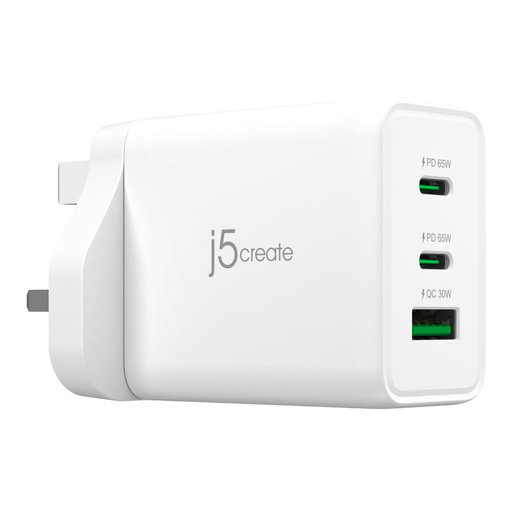 No image available
The three-port design is relevant if you want to connect more than one device to a charger. Check the output available to your laptop when your phone is connected, as well as the plug type needed for your trip.
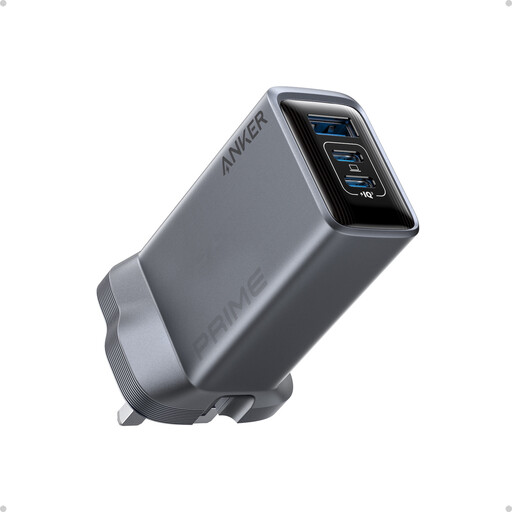 No image available
Three ports give you a way to connect a laptop and phone to one charger. Compare the power available with both devices connected against their requirements, and check destination plug compatibility separately.
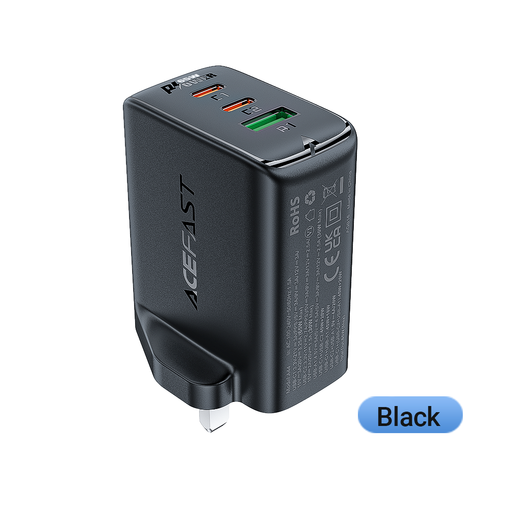 No image available
The UK plug and two USB-C ports plus one USB-A port make this an option for connecting several devices at a UK socket. Check its charging compatibility and output with your laptop and phone connected, and whether travel elsewhere calls for an adaptor.
 No image available
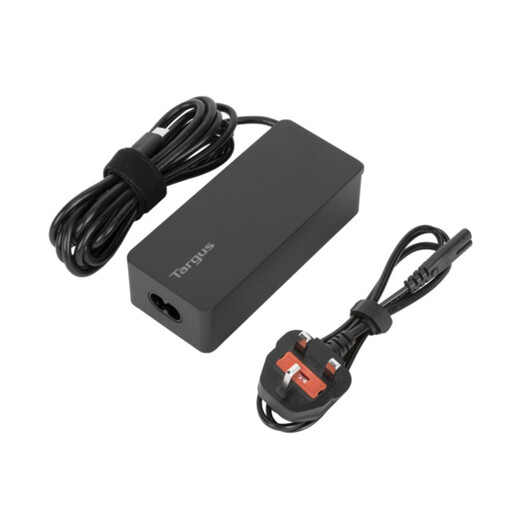
Consider this charger if its USB-C charging method and 65W rating meet your laptop’s requirements. Check the port configuration before relying on it to charge a phone at the same time, and confirm the charger’s input and plug arrangements for your destination.
Check the operating airline’s rules before travel rather than packing it in the hold. British Airways requires power banks and spare batteries in hand baggage; easyJet permits up to two power banks per person, in cabin baggage only. GOV.UK also advises travellers to check airline battery restrictions.
Check the operating carrier’s current in-flight-use policy before relying on a power bank to charge your phone on board. Carriage permission does not, by itself, answer whether use is permitted during the flight.
Start with your laptop manufacturer’s requirement, then check the charger’s output when the phone is connected too. Apple states that its MacBook Air needs at least 30W to charge and a USB Power Delivery source of 70W or higher for fast charging; those figures do not set the requirement for other laptops.
No. Check the laptop’s supported charging method and required wattage, along with the charger and cable ratings. The USB Implementers Forum describes higher USB Power Delivery levels as dependent on suitable USB-C equipment; the connector alone does not establish your device’s charging requirements.
Check the destination socket type and each charger’s input-voltage marking before choosing either. A plug adaptor addresses physical plug fit; it does not confirm that the charger accepts the destination’s electrical supply.