What matters when choosing a backup?
Start with the problem you most need your backup to solve, then check that the route fits the way your household stores and restores files.
| Concern |
What to check |
Who this matters to |
| Independent recovery |
Keep a separate copy; check whether earlier versions remain available and practise restoring a file. |
If a deleted or damaged file would be hard to replace, I want to know I can restore an independent copy. Roughly 28% of consumers make independent recovery their primary concern. |
| Keeping copies current |
Check the schedule or upload settings, folder and device coverage, and whether the destination is available when backups run. |
If I often add new photos or files, I need a repeatable way to copy them without relying on memory. Around 22% of consumers put keeping copies up to date first. |
| Usable capacity |
Compare the space available with the files and versions you intend to keep; check what else uses any shared cloud allowance. |
If my photo and document collection is growing, I need enough room for the intended copies. About 17% of consumers make usable space their main concern. |
| Privacy and access |
Check the exact model’s password or encryption features, cloud account protections and how you will retain credentials for recovery. |
If a portable copy could be lost or an online account accessed by someone else, I want to control who can reach my files. Roughly 17% of consumers prioritise privacy and access protection. |
| Ongoing cost and access |
Review subscription, renewal, cancellation and export terms, and identify any extra equipment or backup destination needed. |
If I want to keep files accessible over time, I need a plan for continuing costs and retrieving my data. Around 16% of consumers put ongoing cost and access first. |
Joybuy product choices
This selection covers a home NAS and portable external drives for household photo and document storage. Check NAS setup and drive inclusion, and establish how any removable drive will be kept up to date and restored.
 No image available
Synology DS225+ 2-Bay Diskless NAS
This NAS may suit a household looking to configure shared storage and backups across devices; its listing describes automated backup support.
2-bay, diskless NAS. Storage drives are not included.
View on Joybuy
 No image available
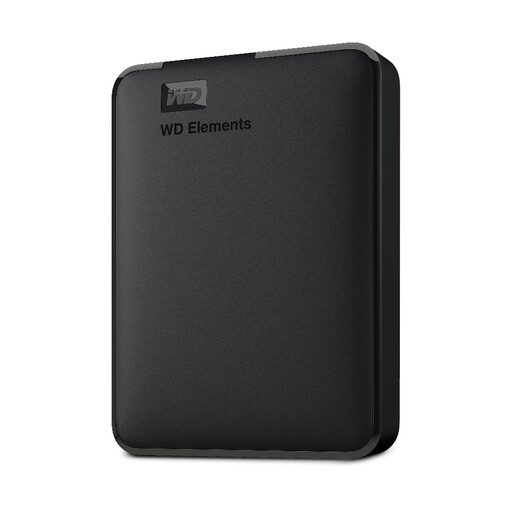
WD 2TB Elements Portable External Hard Drive
A portable drive may suit someone who wants a local copy and can maintain a regular backup routine.
2 TB capacity; formatted for PC and Mac.
View on Joybuy
 No image available
Western Digital My Passport 4TB Portable Hard Drive, Black
This portable drive may suit someone looking for scheduled local copies and password-protected storage; the product description states that backup software can schedule backups.
4 TB capacity; the description identifies password protection with 256-bit AES hardware encryption. It is not waterproof and should not be exposed to direct liquid.
View on Joybuy
 No image available
Western Digital Elements Portable 4TB External Hard Drive, Black
A portable external drive may suit someone who wants a local copy of photos and documents kept apart from the original device.
4 TB capacity. The product description says the drive is not waterproof or dustproof.
View on Joybuy
 No image available
Western Digital My Passport Portable External Hard Drive, 2TB, Black
This portable drive may suit someone looking for scheduled backup software and password-protected storage.
2 TB capacity; the product description identifies 256-bit AES hardware encryption. It is not waterproof and should not be exposed to direct liquid.
View on Joybuy
Frequently asked questions
Is a synchronised photo library the same as an independent backup?
Not necessarily. Apple says deletions in iCloud Photos propagate to devices using the feature, and photos in iCloud Photos are not duplicated in iCloud Backup. If those photos matter to you, keep and test another copy.
How do I start a Windows backup to a drive?
For Windows File History, connect an external drive or configure a network location, select it as the destination and turn File History on. Microsoft’s documented coverage does not mean every folder is included, so check the folders you need and restore a sample file.
What should I check before paying for cloud storage?
Check how much space you need, the renewal and cancellation terms, account-access conditions and how you would transfer files elsewhere. UK consumer guidance from the Competition and Markets Authority warns that a subscription lapse can affect access; check the selected provider’s current terms.
Must a UK household keep personal backup data in the UK under UK GDPR?
The Information Commissioner’s Office says processing solely for personal or household activity, without a professional or commercial connection, falls outside UK GDPR’s scope. That does not establish a UK-only storage requirement or where a particular provider stores files. Reassess the position if the data or its use extends beyond a purely household activity.


