Households planning an off-site copy
You already need a computer-and-phone backup and want to decide which important files should remain available if something affects the home setup.


Choose an external drive for a straightforward computer backup, a NAS when several devices need a shared network destination, or cloud storage when an off-site service and remote access matter. If you need recovery both from a device failure and from a problem affecting your home, plan a local copy and a separate off-site copy; the UK National Cyber Security Centre advises keeping at least one backup offline. Check what each computer and phone actually backs up and how you would restore it, since device and service workflows cover different content.
You already need a computer-and-phone backup and want to decide which important files should remain available if something affects the home setup.
Your photos, videos or other files make capacity, backup history and space for several devices important parts of the choice.
You need a workable way to cover computer files and phone data, rather than assuming that one storage device automatically backs up everything.
| Concern | What to check when buying | Who this matters to |
|---|---|---|
| A usable copy away from home | Decide which files need an off-site copy, how often it updates and how you would restore it. | If a problem at home could affect both my computer and its backup, I want a separate copy and a clear restore route; around 31% of consumers put off-site recovery first. |
| Capacity and backup history | Measure the files and devices to cover, then decide how many older versions to keep. For Time Machine, Apple recommends ideally using a disk with at least twice the Mac’s storage capacity. | When my photos, videos and computer files keep growing, I need enough room for current files and the history I want to retain; around 25% of consumers prioritise capacity. |
| Coverage across computers and phones | Check the backup destination, included data, completion status and restore steps for each device and data type. | If I use both a computer and a phone, I want to know which files, photos and device data each workflow actually covers; around 25% of consumers put cross-device coverage first. |
| Ongoing cost and restoration | Compare the full equipment and service arrangement, storage limits and billing terms, then check how you would restore representative files. | When I want to keep the whole setup manageable, I compare ongoing service costs with equipment and look for a restore process I can follow; around 19% of consumers prioritise cost and restore effort. |
A synced file can change across devices, and a NAS kept at home is still in the same location as the original. The UK National Cyber Security Centre cautions that on-premises and cloud backups are not ransomware-resistant by default.
Check the service’s version and restore behaviour, then keep a separately recoverable off-site copy of files you could not replace.
Current files and older versions both use storage. Apple’s guidance for Time Machine recommends a disk with at least twice the Mac’s storage capacity; this is specific to that workflow, not a universal sizing rule.
Measure the files you want to protect and decide how much history to retain before choosing capacity.
Apple distinguishes iCloud-synced content from an iCloud device backup, and Google notes that not all Android apps back up or restore all settings and data.
Check photos, device data and important apps separately, then review the restore instructions for the replacement phone.
A NAS needs compatible storage drives and setup, while a cloud service has its own storage allowance and billing terms. Neither option’s headline cost alone describes the whole arrangement.
Compare the full local and off-site setup you intend to use, including how each copy would be restored.
These brands relate to different household backup products and services; the details below apply to the named product lines or workflows, not every product from each brand.
The Expansion portable-drive line is relevant to direct computer backups and a drive that can be moved to another location.
The My Passport family is a direct-attached storage option for households considering portable drives.
The DS223j NAS line is relevant to households considering shared network storage for computer files and phone photos.
The TS-233 two-bay NAS is relevant to households considering shared network storage rather than separate drives attached to each computer.
iCloud+ and Time Machine are relevant to households comparing cloud and local copies across iPhones and Macs.
These Joybuy choices are external drives for local copies of computer files and personal media; a drive kept at home does not itself provide an off-site copy.
 No image available
This external SSD is a local storage option for computer and media files, including files you plan to back up.
4 TB capacity; USB Type-C; USB 3.2 Gen 2x2. The listing describes compatibility with PCs, Macs and Android devices.
Move a copy to another location if you need an off-site backup.
 No image available
This portable external SSD is a local option for storing or transferring computer files and media.
1 TB capacity; USB Type-C; USB 3.2 Gen 2 (3.1 Gen 2). The listing describes compatibility with PCs, Macs and Android devices.
A drive kept at home does not provide an off-site copy by itself.
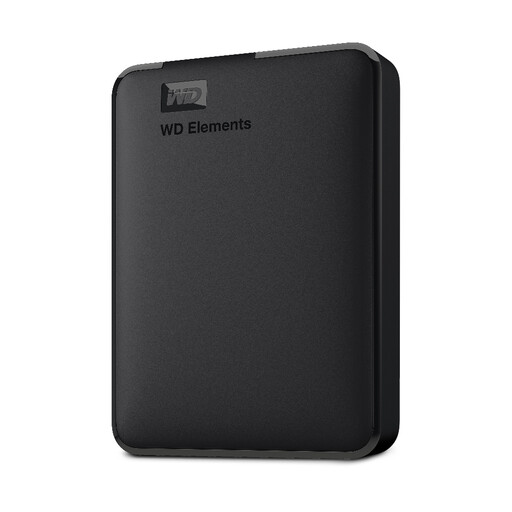 No image available
This portable external drive is a local storage option for computer files and personal media such as photos, videos, music and documents.
5 TB capacity; USB 3.0.
To keep a copy away from home, you would need to move the drive or use another off-site destination.
 No image available
This portable external hard drive is a local option for storing and backing up computer files and media.
2 TB capacity; USB 3.2 Gen 1. The listing describes scheduled local backups.
A local drive needs to be moved or paired with another destination to provide an off-site copy.
 No image available
This portable SSD is a local storage option for computer files and media; its magnetic attachment is specified for iPhone 15/16 series with the included case or ring.
2 TB capacity; USB 3.2 Gen 2; up to 1050MB/s read and 1000MB/s write as listed. The description names PC and Mac compatibility.
MagSafe wireless charging is not supported while the SSD is attached. A drive kept at home does not provide an off-site copy by itself.
Do not assume that one existing format suits both. Microsoft says Windows File History can use an external drive or network location, while Apple says Time Machine cannot back up to a disk formatted for Windows and may ask to erase and reformat it. Check the intended setup before putting your only copy on the drive.
No: Apple says information already synced to iCloud, including photos when iCloud Photos is enabled, is not included in the iCloud device backup. Check your photo-sync setting and plan a separate recoverable copy if that distinction matters to you.
Check the Google account used for backup, the selected data types and the backup’s completion status. Google notes that not all apps restore all settings and data, and a backup from a higher Android version cannot be restored to a phone running a lower version.
Not if you still need an off-site copy and the NAS remains at home. A NAS provides network storage, while a cloud service has its own allowance and billing terms; compare the complete arrangement and how you would restore each copy.
The Information Commissioner’s Office says UK GDPR does not apply to processing carried out by individuals purely for personal or household activities. That scope does not establish the same conclusion for business or other non-household processing.