Address-first movers
If you need a working fixed-broadband connection at the new property, check what can be ordered there before deciding whether to buy extra equipment. Ofcom advises checking availability at the exact address.


Before buying networking equipment for a new home, check the fixed broadband available at the exact address and confirm the installation and supplied equipment with the provider. The provider’s router is a sensible starting point; consider your own router only when the provider confirms it will work, mesh when Wi-Fi is weak in several rooms, or Ethernet for devices that can be connected by cable. None of these options increases the capacity of the incoming broadband service.
If you need a working fixed-broadband connection at the new property, check what can be ordered there before deciding whether to buy extra equipment. Ofcom advises checking availability at the exact address.
If work, study or entertainment will take place in rooms away from the router, distinguish indoor Wi-Fi coverage from the broadband service reaching the property. Ofcom’s guidance covers ways to improve the Wi-Fi experience.
If you have a fixed workstation or need particular router controls, check the ports, cabling and provider requirements before choosing equipment. ASUS lists router and access-point modes for the RT-AX58U; that does not establish compatibility with a particular broadband order.
Start with the service and equipment the provider can supply at the new address, then decide whether your home layout or a fixed device calls for extra networking hardware. Ofcom’s checker gives address-specific broadband availability and predicted speeds, but the provider should confirm the order and setup.
| Concern | What to check when buying | Who this matters to |
|---|---|---|
| Service and move-in readiness | Check the exact address and confirm the orderable service, installation steps and supplied equipment with the provider. | I want to know what connection can actually be ordered before buying hardware; around 33% of consumers put address and connection readiness first. |
| Wi-Fi across the home | Check router placement and the rooms affected before choosing mesh nodes, pack contents or backhaul options. | I need Wi-Fi in rooms beyond the router, not just beside it; around 27% of consumers prioritise coverage across the home. |
| Provider compatibility | Ask about customer-owned routers, connection settings and support; check the exact supplied hub and required ports. | If I want to use my own router or specific network controls, I need to know how it will connect and what support remains; around 20% of consumers put compatibility first. |
| Wired connections | Check the ports at both ends and whether a cable can reach safely; confirm that any mesh node has the port you need. | For a fixed desk device or a wired link between suitable network units, I need a practical cable route and compatible ports; around 20% of consumers prioritise a wired connection. |
Wi-Fi equipment cannot increase the capacity of the broadband connection, and an availability result is not a guarantee of the service or speed at the property.
Check the exact address and confirm the provider’s order and setup. If performance is poor, establish whether the issue is the incoming connection or indoor Wi-Fi before adding hardware.
Provider equipment arrangements and supported functions vary. Virgin Media’s guidance, for example, describes model-specific modem-mode support and says it is not currently available for Hub 5x.
Ask the provider about its requirements and support policy, and identify the exact hub model before buying or changing its operating mode.
Changing equipment or settings may affect functions you rely on, so confirm what will remain available before making the change.
eero specifies two Ethernet ports on the eero 6+ router and none on the eero 6+ Extender, so similarly named units may not suit the same wired setup.
Check the ports on each unit in the exact pack if a device or wired backhaul needs to connect to a remote node.
A different node or additional equipment may be needed if the selected unit cannot make the planned wired connection.
Wi-Fi coverage depends on the property’s layout and conditions; a manufacturer’s coverage figure does not predict results in a particular home.
Assess the connection in the rooms where you need it, then consider node positions and the actual pack contents.
A difficult layout may require extra nodes or cabling, so plan around the rooms and routes available in the property.
Relevant when you order a compatible BT service and want to follow its supplied hub-and-disc setup.
Relevant when your order uses Virgin Media equipment and you want to add separate Wi-Fi kit while retaining the supplied hub.
The Deco X50 is a mesh option to assess when node placement and optional Ethernet backhaul suit the property.
The eero 6+ range is a mesh option where the Ethernet capability of each selected unit matters.
The RT-AX58U is a standalone-router option to assess when you need router or access-point modes.
These products relate to mesh Wi-Fi, a router used with a separate modem and a wired connection for a fixed device. Confirm the provider’s equipment requirements before choosing a router or mesh system.
 No image available
Consider this three-unit mesh set if you need Wi-Fi across several rooms and have a separate modem or gateway.
The router has 2.5Gbps WAN and LAN ports; each satellite has a 2.5Gbps LAN port. An existing modem or gateway is required.
 No image available
Consider it for a fixed-broadband setup only if your provider confirms the connection method and a separate modem is suitable.
The listing describes a WAN/LAN port for connection to cable, fibre or DSL modems, two Gigabit LAN ports, and a fixed-modem router mode. Using 5G or 4G requires a SIM and mobile-network service.
 No image available
Consider this three-unit mesh system if you want coverage across rooms and can use its stated wired-backhaul option where appropriate.
Each unit has two 1.0Gbps Ethernet ports. The listing describes combined wireless and wired backhaul; setup uses a modem and the Deco app.
 No image available
Consider this router if its ports suit your wired connections and its stated mesh expansion matches the equipment you plan to use.
It has one 2.5-Gigabit WAN port and three 2.5-Gigabit LAN ports. The listing describes mesh expansion with compatible AQUILA PRO AI routers or extenders.
 No image available
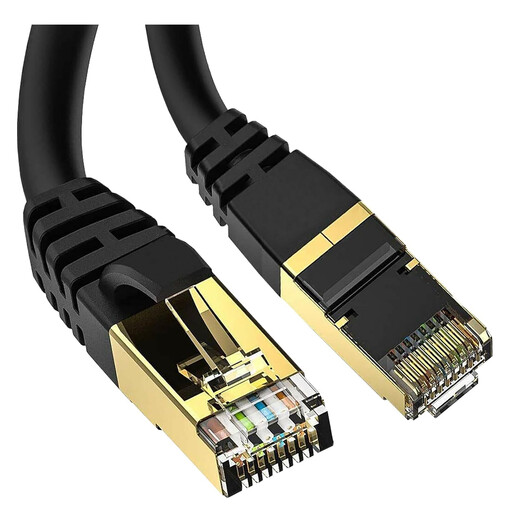
Consider a wired connection for a stationary device when a cable route of this length is practical.
The cable is 5 metres long and has RJ45 connectors. Check the route and connection points before choosing it.
No. Ofcom says actual availability or speeds at a property may differ from the checker’s results. Select the exact address and ask the proposed provider to confirm the order and installation.
Check the technology available at the address and the equipment the provider will supply before choosing a router. Ofcom distinguishes full-fibre, part-fibre and cable connections, but the word “fibre” alone does not establish how a third-party router will connect.
That depends on the service and the equipment it requires, so ask the provider about connection settings and support before buying. Ofcom warns that a self-purchased router can be harder to set up and may receive less provider troubleshooting support. Virgin Media’s modem-mode guidance applies to specified hubs and excludes Hub 5x.
No. Mesh can address indoor Wi-Fi coverage, but it does not increase the capacity of the incoming broadband service. If performance is poor near the router as well as in distant rooms, check the service before buying coverage equipment.
Place the router centrally where practical, and assess Wi-Fi in the rooms where you need it before adding nodes. Ofcom advises keeping the router off the floor and away from objects or electrical devices that can obstruct or interfere with Wi-Fi; BT provides placement guidance for its own hub-and-disc setup.