Who is each route for?
Start with the problem you notice in an ordinary call, rather than replacing camera and audio equipment together.
Laptop callers unhappy with their image
If the built-in camera is the weak point, consider a separate webcam. If the image mainly looks dark or backlit, assess the desk lighting before changing cameras; Logitech describes light correction on its Brio 500, while Elgato offers a separate desktop light.
People calling from shared rooms
When nearby conversation affects calls, assess a headset with a boom microphone and check the exact version needed for your meeting platform. Jabra lists separate platform certifications for Evolve2 55 variants; fit and comfort still need a personal check.
Fixed-desk callers replacing a monitor
If you need a new display as well as calling equipment, an integrated conferencing monitor is another route. Dell describes a webcam, speakers and microphone in its P2426HEB monitor; check its connections and whether a permanent desk setup suits you.
What should you check before choosing?
Check the room and your existing equipment first, then match a possible upgrade to your computer and meeting app.
| Priority | What to check | Your needs |
|---|
| Camera and light |
Compare an ordinary call in your usual lighting with the light falling from a different direction. If considering a webcam, check its stated resolution, mounting position and any software needed for framing features. |
My laptop image is the problem, so a separate camera may help. If my current camera is usable but my face is dark, I would assess lighting instead. |
| Speech in shared rooms |
Check microphone position and the exact headset variant. Treat noise reduction for what you hear separately from claims about what your microphone transmits. |
People nearby sometimes talk while I’m on a call; I want colleagues to hear my voice clearly without assuming that noise cancellation removes every background sound. |
| Wear and controls |
Consider headset fit over your usual call duration, the position of mute controls and whether the connection uses a cable, Bluetooth or an adapter. Confirm any Teams-specific controls on the exact variant. |
For frequent or lengthy meetings, I need a headset I can wear comfortably and mute without searching through an app. |
| Dedicated desk audio |
Check the microphone’s connector and operating-system requirements, then consider where it will sit. Elgato specifies Windows 11 or newer, macOS 14.2 or newer and USB-C for Wave:3 MK.2. |
I normally call from a quiet, fixed desk and would rather use a separate microphone than wear a headset. |
| Display and desk space |
If considering a conferencing monitor, check its video connection, upstream USB connection and available desk space. Dell specifies a 23.8-inch display with a built-in webcam, speakers and microphone for the P2426HEB. |
I also need to replace my monitor and want a permanent calling setup; an integrated display would not meet my need for portable equipment. |
| Access and privacy |
Confirm available ports, operating-system version, meeting-app access and employer software rules. Microsoft and Apple document app-level camera permissions; Apple also documents microphone permissions. Check for a physical shutter if you want that control. |
I want the camera and microphone to work with my work computer, while keeping control over which apps can use them. |
Relevant brand examples
These examples show how particular product lines fit the camera, audio, lighting and display routes; the details apply to the named models, not every product from each brand.
Logitech
Logitech describes the Brio 500 as a Full HD 1080p webcam with automatic light correction and auto-framing.
- A camera-led option to assess when a built-in laptop image is the main concern.
- Check software requirements for the framing feature on a work-managed computer; the webcam does not address connection instability.
Jabra
Jabra offers Evolve2 55 headset variants for work calls, with manufacturer-stated noise-handling features.
- Jabra lists meeting-platform certifications that can help narrow the exact variant to check.
- Teams certification depends on the variant, and the product page cannot establish how comfortable a headset will feel to an individual wearer.
Elgato
Elgato provides separate desk-based audio and lighting options, including Wave:3 MK.2 and Key Light Air MK.2.
- Elgato specifies Windows 11 or newer, macOS 14.2 or newer and USB-C for the Wave:3 MK.2 microphone.
- For full stated brightness, Elgato says Key Light Air MK.2 needs a PD-compatible power source rated at 30 W or higher; the adapter or battery bank is not included.
Dell
Dell’s P2426HEB is a 23.8-inch conferencing monitor with a built-in webcam, speakers and microphone.
- Its integrated equipment is relevant when a fixed-desk caller also needs a new display.
- Confirm the computer’s video and upstream USB connections; a monitor does not serve the same portable use as a separate webcam or headset.
Joybuy options for home-working calls
These options cover separate webcams and a wired headset for home-working calls. Choose between them according to whether your immediate concern is your image or your call audio; check each model against your own computer and meeting app.
 No image available
Targus 2K Webcam with Auto Focus
Consider this separate webcam if the built-in camera is the part of your calls you want to change. Check the capture resolution before buying: the product information describes it both as 2K and as Full HD 1080p at 30fps. Confirm that its connection options suit your computer and meeting setup.
View on Joybuy
 No image available
EMEET All-in-One 4K Webcam with Sony Sensor
This fixed-focus webcam is worth assessing for a desk setup where you want camera and audio equipment together. Its title specifies a four-microphone array, dual speakers and an adjustable 98° field of view. Check your camera distance and framing, and confirm any conferencing-platform requirements set by your employer.
View on Joybuy
 No image available
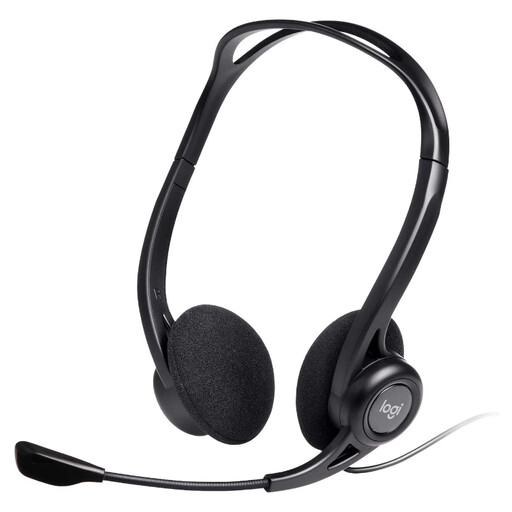
Logitech 960 Wired USB Headset
Consider a headset when call audio matters more than changing the camera. This model’s title identifies inline controls and a noise-cancelling microphone; that description does not establish how much household noise others will hear. Check for a suitable USB-A port and whether wired wear suits your usual call duration.
View on Joybuy
 No image available
j5create JVU250 HD Webcam with Auto and Manual Focus Switch
This is another separate-camera route if your built-in webcam is the limitation. The stated video resolution is 720p HD, so do not assume it meets a Full HD requirement. Check for a suitable USB-A port and confirm the intended setup in your conferencing software.
View on Joybuy
Common questions
Do I need a Teams-certified webcam or headset for a Teams call?
Certification is worth checking when you need particular Teams controls or your employer requires certified equipment; it is not a general prerequisite for basic audio or video. Microsoft Learn describes its personal-peripheral certification programme, but the exact model and variant still matter. For native Bluetooth-certified devices, Microsoft Learn states support for Windows PCs and describes macOS support as a possible future addition.
Is Zoom-certified hardware required for an ordinary meeting?
Zoom Support lists certified categories, including personal cameras, headsets and collaboration monitors, rather than establishing a general hardware requirement for every personal meeting. Check certification if tested platform integration matters to you, and confirm any separate employer requirement.
Why is my new camera not appearing in a Windows meeting app?
Check device selection in the meeting app and Windows camera permissions. Microsoft Support says camera access, app access and the relevant app setting must be enabled; desktop-app access has a separate control. For a microphone problem, check the corresponding microphone permissions and the app’s selected input.
How do I control camera and microphone access on a Mac?
Use macOS System Settings to allow or deny access for the relevant app under Privacy & Security. Apple Support documents separate camera and microphone controls; also check the device selected within your meeting app. Website permissions in Safari are managed separately.
Will a better webcam fix freezing calls?
A camera change will not fix a connection bottleneck. Ofcom advises using an Ethernet cable between the computer and router instead of Wi-Fi for better broadband speeds; check connection stability before treating freezing as a camera problem.


