What should you check before buying?
Decide what area needs attention first, then check the proposed view and installation before comparing recording and alerts.
| Priority | What to check | Your needs |
|---|
| Coverage and privacy |
Plan the mounting angle and inspect the live image after installation. Check whether view restrictions, masking and audio controls meet your needs. |
I want to see my entrance or chosen area without unnecessarily recording neighbours or shared space. GOV.UK guidance says UK data-protection law applies if a domestic system captures images of people beyond the private-property boundary. |
| Recording and storage |
Compare event-triggered with continuous recording on the exact device. Check included history, any paid plan, local-storage compatibility and how footage can be retrieved. |
If I miss an alert, I need enough usable history to review it. I also need to decide whether a recurring cloud service or managing local recordings fits my household. |
| Useful alerts |
Check which activity types the exact device and plan identify. Set motion zones against the installed view and check whether missed events remain available to review. |
At the front door, callers and parcels matter more to me than movement across a wide scene; elsewhere, I may need alerts for a different area. |
| Power and connection |
Check charging or existing wiring, Wi-Fi and broadband at the mounting point, and any Ethernet route. Confirm hub or recorder compatibility for a multi-camera system. |
I need a setup that works at the intended position, not just one whose video specifications look suitable. A battery to recharge or a cable to run changes that choice. |
Which brands are relevant?
These brand references illustrate different doorbell and recording arrangements; features still need checking on the exact model.
Google Nest
An app-based doorbell option for households comparing included event history with a paid history plan.
- According to Google Store UK, the battery Nest Doorbell includes three hours of free event video history, with up to 60 days available through the stated subscription.
- Check the exact doorbell and plan before assuming a particular recording period or feature is included.
eufy
A video-doorbell option for households comparing front-door viewing and installation arrangements.
- The eufy Security Video Doorbell C31 listed below offers battery or hardwired power as stated in its product name.
- Check the C31's recording mode and the suitability of existing wiring before planning continuous recording.
Reolink
A reference for households considering local storage, several cameras or a wired outdoor installation.
- Reolink UK describes microSD, NVR and Home Hub storage options; it also describes offline recording for certain Home Hub configurations.
- Its PoE route requires suitable Ethernet cabling and compatible equipment. Check camera, hub and recorder compatibility by exact model.
Joybuy camera and doorbell options
These Joybuy options cover video doorbells and indoor cameras, including a camera intended to face through a window. Choose the location and recording arrangement you need before comparing the models.
 No image available
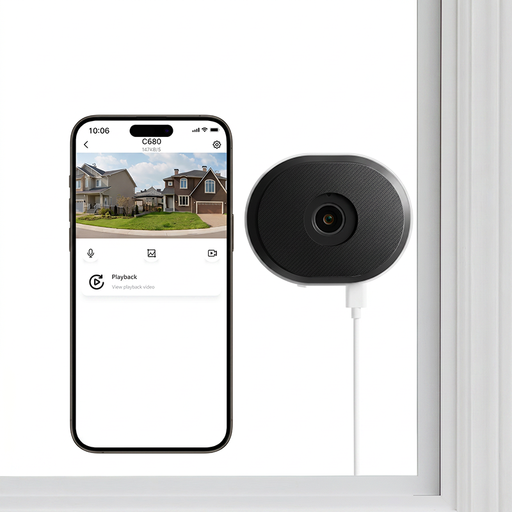
ZOSI C680 3MP 2K window security camera
An indoor plug-in option for a proposed view through a window. Its name specifies 2.4/5GHz Wi-Fi, 24/7 recording and two-way talk. Inspect the view from the intended window; if audio controls or privacy masking matter to you, confirm the exact settings before buying.
View on Joybuy
 No image available
tapo D230S1 smart battery video doorbell
A front-door option where battery installation is preferable to using doorbell wiring. Check charging and network coverage at the entrance, then inspect the installed view if it could include a neighbour's property or shared area.
View on Joybuy
 No image available
eufy Security Video Doorbell C31, 2K FHD
Its stated battery or hardwired power options allow a choice based on the entrance setup. The listed 24/7 recording arrangement depends on hardwiring, so confirm suitable wiring and the intended recording mode. Check storage and the installed view before use.
View on Joybuy
 No image available
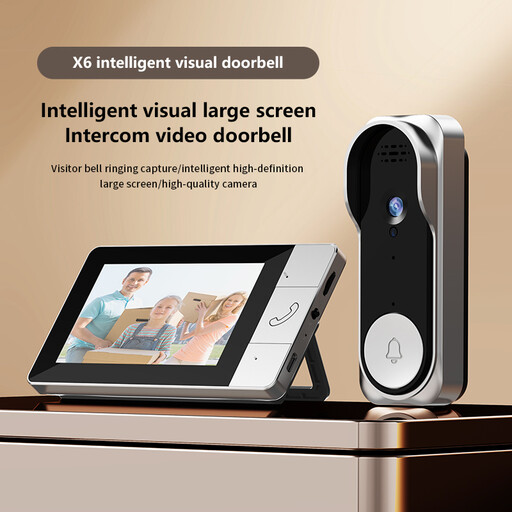
Verbex NT601A video doorbell
Consider this entrance option if an indoor screen and local visitor response matter more than assumed phone access. Check app and remote-viewing support before relying on either: the product descriptions conflict. The listing says video recording requires a memory card, so confirm the compatible card and what is supplied.
View on Joybuy
 No image available
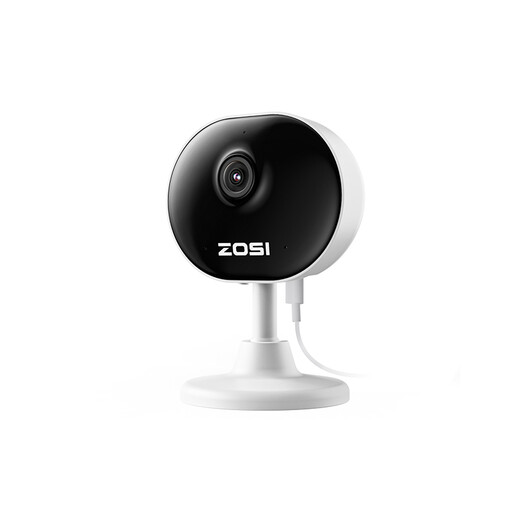
ZOSI C688 1080P indoor Wi-Fi camera
An indoor option for monitoring a defined room or entrance, with two-way audio stated in its name. Check power and Wi-Fi at the intended position. If you need saved footage, confirm its storage and export arrangements; decide whether audio is necessary in that room.
View on Joybuy
Frequently asked questions
When does UK data-protection law apply to a home camera or video doorbell?
GOV.UK domestic CCTV guidance says UK GDPR and the Data Protection Act 2018 apply when the system captures images of people outside the boundary of your private domestic property. That can include a neighbour's property, a shared area or public space; assess what the installed camera actually captures.
What should I check before mounting a camera near a neighbour?
Inspect the live view and position the camera to capture only your property where possible, as the ICO advises. Check whether you can restrict or mask the view, and consider audio separately: ICO guidance cautions against recording conversations between members of the public in normal use.
Does local storage remove the need to manage recordings?
No. Reolink UK describes local and, for certain hub configurations, offline recording, but you still need to control access, choose an appropriate retention approach and know how to find and export footage. Check those functions on the exact system you intend to buy.
Should I choose a battery doorbell or a wired camera?
Choose based on the proposed location and the recording mode you need. Check battery charging and the connection at a doorbell's mounting point; for a wired or PoE camera, check cable routing and compatible power and network equipment. Do not assume every installation option enables the same recording mode.
Can someone ask for footage that shows them?
Where data-protection obligations apply, the ability to locate and extract footage of a person matters. ICO guidance advises choosing a system that can do this for subject access requests. If you receive a request, consult current ICO guidance on handling it and protecting information about other people.


