What matters when choosing?
Video doorbell
Choose it when: Seeing and speaking to visitors at the door is the main purpose.
Allow for: A door-facing view may still include a shared path, and privacy and audio controls depend on the model.
Fixed outdoor camera
Choose it when: The necessary view of a gate or approach cannot be obtained from the doorbell position.
Allow for: A wider view needs careful mounting and aiming where neighbouring or communal areas are close.
For an entrance that may overlook a shared drive, communal approach, neighbouring property or public space, decide which of the following needs would determine your choice.
| Concern |
What to check |
Who this matters to |
| Capture beyond your boundary |
Plan the mounted view first. For unavoidable areas outside it, check whether the exact model blocks them in both live view and recordings. |
If my entrance faces a neighbour’s space, I need to limit what the camera shows rather than rely on alerts alone; roughly 36% of consumers put boundary control first. |
| Coverage and layout |
Decide whether the doorstep or a longer approach must be visible, then assess the proposed mounting position and field of view. |
When a doorbell would miss my gate or drive edge, I need another view without automatically choosing the widest one; around 29% of consumers prioritise fitting coverage to the layout. |
| Alerts and audio |
Check motion or activity zones separately from image masking, and find out how to switch off audio streaming and recording if they are unnecessary. |
With people regularly passing my entrance, I want useful alerts without recording conversations I do not need; roughly 21% of consumers make alert and audio control their primary concern. |
| Footage storage |
Confirm the exact model’s local or cloud options, supported recording mode and any subscription needed for the functions you intend to use. |
If I want to retrieve footage without depending on a cloud service, I need to know how this model stores and accesses recordings; around 14% of consumers put storage arrangements first. |
Outdoor cameras on Joybuy
These fixed outdoor cameras relate to the longer-approach option. Before choosing either one for a shared view, assess the mounting position and check its exact-model privacy-mask, alert-zone and audio controls.
 No image available
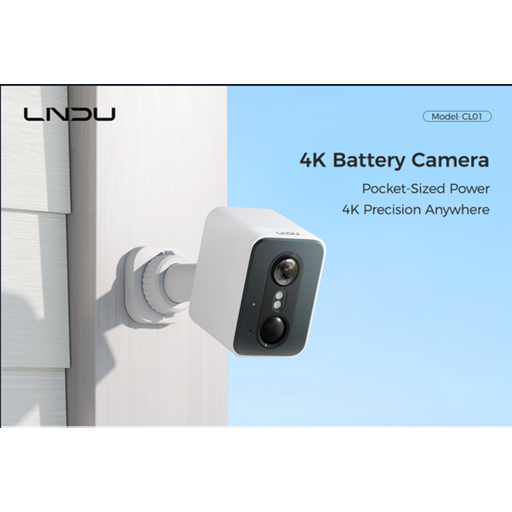
LNDU 4K wireless outdoor security camera, 128GB local storage
Consider its stated 143° field of view if the entrance route extends beyond a doorstep view, but assess how much of a shared area that view would include when mounted.
The product name specifies 2.4GHz Wi-Fi, 128GB local storage and PIR and radar detection. Check whether this exact model offers image-blocking privacy zones, separate alert zones and an audio-off control before using it beside a shared approach.
View on Joybuy
 No image available
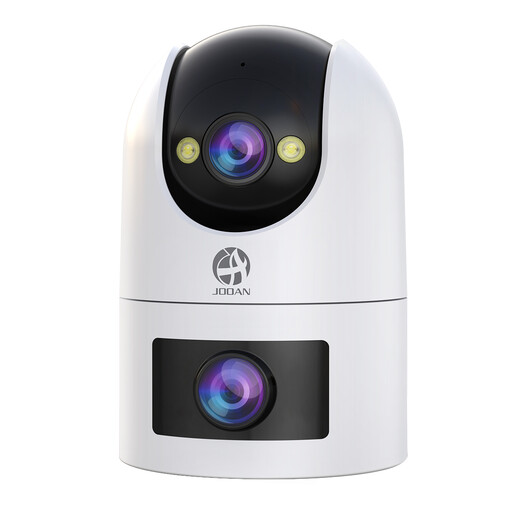
JOOAN dual-lens security camera, 360° view, IP66
Consider the dual-lens format if a fixed doorstep view would miss part of the approach; check whether the installed view can be limited to the area you need.
The product name specifies a 360° view, IP66 rating, 24/7 recording and cloud or card storage. Check this model’s privacy-mask, alert-zone and audio controls, along with its power-adapter requirements, before installation.
View on Joybuy
Frequently asked questions
Does data-protection law apply if my camera captures a shared drive or pavement?
Yes, if a home CCTV system captures someone else’s property, a public area or communal space, the ICO says data-protection law applies. The ICO advises positioning cameras to capture only your own property where possible; check its current guidance before installing a shared-area setup.
Has the guidance changed following the Data (Use and Access) Act?
The ICO’s public home-CCTV guidance says it is under review because of changes made by the Act, and the ICO says it has begun work on updated guidance. Recheck its current advice before installing or materially changing a camera that captures a shared area.
Will a privacy zone stop alerts from a shared approach?
Not necessarily: Ring says its Privacy Zones block selected parts of live and recorded video, but motion may still be detected behind them. Check image masking and detection or alert zones separately on the exact device.
Should I record audio on a shared approach?
Only use audio if it is needed for your entrance-monitoring purpose and you have considered the current ICO guidance for your setup. ICO material says recording conversations between members of the public should not normally be used without robust justification where data-protection obligations apply; check how the chosen device switches audio off.
Can I choose local recording instead of cloud storage?
Yes, on models that support the local recording method you need. Reolink lists microSD, NVR and FTP options for its Duo 3 PoE, while TP-Link documentation describes microSD storage on applicable Tapo cameras. Confirm the exact model’s supported media, recording mode and footage-access method before buying.


