What matters when choosing?
Start with programs that must run and whether the computer needs to move between rooms. Then compare the exact configuration and what comes with it.
| Concern |
Buying checks |
Who this matters to |
| Programs and support |
List essential desktop programs and file workflows. Check Windows 11 eligibility or ChromeOS app compatibility; Google says its Chromebook Microsoft 365 editing setup requires OneDrive. |
If familiar programs and files have to keep working, the operating system decides which routes remain practical. About 31% of consumers put software compatibility and support first. |
| Service life and condition |
Check the exact specification and software support. For a refurbished laptop, confirm its condition, battery information where given, charger and warranty provider. |
Replacing an ageing machine only makes sense if the next one has a usable supported life and a condition you can assess. For about 31% of consumers, that is the primary concern. |
| Everyday laptop use |
Compare screen size, keyboard layout, ports and storage against document work, video viewing and moving the laptop around the home. |
When the computer moves between rooms, a comfortable keyboard and screen matter alongside portability. Around 23% of consumers place day-to-day laptop use first. |
| Fixed-desk setup |
Check for a compatible monitor, keyboard, mouse and required display connections before choosing a compact desktop. |
If the computer never needs to travel, setting up a usable desk station becomes the deciding need. About 15% of consumers prioritise that fixed-desk arrangement. |
Joybuy laptops for home use
These Windows 11 laptops and Chromebook cover household document, web and video use. Check the programs you need before choosing between their operating systems.
 Image unavailable
ASUS Vivobook 15 X1504VA, 24 GB RAM, 1 TB SSD
Consider this Windows laptop if installed programs and substantial local file storage matter to your household. Its listed configuration has a 15.6-inch display, Intel Core 5 120U, 24 GB RAM and a 1 TB SSD; check the keyboard layout before buying.
View on Joybuy
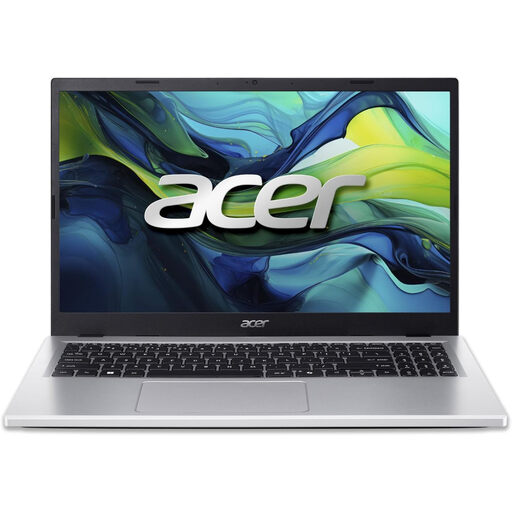 Image unavailable
Acer Aspire Go 15 AG15-71P, 8 GB RAM, 256 GB SSD
This Windows 11 Home model is one to compare for household documents and online services. Its title specifies an Intel Core i5-13420H, 15.6-inch Full HD screen, 8 GB DDR5 RAM and a 256 GB NVMe SSD; check whether the storage meets your local-file needs.
View on Joybuy
 Image unavailable
Acer Aspire Lite AL15-36P-C29Z, 8 GB RAM, 128 GB SSD
Consider this Windows 11 Home laptop for basic household tasks if its local storage meets your needs. The listed configuration includes an Intel N150, a 15.6-inch Full HD display, 8 GB DDR4 RAM and a 128 GB SSD.
View on Joybuy
 Image unavailable
Lenovo IdeaPad 1 15-inch, Ryzen 3 7320U, 8 GB RAM
This is a Windows option for household writing and browsing, but check that Windows 11 Home in S Mode fits the applications you need to install. The title lists a 15-inch Full HD display and a 128 GB SSD; also confirm the keyboard layout and available storage.
View on Joybuy
 Image unavailable
Acer Chromebook Plus 514 CB514-5H, 8 GB RAM, 256 GB SSD
Consider this ChromeOS laptop when household work is browser-led rather than dependent on Windows desktop programs. Its title lists a 14-inch WUXGA (1920 x 1200) display and Intel Core i3-1315U; check Google’s update schedule for this exact model and confirm the keyboard layout. Google says its Microsoft 365 editing setup requires OneDrive.
View on Joybuy
Questions about replacing a home computer
Can we keep using an old Windows 10 computer?
It may still run, but Microsoft says Windows 10 support ended on 14 October 2025. If you need a supported Windows replacement, check that the device you choose runs Windows 11 or meets its requirements.
Can a Chromebook edit Word and Excel files?
Yes, Google says its Chromebook Microsoft 365 setup can open and edit those files, with OneDrive required for that workflow. Check where your files are stored and whether any other essential programs require Windows.
How do I check a Chromebook’s remaining update life?
Look up the exact model in Google’s automatic-update schedule before buying. Google describes a 10-year update period measured from platform release, so the date a shop sells a Chromebook does not tell you its final-update date.
What should I check on a refurbished business laptop?
Confirm the exact model and its Windows 11 status, condition, included charger, keyboard layout, battery information where available and warranty provider. A manufacturer’s certified-refurbished assurances apply to devices carrying that certification, not automatically to other used listings.
When does a compact desktop make sense instead of a laptop?
Consider one when the computer will remain at a desk and you have, or plan to obtain, a compatible monitor and input devices. Check the individual desktop’s connections and included accessories; Lenovo says the keyboard and mouse for its IdeaCentre Mini 5i Gen 7 are sold separately.


