What matters when choosing?
Check the tasks the household must complete before deciding on a device type, then check whether the device can be used straight away with the equipment and connectivity available at home.
New laptop or desktop
Consider when: You need a keyboard-based computer for regular documents, files and schoolwork whose requirements may change.
Allow for: A desktop needs a suitable place and separate input and display equipment; a laptop makes more sense if the device must move around.
Refurbished laptop or desktop
Consider when: You need a full computer and can assess a specific used device rather than relying on a general condition label.
Allow for: Prior wear and software-support status make the exact model, condition and seller description especially important.
Tablet with keyboard
Consider when: The required work is browser-led and has been confirmed on that tablet’s operating system.
Allow for: Adding a keyboard does not establish compatibility with required desktop software, assessments or file workflows.
| Concern |
What to check |
Who this matters to |
| Schoolwork and service compatibility |
Confirm the required school apps, browser, file formats and peripherals. Check that the operating system remains supported. |
If one computer must cover assignments and online services, I need it to handle more than basic browsing. About 36% of consumers put broad task compatibility first. |
| Refurbished condition and support |
Identify the exact model and disclosed condition; check the installed operating system, charger and seller’s fault-resolution terms. |
When considering a refurbished computer, I want to know what wear or software limits I would be accepting. For about 29% of consumers, confidence in the device’s condition and support is the primary concern. |
| Portable, browser-led access |
Confirm that required learning tools and files work on the chosen tablet or portable computer and that its keyboard suits the typing involved. |
If my confirmed tasks are mainly online and I need to carry the device, portability matters without giving up those tasks. Portable access is the first concern for about 21% of consumers. |
| Ready-to-use setup |
Check for a compatible charger, usable connectivity and the input or call accessories the household actually needs. |
A device is little help to me if I cannot power it, get online or join a required call. About 14% of consumers chiefly need a complete, usable setup. |
Brands to consider
These ranges offer different computer formats; the school’s requirements and the exact model matter more than the brand name alone.
Lenovo
Lenovo’s laptop and PC ranges include options aimed at students and home use.
- Lenovo describes its student-laptop range as spanning different sizes, which gives households several formats to compare.
- The range includes substantially different models. Check the exact device’s operating system, keyboard, camera, ports and support terms rather than applying a range description to every laptop.
HP
HP offers Chromebooks for households considering browser-led schoolwork and everyday computing.
- HP describes standard Chromebooks and Chromebook Plus as different tiers within its own range.
- The school platform, required apps, files and peripherals must work on ChromeOS; HP’s range descriptions do not establish compatibility with a particular school.
Acer
Acer’s Chromebook range includes everyday and education-oriented models in several formats.
- Acer lists clamshell, touchscreen and convertible Chromebook formats, allowing buyers to compare how they prefer to use a keyboard and screen.
- An education-oriented range label does not confirm that an individual model runs a school’s required software or assessment tools.
Chromebook laptops on Joybuy
These Chromebook laptops are options for households considering a keyboard-based device for browser-led work. Before choosing one as the main home computer, confirm that the required school platforms, files and services work on ChromeOS.
 No image available
Acer Chromebook Plus 514 CB514-5H, Core i3-1315U, 256GB SSD
Consider this Chromebook laptop for regular keyboard-based, browser-led tasks once your required school apps and file workflow have been confirmed on ChromeOS.
Its listed configuration has a 14-inch WUXGA (1920 × 1200) display, Intel Core i3-1315U, 8GB RAM and 256GB SSD. Check the call equipment and supplied accessories against what your household needs.
View on Joybuy
 No image available
Acer Chromebook Plus 514 CB514-5H, Core 5 120U, 512GB SSD
This is another keyboard-based ChromeOS option if the household’s required school and service tasks work on that platform.
The listed configuration has a 14-inch WUXGA (1920 × 1200) display, Intel Core 5 120U, 8GB RAM and 512GB SSD. Confirm the microphone and supplied power equipment if calls and immediate setup are important.
View on Joybuy
 No image available
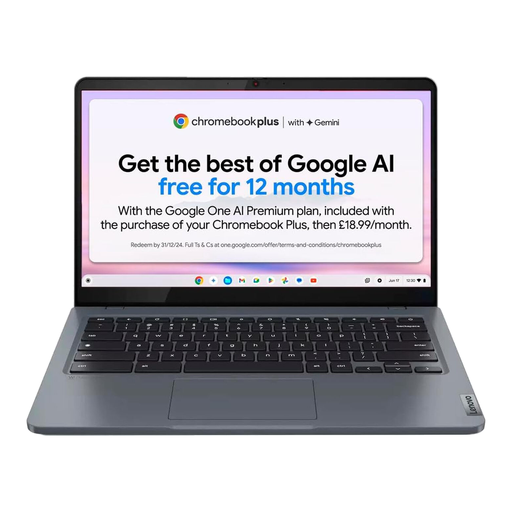
Lenovo IdeaPad Slim 3 Chromebook 14IAN8, 83BN001EUK
Consider this Chromebook for browser-led household tasks after confirming the school platform and required file workflow on ChromeOS.
The listed variant has a 14-inch display, Intel Core i3 N305, 8GB RAM and 256GB eMMC storage. Check its current software-update support, call equipment and supplied charger before relying on it for schoolwork and calls.
View on Joybuy
Common questions
Can a refurbished laptop handle schoolwork and online services?
Yes, if the exact laptop meets the required tasks and has an acceptable condition and support route. Check its operating system, keyboard, screen, battery, ports and charger against the seller’s description. For Windows 10 devices, Microsoft states that standard support ended on 14 October 2025, while Consumer Extended Security Updates can cover eligible devices until 12 October 2027.
Can a tablet with keyboard replace the household laptop?
It can serve as the main device when the required schoolwork and online services have been confirmed on that tablet. Check apps, browsers, assessments, file submission and peripherals with the school or service provider; a keyboard does not make desktop software compatible.
Do buyers have rights when a refurbished computer from a trader is faulty?
Buying second-hand from a trader does not remove rights concerning faulty goods, according to Citizens Advice. The disclosed condition and ordinary wear matter when assessing a problem. Keep the listing and receipt, and use the Citizens Advice guidance applicable to your part of the UK for the relevant remedy.
Does a warranty replace legal rights?
No. Citizens Advice says warranties and guarantees add to legal rights. Check who provides the cover, what it includes and how to make a claim, without treating its exclusions as the limits of your rights concerning faulty goods.
What should I check if a charger comes with the computer?
Confirm that it is suitable for the exact device and inspect its condition; do not use visibly damaged power equipment. Government electrical-equipment guidance sets requirements for products placed on the Great Britain market, but that guidance does not establish the detailed position for Northern Ireland.


