Choose an external HDD when capacity for a home archive matters more than transfer speed; consider an external SSD when you frequently move large files or carry the drive. Which? distinguishes these backup uses, while the National Cyber Security Centre advises keeping important files in a separate, safe location. For files you cannot replace, consider both a local copy and a separately managed off-site copy: a synchronised cloud folder should not be assumed to provide unlimited recovery.
Who needs which approach?
Household media archivists
If your photo, video and document collection keeps growing, plan for enough local capacity to hold repeated copies. For Mac users running Time Machine, Apple advises a backup device with at least twice the Mac’s storage capacity.
Mobile large-file users
If you move large folders between places, check the computer port and cable against the drive’s stated speed requirements. Treat manufacturers’ drop and ingress ratings as claims under specified test conditions, not protection against every accident.
Irreplaceable-file protectors
If losing access to photos or documents would be especially disruptive, focus on whether you can restore a separate copy after device loss, deletion or failure. The National Cyber Security Centre recommends storing important backups separately and keeping at least one copy offline.
What matters when choosing?
Decide how you will restore a separate copy before choosing its capacity, connection or location; a USB stick for selected files and a cloud-synchronised folder solve different parts of that task.
| Concern |
What to check |
Who this matters to |
| Separate, recoverable copies |
Confirm what is copied, where it is stored and how you would restore it. Consider a copy that is not permanently connected. |
If one lost device or account could cut me off from important files, I need another copy I can actually restore; around 27% of consumers put this resilience need first. |
| Growing archive capacity |
Allow space for future files and backup history. Apple recommends a Time Machine disk with at least twice the Mac’s storage capacity. |
A growing collection of household photos and videos makes room for successive backups more important to me than fast transfers; roughly 20% of consumers prioritise archive capacity. |
| Portable large-file transfers |
Match the drive’s USB requirements to the computer port and cable; read the conditions attached to speed and physical-protection claims. |
When I regularly carry and copy large folders, waiting for transfers and handling the drive matter most; around 20% of consumers make portable transfer needs their priority. |
| Automatic off-site access |
Check selected folders, available storage, deletion recovery, account access and how to export your files. |
If I rarely connect an external drive, I want recent files updated away from home and accessible on another device; about 20% of consumers put automatic off-site access first. |
| Selected essential files |
Check that the files fit, the connector suits your computer and another copy remains elsewhere. |
When I only need to carry a small set of documents, a straightforward secondary copy is my main concern; around 13% of consumers prioritise this limited-file need. |
Mistakes to avoid
-
Assuming a synchronised folder keeps every deleted file
Synchronisation can provide a cloud copy, but recovery has limits. Microsoft says deleted files in personal OneDrive accounts can be restored within 30 days; permanently deleted items cannot be restored.
Check version history and deletion recovery, and keep another separately managed copy of files you cannot replace.
-
Connecting a Windows-formatted drive to Time Machine without checking setup
Apple says Time Machine cannot back up to a disk formatted for Windows. Preparing that disk for Time Machine may erase its existing contents.
Copy existing files elsewhere before changing the format, then decide whether to dedicate the drive to Time Machine or use an appropriate separate volume.
-
Choosing an SSD by its headline transfer speed alone
Manufacturer maximum speeds depend on the host connection and cable. Samsung, for example, specifies a compatible USB 3.2 Gen 2 host and cable, with UASP enabled, for the stated maximum speeds of its T7 Shield 1 TB.
Check the requirements of the exact SSD against your computer and treat maximum figures as conditional.
-
Leaving cloud files accessible only through one account
UK government consumer guidance warns that account suspension or cancellation can affect access to stored data.
Check how to export your files before changing services, and keep a separate copy you can retrieve without that account.
Brands to consider for home backup storage
Samsung
The T7 Shield range is relevant when you want a portable SSD with stated physical-protection features.
- For the 1 TB MU-PE1T0S/EU, Samsung states up to 1,050 MB/s read and 1,000 MB/s write, IP65 testing and drop resistance up to 3 m.
- Those maximum speeds require USB 3.2 Gen 2, a compatible cable and UASP. Samsung says liquid, dust and drop damage are not covered under warranty.
Crucial
The X9 Pro 1 TB is a portable SSD to assess if you need to move files between compatible devices.
- Crucial states up to 1,050 MB/s read and write, IP55 resistance and drop protection up to 2 m for this model.
- Full stated speeds need USB 3.2 Gen 2 support. Device compatibility may depend on formatting, and reformatting erases existing data.
Western Digital
The WD Elements Portable 2 TB WDBU6Y0020BBK-WESN is a local HDD option to consider when archive capacity is the priority.
- Western Digital specifies USB 3.2 Gen 1/USB 3.0 connectivity for the named 2 TB model.
- Check the exact capacity and model before applying these specifications to a different WD drive.
Seagate
Expansion Portable drives are relevant to a USB-powered local HDD setup.
- Seagate’s Expansion Portable data sheet describes USB power without a separate power supply and automatic recognition by Windows.
- Capacities and dimensions vary by version. Its stated USB 2.0 backward compatibility also means USB 2.0 transfer speeds when used that way.
Joybuy storage options
These options cover portable SSDs for moving local copies, a portable HDD for a larger home archive and a USB stick for selected files. Whichever you choose, plan where a separate copy will be kept and how you will restore it.
 No image available
Samsung MU-PG1T0B 1 TB USB-C SSD
Consider this portable SSD if you regularly move large folders and want a local copy you can carry.
The named variant specifies USB 3.2 Gen 2x2. Check whether your computer, cable and backup software suit the intended workflow.
View on Joybuy
 No image available
Lexar ES5 1 TB Portable SSD
Consider this SSD for portable local copies, particularly if its specified phone-recording compatibility is relevant to your devices.
The product name states USB 3.2 Gen 2x2, up to 2,000 MB/s read and write, IP65 and ProRes 4K support for specified iPhone 15/16 Pro models. Check your exact device and connection before relying on those functions; an app-based copy should not be assumed to be off-site backup.
View on Joybuy
 No image available
Samsung MU-PE1T0S 1 TB USB-C SSD
Consider this portable local-copy option if you move files between devices and want to assess Samsung’s stated protection features for the T7 Shield model.
The product name specifies USB 3.2 Gen 2. Check the exact drive format for your backup software; Samsung’s stated maximum T7 Shield speeds depend on a compatible host, cable and UASP.
View on Joybuy
 No image available
Western Digital Elements Portable 4 TB USB 3.0 HDD
Consider this local HDD if a growing household archive makes capacity more important to you than frequent fast transfers.
The named variant has 4 TB capacity and USB 3.0. If you plan to use Time Machine, check its format first and preserve existing files before any reformatting.
View on Joybuy
 No image available
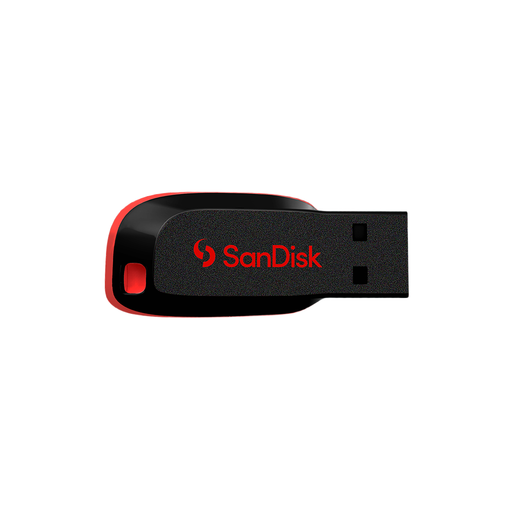
SanDisk Cruzer Blade 64 GB USB flash drive
Consider this for a selected set of documents rather than assuming it will hold a growing household archive.
The listing names 64 GB capacity and USB 2.0. Check the size of your selected files and keep another copy elsewhere in case the stick is lost.
View on Joybuy
Common questions
Is a synchronised cloud folder enough for a backup?
Not if you need recovery beyond the service’s deletion and retention limits. Microsoft says Windows Backup synchronises selected folders to OneDrive, while deleted files in personal OneDrive accounts have a 30-day recovery window and permanently deleted items cannot be restored. Check those limits and keep another separately managed copy of irreplaceable files.
How large should a Time Machine drive be?
Apple recommends a backup device with at least twice the Mac’s storage capacity for Time Machine. That guidance is specific to Time Machine, rather than a capacity rule for every manual or cloud backup.
Can one external drive handle Windows and Mac backups?
It depends on the format and backup method, so check both before using one drive for the two systems. Apple says Time Machine cannot back up to a Windows-formatted disk; preparing it for Time Machine may require erasing and reformatting it. Moving files between systems can call for a different setup from dedicating a disk to Time Machine.
What should I check before choosing cloud storage?
Check which folders are copied, how deleted files can be recovered and how you would export everything if you leave. UK government consumer guidance also advises checking renewal, account-suspension and cancellation conditions so access to important files does not depend on an overlooked account change.


