Before buying, compare the same game over Ethernet and Wi-Fi, with and without other household traffic, and check the game’s connection information where available. Ethernet is a sensible first test for a fixed gaming device; consider router traffic controls, wired-backhaul mesh or a different broadband service only when the connection checks point to those needs. None of these options can guarantee a particular ping to a game server.
Who these options may suit
Fixed-position players
If your PC or console stays in one place, a direct Ethernet connection can help you check whether the device’s Wi-Fi link is contributing to the problem. Ofcom recommends connecting a computer directly to the router with Ethernet when troubleshooting broadband speed.
Players in busy households
If gaming becomes less consistent when other people stream or download, compare the connection during and outside that activity. Epic Games identifies congestion from other devices as one factor that can affect ping.
Players far from the router
If the gaming room has unreliable Wi-Fi, consider whether you can run a cable to the device or between suitably equipped mesh nodes. Ofcom notes that Wi-Fi performance depends on the home connection, while the exact mesh unit and layout determine whether wired backhaul is an option.
What to prioritise when buying
Direct Ethernet
Choose when: A fixed PC or compatible console can be connected to the router or a suitable network switch by cable.
Trade-off: You need a practical cable route; Ethernet removes the device’s Wi-Fi hop, but not problems elsewhere in the connection.
Router with traffic controls
Choose when: Gaming delay coincides with household traffic and the current router’s traffic-management options may not meet your needs.
Trade-off: Quality of Service (QoS) can prioritise traffic, but it allocates shared capacity rather than creating more broadband capacity. ASUS describes this feature for the RT-AX86U Pro; that is a manufacturer feature claim, not proof of lower ping in your home.
Mesh with wired backhaul
Choose when: The gaming room has weak Wi-Fi and you can connect suitably equipped mesh nodes by Ethernet.
Trade-off: Check the exact units, ports and wiring topology; a wireless-only extender cannot provide wired backhaul.
Broadband service
Choose when: Problems persist during a direct wired test, or the incoming service appears insufficient for household use.
Trade-off: Check availability at your address and compare busy-time estimates and personalised minimum speeds. A service change cannot control game-server performance or routing.
Ofcom recommends checking the connection at the property and notes that Wi-Fi may deliver lower speeds than the connection to the router. The concerns below help translate those checks into a buying decision; the consumer percentages are approximate.
| Concern |
What to check when buying |
Who this matters to |
| Consistent connection at the device |
Confirm compatible Ethernet ports and a workable cable route; compare game connection information over wired and Wi-Fi links. |
If my gaming device stays in one place, I want to test a direct cable before replacing other equipment; around 31% of consumers put a consistent direct connection first. |
| Household traffic competition |
Compare play during and outside simultaneous downloads; check for configurable traffic prioritisation and consider the broadband connection’s capacity. |
When other household activity coincides with gaming delay, I want to know whether traffic management addresses the issue; around 25% of consumers prioritise shared-traffic management. |
| Link to a distant gaming room |
Check node placement, ports on the exact units, cable routes and the supported backhaul layout. |
If the gaming room is beyond reliable single-router Wi-Fi, I want to assess a cable or suitable mesh layout; around 19% of consumers prioritise a reliable link to a distant room. |
| Incoming service and contract |
Check address-specific availability, busy-time estimates, personalised minimum speeds and the relevant contract terms. |
If a wired test still points to the incoming service, I want to compare what is available at my address before switching; around 25% of consumers prioritise assessing the broadband service. |
Buying pitfalls to avoid
-
Assuming a high download speed guarantees responsive gaming
Game responsiveness can also be affected by the home connection, the route through the internet and the game server. A speed figure alone does not identify which part is responsible.
Compare game connection information and a direct wired test before changing your broadband service.
-
Assuming every mesh extender supports Ethernet backhaul
The eero 6+ Extender has no Ethernet ports, unlike the eero 6+ router unit, so the exact variant matters for a wired layout.
Check the full model name, ports and the system’s wiring instructions before choosing nodes.
Your planned layout may require a port-equipped unit or additional cabling.
-
Replacing provider equipment without checking setup and support
Ofcom notes that third-party routers can be tricky to set up and that a broadband provider may not help with them.
Check service compatibility and operating modes, and whether your existing router can remain in use.
Relevant brands to compare
TP-Link
The Deco X50 V2 is one mesh-system example to consider when a multi-room layout and optional Ethernet backhaul are relevant.
- TP-Link specifies three Gigabit ports and optional Ethernet backhaul for the Deco X50 V2.
- Confirm the exact unit and topology; advertised wireless rates are not measured game-server latency.
ASUS
The RT-AX86U Pro is a model to examine if wired ports and gaming-traffic controls are relevant to your setup.
- ASUS lists a 2.5G port, a gaming port and Adaptive QoS for this model; the manufacturer says QoS can prioritise game traffic.
- Those specifications and feature claims do not establish that ping will be lower in a particular home.
eero
Compare port-equipped eero 6+ router units when planning a wired-backhaul mesh layout.
- eero specifies two 1 GbE ports on the eero 6+ router.
- The eero 6+ Extender has no Ethernet ports. eero says bridge mode keeps Wi-Fi available while disabling some network services and advanced features.
BT
A broadband-service option to compare only if a suitable BT package is available at your address.
- Ofcom includes BT among providers covered by its broadband speeds code.
- Provider identity alone does not establish performance at your property or ping to a particular game server; check the specific offer and connection conditions.
Joybuy product choices
These Joybuy choices include Ethernet cabling, routers and mesh systems for home gaming network setups.
 Image unavailable
NETGEAR Orbi 370 RBE373 WiFi 7 Mesh System, 3-Pack
A three-unit mesh system for a gaming room reached through a multi-unit home network.
The product name specifies Dual-Band BE3600 and 2.5Gbps Ethernet; check the ports and layout against your devices and connection.
View on Joybuy
 Image unavailable
TP-Link Archer NX500 5G AX3000 Dual-Band Gigabit Router
A 5G router option for a household considering a mobile-network connection; check service availability at the property and compatibility with your setup.
The product name identifies AX3000, dual-band wireless and Gigabit routing.
View on Joybuy
 Image unavailable
TP-Link Deco BE22 BE3600 Wi-Fi 7 Mesh System, 3-Pack
A three-unit mesh system for a gaming room reached through a multi-unit home network.
The product name identifies Wi-Fi 7 and BE3600; check the exact ports and backhaul arrangement required for your layout.
View on Joybuy
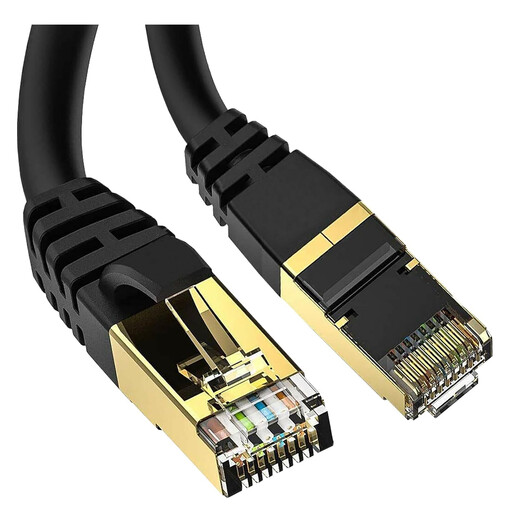 Image unavailable
5 m Cat 8 Shielded S/FTP RJ45 Ethernet Cable
A cable option for a fixed gaming device that can be connected by Ethernet; check that the length and connector suit your route and equipment.
The product name lists 40Gbps and 2000MHz.
View on Joybuy
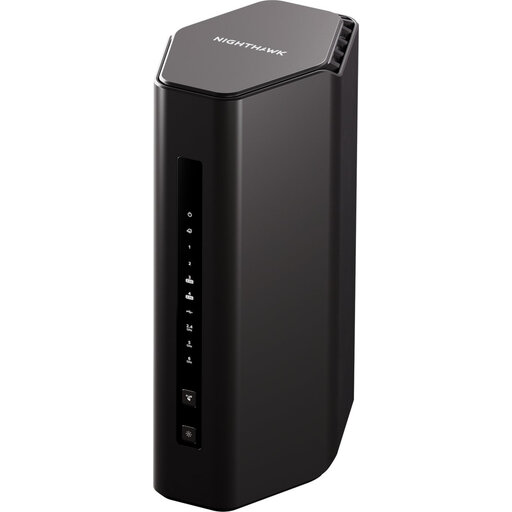 Image unavailable
NETGEAR Nighthawk RS300 WiFi 7 BE9300 Router
A home-router option for a setup with wired or wireless devices; check the exact ports and compatibility against your devices and existing service.
The product name identifies WiFi 7 and BE9300.
View on Joybuy
Frequently asked questions
Can a faster router guarantee lower ping to my game server?
No. Your home network is only one part of the connection; ISP routing, congestion and the game server can also affect ping. Compare wired and wireless play under similar conditions before deciding that the router is the cause.
How can I install wired-backhaul mesh without choosing the wrong node?
Check Ethernet ports on the exact units and follow that system’s topology instructions. TP-Link says router-mode satellite Decos connect through the main Deco’s LAN side, while eero specifies that its 6+ Extender has no Ethernet ports. Confirm the intended operating mode before installation.
What should I check about broadband service and support?
Check the busy-time estimate, personalised minimum speed and applicable contract terms for the specific service. Ofcom says that, for providers covered by its broadband speeds code, an unresolved qualifying provider-network speed problem may give a right to leave without an early-exit fee after 30 days; this is not a promise of a particular gaming ping.
Do I need an individual radio licence for ordinary UK home Wi-Fi?
Ofcom describes licence-exempt use for specified Wi-Fi spectrum, subject to applicable equipment and operating conditions. That does not mean every frequency, power setting or imported device is authorised. For an unusual outdoor or higher-power 6 GHz installation, check the current Ofcom conditions for that use.


