What to check before buying
Decide whether a console or PC can join your friends’ games before choosing accessories. Then check the chat connection, any continuing membership commitment and the network you will use at home.
Games console
Consider it when: Your regular group uses the same console ecosystem, or the specific game confirms play across your platforms.
Trade-off: Online membership requirements and communication settings vary by platform and game; owning the console does not settle either question.
Gaming PC
Consider it when: Your group’s games are available on PC and, if friends use consoles, those titles support the required cross-network play.
Trade-off: Xbox Support says only some multiplayer games support cross-network play, so PC availability does not itself mean you can join console friends.
| Concern |
What to check |
Who this matters to |
| Joining friends’ games |
Check each priority game’s supported platforms and versions, current cross-play conditions and online-access requirements. |
If my friends are already playing together, I need a setup that can join their particular games rather than just run games in general. Around 36% of consumers would put joining their friends’ games first. |
| Voice and accessory compatibility |
Match the headset or controller connection to the exact device; check whether chat runs through the game, console or an app. |
When a session depends on talking to teammates, I need the microphone and chat route to work with my platform. For roughly 29% of consumers, that compatibility would be the primary concern. |
| Online membership commitments |
Check whether your games require a paid online membership and review the applicable plan and renewal terms. |
Before committing to a console, I want to know whether playing my chosen games online involves an ongoing membership. That would be the leading concern for around 21% of consumers. |
| Home-network reliability |
Compare wired and Wi-Fi connections where practical, check network diagnostics and note other household internet use before changing equipment. |
If games or party chat become unreliable at home, I want to identify where the connection is struggling before buying another device. Roughly 14% of consumers would make that their first priority. |
Joybuy products for different setup needs
These products cover console and PC choices, a headset, a controller and home-network equipment. Choose the gaming platform around your friends’ games first, then consider the accessories or connection changes your setup actually needs.
 No image available
Nintendo Switch 2 Console (UK Version)
Consider this console if your friends play titles available on Nintendo Switch 2. Confirm the exact games, cross-play conditions and any Nintendo Switch Online requirements before choosing it.
View on Joybuy
 No image available
CyberPowerPC JOYB1004 Gaming PC Bundle
Consider a PC bundle if your friends’ games are available on Windows and any required cross-network play is supported. This JOYB1004 configuration names an AMD Ryzen 5 7500F, NVIDIA GeForce RTX 5060 8GB, 16GB DDR5, 1TB NVMe SSD and Windows 11 Home; the bundle also names a monitor, keyboard, mouse, headset and mousepad. Confirm the supplied monitor and peripheral configuration before buying.
View on Joybuy
 No image available
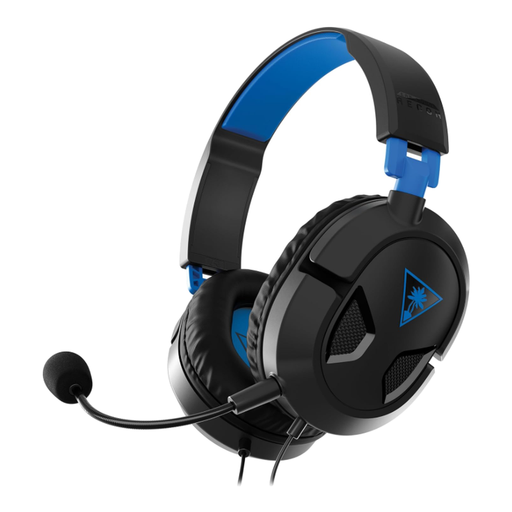
Turtle Beach Recon 50P Wired Headset – PS5, PS4
Consider this wired headset when your setup needs a separate audio and voice-chat accessory. Check how the exact controller or device accepts a headset and microphone, and whether your group’s chat feature supports that connection.
View on Joybuy
 No image available
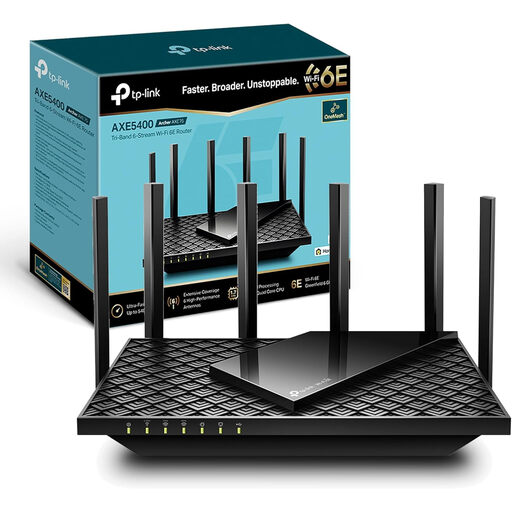
TP-Link Archer AXE75 AX5400 Tri-Band Wi-Fi 6E Router
Consider changing the router only after checking whether your home network is contributing to multiplayer problems. Confirm that the Archer AXE75 fits your existing modem or connection equipment and your home’s coverage needs; a router change will not resolve every game-server or service problem.
View on Joybuy
 No image available
Xbox Wireless Controller – Carbon Black
Consider an additional controller for an Xbox or Windows setup once you have confirmed the games and devices you intend to use. Check compatibility with your exact device and any headset connection you plan to use; a controller does not provide online-game access on its own.
View on Joybuy
Frequently asked questions
Should I choose a console or gaming PC to play with friends?
Choose the platform that can join the particular games your friends play. If your group uses different platforms, check each title’s current cross-play conditions: Xbox Support says only some multiplayer games support cross-network play.
Do I need a subscription for online console play?
It depends on the game and platform. PlayStation includes online multiplayer with PlayStation Plus memberships, Xbox lists it in specified Game Pass plans but says free-to-play multiplayer is open to Xbox players, and Nintendo Switch Online covers supported titles. Check the current requirements for your games before buying.
Will a Bluetooth gaming headset connect directly to my console?
Not necessarily: headset connections depend on the exact console and accessory. Xbox Support states that Xbox One has no Bluetooth functionality; check whether your chosen headset instead uses a compatible controller port, adapter or console-specific wireless connection.
Can Nintendo voice chat need more than a console and headset?
Yes. Nintendo says its Nintendo Switch App needs a compatible smart device, a linked Nintendo Account and internet access, and restricts its voice-chat features to account holders aged 13 or older. Check the requirements for the particular game or Switch 2 GameChat feature you intend to use.


