Households comparing access routes
If your fixed service falls short, establish which network or provider can serve your address before buying equipment.


Check which services can reach your exact address and where equipment could be installed before choosing hardware. Provider-installed fixed wireless depends on a suitable provider link and installation; a 4G or 5G router needs usable mobile service and an appropriate plan; satellite is worth investigating when those routes fall short and a clear-sky installation is possible. Compare service terms, installation permissions and ongoing charges as well as device specifications.
If your fixed service falls short, establish which network or provider can serve your address before buying equipment.
Consider whether 4G or 5G reaches a suitable router position, supports your household’s uploads and everyday use, and comes with a plan that fits.
Check sightlines, mounting, cable entry and property permissions if you are considering a fixed-wireless receiver or satellite terminal.
Consider it when: a provider confirms your address and its survey finds a workable link to its transmitter.
Trade-off: the service may require an outdoor receiver, cable entry and permission to install them.
Consider it when: the chosen provider offers service at your address and reception is usable where the equipment will sit.
Trade-off: a router’s rated speed does not guarantee local performance, and a separate device still needs a suitable plan.
Consider it when: terrestrial options do not meet your needs, the provider accepts your address and a clear-sky position is possible.
Trade-off: the terminal needs a service plan, an installation position with a clear sky view and any required mounting permissions.
Start by confirming address availability; then check installation feasibility, expected day-to-day use and the full service commitment before selecting equipment.
| Concern | What to check when buying | Who this matters to |
|---|---|---|
| Service at the address | Check the exact address with Ofcom’s checker and relevant providers; confirm that the service can be ordered and whether an installation assessment is needed. | If my fixed connection falls short, I need to know which service can actually reach my home before I buy a device; around 31% of consumers put address availability first. |
| Installation and equipment position | Check the mast or sky sightline, indoor and outdoor mobile reception, cable route and any landlord or planning permissions that apply. | If an outdoor receiver or terminal is an option, I need to know whether it can be positioned and installed at my property; roughly 25% of consumers prioritise installation feasibility. |
| Reliable everyday use | Where a trial is available, check uploads, downloads and interruptions at the intended equipment position; consider the household’s actual tasks, not just a rated maximum. | If calls, uploads or several household activities need to work consistently, I care about the connection in practice rather than a headline download figure; about 25% of consumers put reliability and uploads first. |
| Ongoing plan and setup commitment | Compare data terms, minimum term, equipment provision or rental, installation charges and what the terms say about moving. | If I need to keep the commitment manageable, I want to understand the service and setup terms before ordering hardware; approximately 19% of consumers prioritise ongoing commitment and setup cost. |
A router cannot provide a mobile, fixed-wireless or satellite service that is unavailable at the property.
Identify the service route that can be ordered at your address before comparing indoor Wi-Fi features.
Ofcom explains that coverage predictions can differ from actual availability, while individual reports of poor uploads or interruptions describe particular locations rather than typical outcomes.
Check with the provider and, where a suitable trial is offered, test the intended equipment position and the tasks you need the connection to handle.
Fixed wireless can require a transmitter sightline and cable entry; satellite needs a clear sky view. Permission and installation requirements depend on the property and location.
Confirm the proposed installation method, tenancy terms and applicable planning position before ordering equipment.
A SIM router needs a suitable mobile plan, and a satellite terminal needs its matching service. Hardware alone does not provide internet access.
Check the address-specific offer, data policy, minimum term, equipment provision and any installation charges alongside the device.
Its relevant product lines include separately purchased cellular routers and a mesh-capable gateway option.
Airband describes provider-managed fixed wireless for eligible properties on its network.
Three offers UK 4G and 5G home-broadband plans with supplied hubs, including an outdoor 5G hub option.
EE offers 4G and 5G mobile-broadband hub-and-plan choices for homes considering an alternative to fixed broadband.
Starlink offers a residential satellite service using a matching terminal and router where service and a suitable installation are available.
These choices cover cellular access equipment for homes where suitable mobile service is available; each still depends on the right service, plan and setup for your address.
 No image available
Consider this portable hotspot if you need mobile internet access away from a fixed installation and suitable mobile service is available.
5G NR; Wi-Fi 6; battery-powered portable design. Requires a suitable SIM-based service.
 No image available
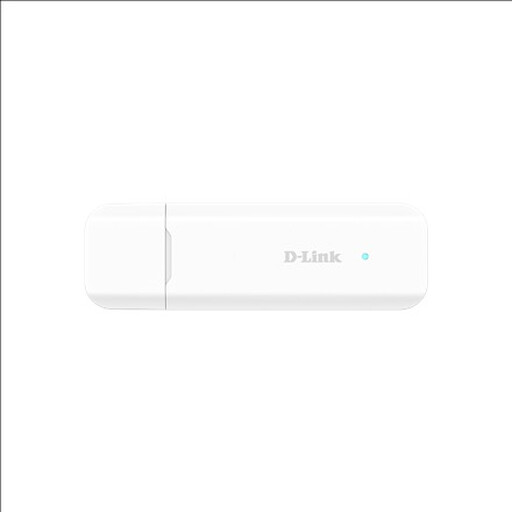
Consider this adapter if you need 4G mobile internet on a compatible USB-connected device and have suitable coverage.
4G LTE Cat 4; Nano SIM; Wi-Fi sharing with up to eight devices. Requires a compatible USB-connected device and suitable mobile coverage.
 No image available
Consider this router for SIM-based home internet where suitable 4G or 5G service is available; its wired WAN option depends on an existing modem and connection.
Dual-band Wi-Fi 6; EasyMesh compatibility; Gigabit WAN port. SIM-based access requires suitable mobile service.
No. Ofcom says its predictions can differ from actual service availability, and local conditions can affect predicted fixed-wireless coverage. Check the exact address with the provider and arrange any necessary installation assessment.
You may be eligible to request a connection through the UK broadband Universal Service Obligation. Ofcom says it can apply when a property cannot obtain at least 10 Mbit/s download and 1 Mbit/s upload, subject to eligibility conditions. Contact BT, or KCOM in the Hull area, for an assessment; this is not an unconditional right to a free installation.
Check the specific installation with the provider and your landlord before ordering. Airband describes an exterior receiver and a cable-entry hole, and advises renters to obtain landlord permission for that hole; another provider’s installation may differ.
Not necessarily. Starlink says the terminal needs a clear sky view and that obstructions can interrupt service. Its guidance recommends checking for obstructions in the app and reassessing new branches or other obstructions; seek professional help if the kit cannot be installed safely.
Requirements depend on the UK nation, property and proposed mounting position. England’s householder guidance and Welsh Government guidance describe conditional rules; Welsh guidance also advises checking listed-building and owner permissions. Northern Ireland’s official conservation-area advice identifies circumstances where planning permission is required. Check with the relevant local planning authority for your property.
Confirm the minimum term, data policy, equipment terms, installation charges and what happens if you move. Providers describe different hub-and-plan offers, so check the terms for the specific service and address.