Choose the smallest set that solves the problem you repeatedly encounter between home and office. A compact hub makes sense when a compatible display and peripherals are already at the desk; carry a portable monitor when a second screen is regularly needed but unavailable, or choose compact input and charging accessories when those meet your needs without another screen. Check your laptop’s display and charging capabilities before relying on any USB-C connection.
Who these accessories suit
Hot-desk commuters
If shared desks already have displays or older USB peripherals, a repeatable way to connect the laptop may matter more than carrying another screen. The Health and Safety Executive includes hot-desking, mobile and home workers in its display screen equipment guidance.
Workers who need a second screen
People working with documents or reference material side by side may consider a portable monitor when their regular locations lack a dependable display. Check the laptop’s video connection and power arrangement against the particular monitor; Lenovo specifies USB-C DisplayPort Alt Mode and Power Delivery support for its ThinkVision M14.
Minimal-carry laptop users
If another display is unnecessary, a compact keyboard, mouse or organised charging kit may address the recurring inconvenience while keeping the number of items to pack down.
What matters when choosing
Start with what is available at your usual desks, then check the laptop connections needed for anything you plan to carry. The concerns below reflect different primary needs among consumers choosing accessories for repeated home-to-office work.
| Concern |
What to check |
Who this matters to |
| Connection and charging |
Check the laptop’s stated video and charging support, the hub’s required host connection and the power delivered through it. Match cables to the functions you need. |
If I move between desks, I need the display and power connection to work before other accessories help. Roughly 36% of consumers put reliable connection and charging first. |
| Carry burden |
Compare packed size, weight and the number of separate pieces; check whether a case or cable organiser fits the kit. |
When I carry the same bag on office days, loose items and extra bulk make packing harder. Around 29% of consumers place a lighter, repeatable carry setup first. |
| Second-screen workspace |
Check whether your regular desks have a usable display. For a portable monitor, compare its screen format, stand and required video and power connections. |
I need room for material side by side, but a fixed screen is not dependable where I work. Approximately 21% of consumers make access to a second screen their primary concern. |
| Portable input |
Check keyboard layout, connection method, device compatibility and whether workplace rules permit pairing. |
If I spend long sessions typing or navigating, the laptop’s built-in controls may be the part I want to change without carrying a monitor. Roughly 14% of consumers prioritise portable input. |
Buying pitfalls
-
Assuming every USB-C port supports a display
A matching connector does not establish that a laptop can send video to a hub or portable monitor, or supply the charging function that accessory requires.
Match the laptop’s official port specification to the accessory’s requirements. Lenovo’s ThinkVision M14, for example, specifies DisplayPort Alt Mode and Power Delivery support on the host.
-
Reading a hub’s input rating as laptop charging output
A hub may use some of the incoming power itself. Anker states that its 555 hub supports up to 100W input while reserving 15W for operation.
Compare the hub’s stated pass-through behaviour with the laptop’s charging requirement and the charger you intend to use; check whether a charger comes with the hub.
-
Buying another screen before checking regular desks
A portable monitor adds an item to carry and another connection to arrange. If a suitable display is reliably available, a compatible hub may address the desk-side connection instead.
List the locations where you actually need a second screen, then check the laptop’s video support before choosing a monitor.
-
Treating a portable screen as the whole workstation setup
Screen position is only one part of sustained display screen equipment use. Health and Safety Executive guidance also covers desk arrangement, posture, lighting, glare and breaks.
Consider how the complete workstation can be adjusted at each regular location, not just where the extra screen will sit.
Relevant brands to consider
Anker
Its compact USB-C hubs are relevant when a laptop needs to connect to equipment already at a desk.
- Anker specifies the 555 hub at up to 100W input with 15W reserved for operation; its 543 hub specifies up to 53W pass-through when used with a 65W charger.
- Check the particular hub’s ports, the laptop’s video and charging support, and charger inclusion. The stated figures apply to those individual models.
Lenovo ThinkVision
The mobile-monitor range is relevant when a second display is repeatedly needed away from a fixed workstation.
- Lenovo lists the ThinkVision M14d with a 14-inch, 16:10 display, two USB-C ports and 65W power pass-through; its stated weight is 600g.
- Check the intended laptop’s video support and power arrangement, and account for carrying another screen.
Logitech MX
Compact keyboards in this range are relevant when portable typing and switching between permitted devices matter more than extra display connections.
- Logitech describes MX Keys Mini as a compact Bluetooth keyboard and states that MX Keys Mini for Mac can pair with up to three Apple devices.
- Confirm the exact operating-system variant, keyboard layout and pairing permissions for the devices you use.
Joybuy products for portable setups
These mice, keyboards and portable monitors address input or second-screen needs when working across locations. For a monitor, check the intended laptop connection and consider what you will carry on each journey.
 No image available
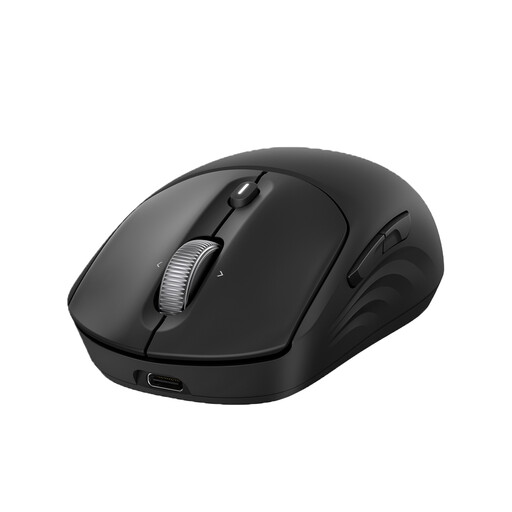
HP 700 Rechargeable Wireless Mouse
Consider this wireless mouse if you want separate pointing control at both work locations. Confirm that its connection method suits your work device and pairing rules, and check the charging details before relying on a particular time between charges.
View on Joybuy
 No image available
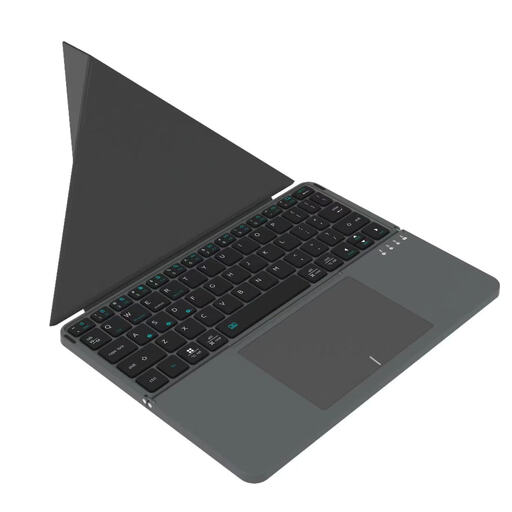
VoxorAI BOX1 Black Bluetooth Wireless Keyboard
This Bluetooth keyboard is an option for typing across the computers, laptops, iPads or smartphones named in its product information. Check the key arrangement, operating-system fit and expected use between charges before making it part of a commuting kit.
View on Joybuy
 No image available
ASUS ZenScreen MB166C 15.6-inch Portable Monitor
Consider this monitor when a second screen is regularly needed where no suitable display is available. Its stated features include a 15.6-inch Full HD IPS panel and USB Type-C connection; check the laptop’s video support and the required power arrangement.
View on Joybuy
 No image available
UPERFECT 18.4-inch 4K QLED Portable Monitor
This 18.4-inch monitor is worth considering if screen area is the priority at locations without a suitable display. The product name specifies 3840 × 2160 resolution, USB-C and Mini HDMI connections, and VESA mounting; check laptop compatibility and the item’s weight before planning to carry it regularly.
View on Joybuy
 No image available
UPERFECT 14-inch 60Hz Touchscreen Portable Monitor
Consider this second screen if adjusting its position at different desks matters to you. Its product name specifies a 180° adjustable stand and VESA mounting; confirm video and power requirements, touch compatibility with your device, and the weight you would carry.
View on Joybuy
Frequently asked questions
Does a USB-C port mean a hub or portable monitor will work?
No: the connector alone does not establish video output or a particular charging capability. Check the exact laptop port against the accessory’s requirements; Lenovo specifies DisplayPort Alt Mode and Power Delivery support for its ThinkVision M14 monitor, for example.
Should I carry a portable monitor if the office already has screens?
A compact hub may be enough if a suitable office display is reliably available and your laptop supports the required connection. Carrying a portable monitor makes more sense when you repeatedly need a second screen at locations without one, provided you can accommodate its connection needs and extra bulk.
Will a portable monitor make a shared desk comfortable for long sessions?
A monitor alone does not address the whole workstation. Health and Safety Executive guidance also covers posture, furniture, screen placement, lighting, glare and breaks; consider how the setup can be adjusted at each regular desk.


