What matters when choosing?
Choose the screen format around how many grant documents you need visible and the space on your desk; then check positioning and laptop connections. Docking features matter most when they will simplify a compatible laptop setup.
27-inch QHD
Choose it when: you regularly compare a draft with guidance, PDFs or a budget spreadsheet and have room to position the screen comfortably.
Trade-off: a larger screen still needs sufficient desk depth and a suitable stand, arm or riser.
USB-C or Thunderbolt hub
Choose it when: a compatible laptop can use the monitor for video alongside the charging or peripheral connections your desk requires.
Trade-off: the extra connections add little to a straightforward document desk unless the laptop supports and uses them.
Compact Full HD
Choose it when: desk space is limited and a separate screen for mainly one document at a time meets your needs.
Trade-off: a 23.8-inch Full HD screen has less workspace for side-by-side material than a 27-inch QHD screen.
| Concern |
What to check |
Who this matters to |
| Document workspace |
Compare native resolution and screen size, then confirm that the display and its stand fit your desk. |
If I need to keep a proposal beside funder guidance or a spreadsheet, I want enough visible space without constant window switching. Around 29% of consumers put document workspace first. |
| Screen positioning |
Check stand adjustment or mounting options and whether your desk allows an arm's-length viewing distance. |
During long writing sessions, I need to place the screen comfortably rather than adapt my posture to a fixed stand. For around 29% of consumers, positioning is the primary concern. |
| Laptop connections |
Confirm video support on the intended port, charging wattage against your laptop's needs, and cable inclusion. |
If I move my laptop between rooms, I want reconnection to be simple without assuming one USB-C cable will do everything. Laptop connectivity comes first for around 21% of consumers. |
| Desk fit |
Measure usable width and depth, including space for the laptop and keyboard; compare the monitor's stand dimensions. |
On a small or shared desk, I would rather fit a useful separate screen than make room for connections I will not use. Around 21% of consumers prioritise that compact-desk fit. |
Joybuy monitor choices
These monitors cover document-focused QHD screens, larger high-resolution displays and a compact-screen option. Compare each with your desk space and computer connections rather than treating the list as a ranking of every monitor setup.
 No image available
ASUS ProArt PA278CV IPS WQHD monitor
Consider this for a desk where you compare an application draft with reference material. Its product name specifies an IPS WQHD display; check the screen's physical fit, your laptop's video connection and USB-C charging requirements before buying.
View on Joybuy
 No image available
LG 27UP650K 27-inch 4K IPS monitor
Consider this if you want a high-resolution screen for application documents and your computer can support the display mode you intend to use. The named variant has a 27-inch 4K IPS display with HDMI and DisplayPort; check cable contents and desk fit.
View on Joybuy
 No image available
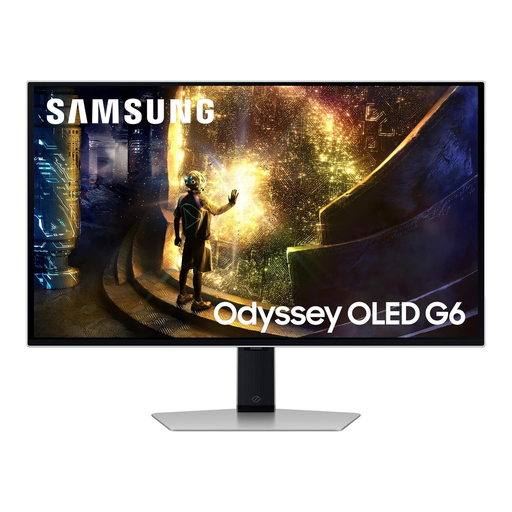
Samsung Odyssey G6 S27DG612 27-inch QHD OLED monitor
Its QHD format can serve document work if the screen and computer connection suit your desk. This is a gaming-oriented OLED model whose product name lists a 240Hz refresh rate; that gaming specification is not a requirement for writing an application. Check supplied cables and computer compatibility.
View on Joybuy
 No image available
BenQ MA320UP 32-inch 4K USB-C Mac monitor
Consider this larger screen when your work extends across several documents and you have measured the available desk space. Its product name specifies a 4K IPS display, USB-C and a height-adjustable stand. It is presented as a Mac monitor, so check which connections and functions work with your computer, particularly if it is not a Mac.
View on Joybuy
 No image available
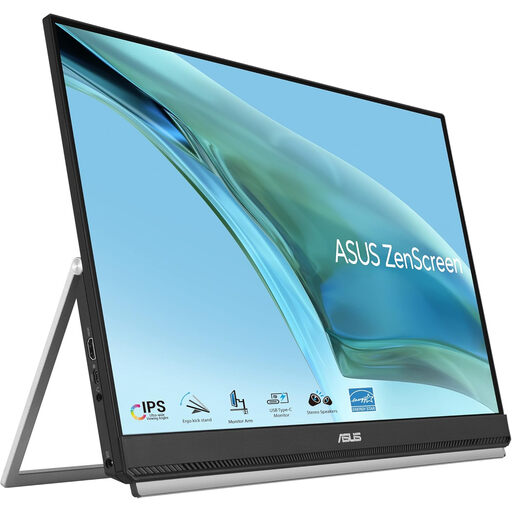
ASUS ZenScreen MB249C IPS USB-C monitor
Consider this for a smaller or shared workstation where a separate document screen is useful. Its product name specifies IPS and USB-C; confirm that your device supports video over its USB-C port, or check the intended alternative connection, before buying.
View on Joybuy
Common questions
Is a 27-inch QHD monitor a sensible starting point for grant applications?
Yes, if your desk accommodates it and you regularly work with a draft beside guidance or a spreadsheet. HP's E27u G5 and LG's 27U631A-B illustrate the 27-inch 2560 x 1440 format; a smaller Full HD screen may suit a shallow desk or simpler, one-document workflow.
How should I position an external monitor when working from a laptop?
Place the top of the screen at eye level and the screen about an arm's length away, as the Health and Safety Executive advises. For prolonged laptop work, a separate keyboard and mouse can let you raise the laptop screen; check whether a separate monitor, riser or arm helps you achieve the position at your desk.
Will any USB-C monitor charge my laptop?
No: USB-C power delivery varies by monitor and must be compared with your laptop's charging requirement. LG lists up to 15W for the 27U631A-B, whereas Dell lists up to 90W for the U2724DE; also confirm video support on the intended port and whether a suitable cable is included.
Do display-screen equipment rules matter when preparing a grant application at home?
They can matter if the applicant is an employee working from home: the Health and Safety Executive says display-screen equipment rules can apply to home workers and that employers must assess workstations where the rules apply. Do not assume those employer duties also apply to someone preparing an independent personal application.
What should I do with an old monitor?
Use an appropriate electrical-waste collection or retailer take-back route rather than putting it in ordinary household rubbish. UK government guidance addresses waste electrical and electronic equipment; check the collection options available where you live.


