What matters when choosing?
Decide whether local iOS work is required before sizing the laptop for Android emulators and your desk setup: more RAM cannot replace a required operating system.
macOS laptop
Choose when: Your work includes the local Xcode-dependent iOS build or release workflow described by Flutter.
Keep in mind: Confirm that the selected Mac supports your project’s Xcode version, and size it separately for any Android AVDs you will run.
Windows or Linux laptop
Choose when: Your local testing is Android-focused and you do not need this laptop for local Xcode-dependent iOS work; Android Studio is available on both platforms, according to Android Developers.
Keep in mind: This route does not meet Flutter’s macOS requirement for local iOS builds and releases. For Windows emulation, check the exact processor architecture and acceleration setup.
| Concern |
What to check |
Who this matters to |
| Local iOS compatibility |
List your local build, Simulator and release tasks; check the Mac’s support for your required Xcode version against Apple Developer’s requirements. |
If I must complete iOS builds or releases on this laptop, the Xcode workflow determines my platform choice. Around 31% of consumers put that local iOS need first. |
| Android emulator resources |
Start with Android Developers’ guidance of at least 16 GB RAM and 16 GB disk space for its stated emulator experience; allow for simultaneous AVDs and verify acceleration. |
When several virtual devices are central to my test cycle, I need enough resources to run them together. Roughly 31% of consumers prioritise Android emulator use. |
| Cross-platform headroom |
Check memory and free SSD space against the tools and AVD images you will keep; Android Studio says concurrent AVDs need approximately 4 GB memory each. |
If I keep build tools, projects and virtual devices open across platforms, capacity for the combined workload matters most. About 25% of consumers make that their primary concern. |
| Desk connections |
Count the phones and displays you will connect, then check the exact laptop ports and any dock or adapters your setup requires. |
At a fixed desk, I need my test devices and displays to connect without disrupting the workflow. Around 13% of consumers put home-office connections first. |
Joybuy laptop choices
These laptops cover MacBook Pro options for checking against a local iOS workflow and Windows-focused choices for Android testing. Compare each exact configuration with your Xcode or emulator requirements; memory and SSD capacity alone do not establish tool compatibility.
 No image available
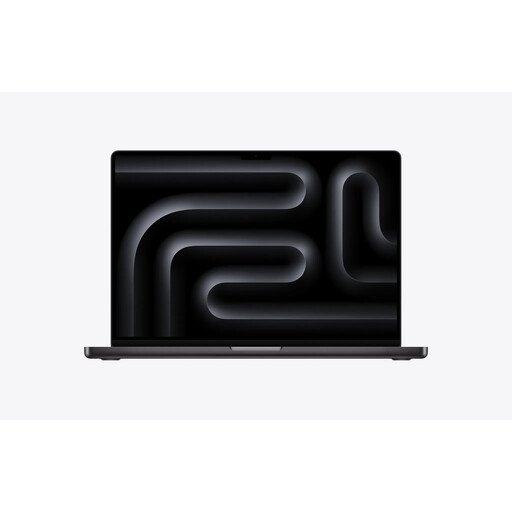
Apple MacBook Pro 16.2-inch M5 Max, 48 GB/2 TB, Space Black
Consider this MacBook Pro configuration if local iOS work and substantial memory for your wider workflow are priorities.
- 18-core CPU, 40-core GPU, 48 GB unified memory and 2 TB storage, as identified in the product name.
- Check support for your required Xcode version and assess your planned Android AVD workload separately.
View on Joybuy
 No image available
Lenovo Legion Pro 7 16IAX10H, 64 GB/2 TB, 83F5000UUK
Consider this configuration for an Android-focused workload if its processor and virtualisation setup meet your emulator requirements.
- 16-inch display, Intel Core Ultra 9, 64 GB RAM, 2 TB SSD, NVIDIA GeForce RTX 5090 and Windows 11 Home are identified in the product name.
- Confirm the exact x64 and hardware-acceleration requirements for your testing setup; this Windows choice does not replace a Mac for local Xcode-dependent work.
View on Joybuy
 No image available
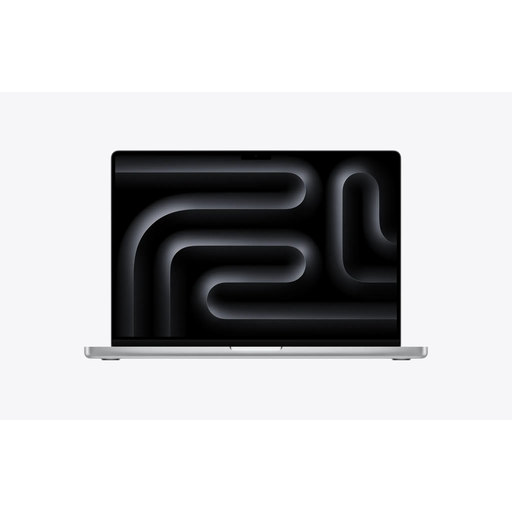
Apple MacBook Pro 16.2-inch M5 Max, 36 GB/2 TB, Silver
This MacBook Pro is another configuration to assess when local iOS work is part of your testing routine.
- 18-core CPU, 32-core GPU, 36 GB unified memory and 2 TB storage, as identified in the product name.
- Confirm compatibility with your project’s Xcode version and check how many Android AVDs your combined workload requires.
View on Joybuy
 No image available
Stormforce Exobook 16-inch QHD+, Ultra 9, 32 GB/4 TB, 5080
Assess this laptop for an Android-focused desk setup where memory and local storage capacity are important.
- QHD+ display, Ultra 9, 32 GB memory, 4 TB storage and 5080 are stated in the product name.
- Before relying on local Android emulation, confirm processor architecture, acceleration support and space available for your SDKs and AVD images.
View on Joybuy
 No image available
Apple MacBook Pro 14.2-inch M5 Pro, 24 GB/2 TB, Silver
Consider this MacBook Pro configuration if the 14.2-inch format suits your setup and local iOS work is required.
- 18-core CPU, 20-core GPU, 24 GB unified memory and 2 TB storage, as identified in the product name.
- Check your required Xcode version and account for the memory and storage used by any concurrent Android AVDs.
View on Joybuy
Frequently asked questions
Do I need a Mac to test mobile apps?
Not for Android-only testing, but Flutter’s cited local iOS build-and-release workflow requires Xcode on macOS. Check whether your own work includes local iOS builds, Simulator use or releases before deciding that an Android-focused laptop covers everything.
Is 8 GB RAM enough for Android emulator testing?
Do not choose 8 GB on the assumption that it meets Android Developers’ stated guidance for its emulator experience: that guidance specifies at least 16 GB RAM and 16 GB disk space. Android Studio also indicates approximately 4 GB memory per AVD when multiple AVDs run simultaneously, so plan for your actual test cycle.
Can I use a Windows-on-ARM laptop for Android Emulator testing?
Not for the Android emulator path covered by the cited Microsoft Learn guidance, which requires x64 architecture and says Windows ARM devices are unsupported. If you are considering that hardware, check your specific testing tools and whether testing on a connected physical Android device meets your needs.
What should I check when buying a laptop for use in Great Britain?
Confirm that the particular laptop, charger and supplier arrangements suit use in Great Britain, and check the product information and support route before ordering. UK government guidance covers electrical equipment supplied in or into Great Britain; do not assume that an imported listing has the same supplied equipment or support arrangements as a GB-market version.


