Callers in noisy homes
If nearby voices or household sounds may reach your calls, prioritise a headset with a stated microphone noise-control feature. Check that separately from features intended to reduce noise for the wearer.


For team meetings mainly at one desk, a wired headset avoids charging; choose wireless if moving between devices or rooms matters more. In a noisy home, check the microphone’s stated noise-control features separately from active noise cancellation (ANC), which is intended to reduce what you hear. Match the exact connection and Teams or UC variant to your meeting setup.
If nearby voices or household sounds may reach your calls, prioritise a headset with a stated microphone noise-control feature. Check that separately from features intended to reduce noise for the wearer.
If you join calls mainly from one computer, a wired connection avoids a charging routine. Check whether the headset uses USB or a 3.5 mm connection and whether your computer accepts it.
If you move between a laptop and phone or carry your headset elsewhere, compare wireless connection options, charging and portability. Check the exact Teams or UC variant rather than relying on a product-family name.
Choose it when: Calls happen mainly at one computer and avoiding headset charging matters.
Accept: The cable limits movement; USB and 3.5 mm headsets also require different computer connections.
Choose it when: You need to move around the home or use more than one device.
Accept: Charging becomes part of the routine, and Bluetooth, receiver and meeting-platform support depend on the exact variant.
| Concern | What to check | Who this matters to |
|---|---|---|
| Outgoing call clarity | Check for a stated microphone noise-control feature and whether the microphone position suits spoken calls. Do not treat ANC for the wearer as the same feature. | If household conversations or keyboard sounds may be picked up, I want colleagues to understand me without repeatedly asking me to speak again. Around 42% of consumers put outgoing call clarity first. |
| Simple desk connection | Check whether the headset uses USB or 3.5 mm and whether your computer has the matching microphone input. | For calls from one desk, I would rather plug in a headset than manage its charge, even if a cable restricts movement. Avoiding that charging routine is the main concern for around 33% of consumers. |
| Movement and device choice | Check the wireless connection route, charging method and exact Teams or UC variant, including any required receiver. | When I change rooms or switch between work devices, freedom to move matters enough to take on charging and setup. Around 25% of consumers make that flexibility their primary concern. |
ANC addresses noise heard by the wearer; it does not, by itself, establish how clearly colleagues will hear your voice over household sounds.
Check the headset’s stated microphone noise-control features separately, then consider ANC if reducing distractions for yourself also matters.
A product family may offer different Teams or UC versions and different USB adapters, receivers or Bluetooth connection routes.
Match the complete model and variant to your computer ports, meeting service and intended connection method.
A wireless headset needs charging, while a wired headset keeps you close to its connected device.
If most calls take place at one desk, compare wired connections first. If mobility matters, check charging and any receiver included with the wireless variant.
Business headsets spanning wired desk use and wireless meetings.
Professional headsets with variants for portable work and different meeting-platform setups.
Business communications headsets with model-specific wireless and noise-control options.
These wired options cover fixed-desk calls through USB or 3.5 mm connections. Check the computer port and outgoing microphone features before choosing; a gaming headset’s listed features do not establish meeting-app integration.
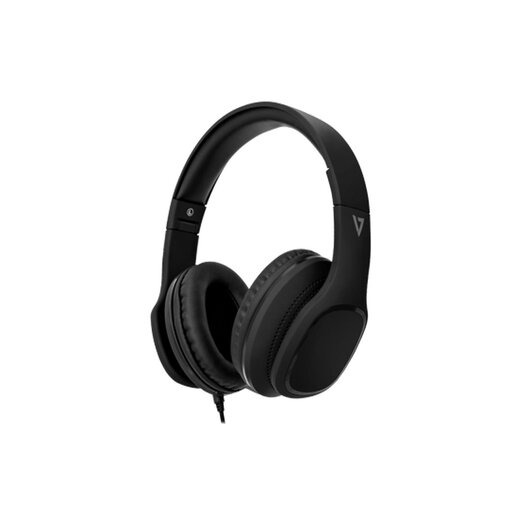 No image available
A wired option for desk-based calls if your computer supports its 3.5 mm headset connection.
The listed features include a MEMS microphone, inline call and volume controls, 40 mm drivers and passive noise isolation. Check whether its outgoing microphone handles the household noise you need to manage; passive isolation describes the listening side.
 No image available
Consider this wired USB option for calls from a PC desk setup if its connection suits your computer.
The listing describes a detachable, adjustable noise-cancelling microphone, inline controls and 50 mm drivers. Check meeting-app compatibility separately from the headset’s gaming features.
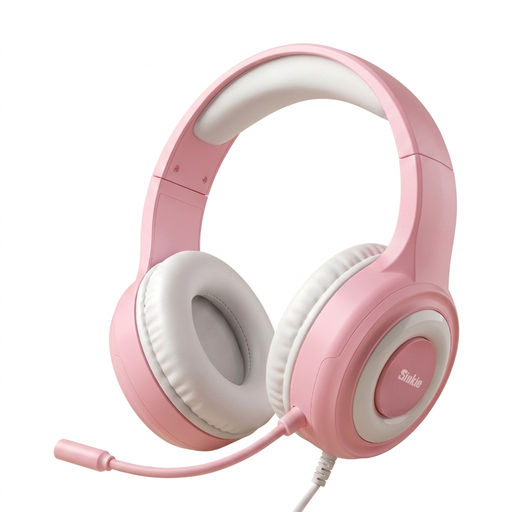 No image available
This wired headset is worth checking for PC calls if your computer can accommodate its audio and microphone connections.
Its listed features include a noise-cancelling microphone and 50 mm drivers. Check the separate 3.5 mm audio and microphone jacks before ordering; the USB connection is described as powering the lighting, not carrying the call audio.
No. ANC is intended to reduce noise you hear, while colleagues hear the sound captured by your microphone. If household noise may enter your calls, check the headset’s stated microphone noise-control features as a separate requirement.
Choose a Teams-specific variant when Teams is your main meeting service and certification or optimisation applies to the exact model and connection you will use. If you need a UC variant for other meeting software, check that software’s compatibility along with the headset’s adapter or receiver before ordering.
Connect it using the method specified for your model, then select it as both microphone and speaker in the meeting application. Make a test call or recording in your usual room to check how your voice sounds with typical background noise.