Record-heavy home-office organisers
If you regularly compare membership lists with forms, email or database entries, you may want enough visible workspace to keep related windows open together.


For routine membership lists, correspondence and database updates, start with a monitor whose screen and stand fit your desk and working position. A compact Full HD model can suit one main record window, while 27-inch QHD offers more pixels when you regularly compare windows side by side. Consider a USB-C hub model for a laptop setup only after checking video output and charging compatibility.
If you regularly compare membership lists with forms, email or database entries, you may want enough visible workspace to keep related windows open together.
If your home-office desk is small, screen dimensions and stand adjustment matter alongside resolution. The Health and Safety Executive advises positioning the top of the screen around eye level and the display about an arm’s length away.
If you connect and disconnect a work laptop, USB-C video, charging and peripheral connections may simplify the desk setup—but only when the laptop supports the required functions.
Start with the record windows you need to see and the space available on your desk; then check screen positioning and whether laptop connectivity would change your daily setup.
| Concern | What to check | Who this matters to |
|---|---|---|
| Visible record workspace | Compare the screen dimensions and resolution with the desk space available. For side-by-side windows, consider 27-inch QHD alongside compact Full HD options. | If I often check a membership entry against a form or email, I want both windows visible without constant switching. Around 33% of consumers put visible record workspace first. |
| Screen positioning | Check the supplied stand’s height adjustment and whether the screen can sit around eye level at a suitable viewing distance, as advised by the Health and Safety Executive. | During long record-update sessions, I need to place the screen at a workable height rather than adapt my position to a fixed stand. For around 42% of consumers, positioning is the primary concern. |
| Laptop and peripheral connections | Check the laptop’s USB-C video support and charging requirement against the monitor’s stated capabilities; confirm the ports needed for your peripherals. | When I reconnect a laptop at the desk, fewer separate connections would make that routine simpler. Around 25% of consumers prioritise laptop and desk connectivity. |
A larger display is not automatically easier to position. The Health and Safety Executive advises placing the top of the screen around eye level and the display about an arm’s length away.
Compare the monitor dimensions and stand footprint with your desk’s width and depth, and check the supplied stand’s adjustments.
An arm, riser or desk rearrangement may be needed if the supplied stand cannot place the screen appropriately.
A USB-C socket on a laptop does not, by itself, establish that it can send video to a monitor or use the monitor’s charging output.
Check the laptop’s USB-C display and charging specifications against those of the monitor before relying on a single cable.
The Health and Safety Executive notes that long periods of display-screen work can cause eye discomfort. A product label is no substitute for suitable screen placement, lighting and breaks.
Set up the screen and room lighting for your work, and consider how you will take breaks during extended record sessions.
A hub or additional ports only help if they match the computer and peripherals you actually connect.
List your computer’s outputs and the devices you use at the desk before deciding which monitor connections matter.
Dell has named office-monitor options spanning compact Full HD and 27-inch QHD record-work setups.
BenQ’s named models offer a choice between adjustable compact Full HD and 27-inch QHD with USB-C connectivity.
LG’s 24BA550-B is a compact office-monitor reference for shoppers comparing stand adjustment and built-in connections.
These monitors offer IPS displays in WUXGA, QHD or 4K UHD variants for membership-record work. Compare each model’s physical fit, stand and connections with your desk and computer before choosing.
 No image available
Consider this QHD model if you compare membership records with other windows and its dimensions suit your desk.
IPS display; QHD resolution. Check the supplied stand and connections against your setup.
 No image available
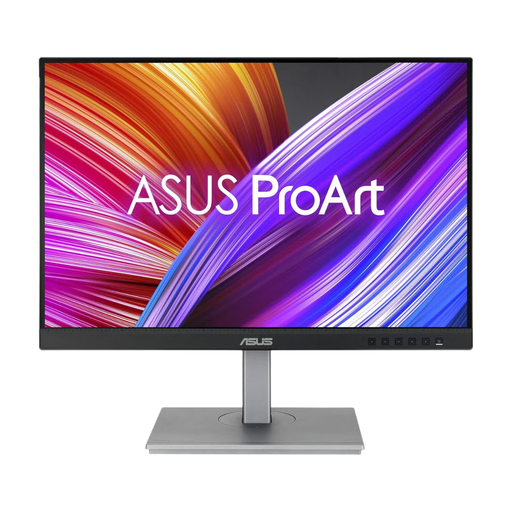
For a desk used mainly for membership lists and forms, consider this WUXGA model after checking its physical dimensions.
IPS display; WUXGA resolution. Confirm that the stand and connections meet your needs.
 No image available
If you frequently keep records beside correspondence, consider this WQHD model once you have checked its desk footprint.
IPS display; WQHD resolution. Confirm the supplied stand and any laptop charging requirement before purchase.
 No image available
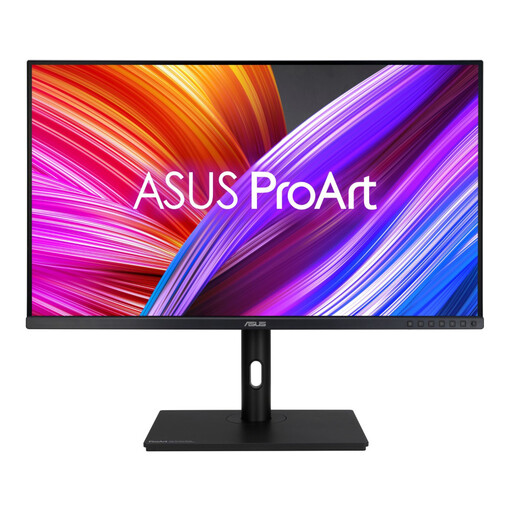
For a records desk where a larger display is under consideration, check this model’s dimensions and suitable viewing distance before choosing it.
IPS display; WQHD resolution. Check its stand and computer connections for your workspace.
 No image available
If you want to view several record-related windows, consider this 31.5-inch model only if your desk permits suitable screen positioning.
4K UHD; IPS; USB-C. Check the supplied stand and confirm USB-C video and charging capabilities against your laptop.
It can be enough if you usually work in one main record window and desk space is limited. Consider 27-inch QHD if you frequently need a database, form and correspondence visible side by side, and check that either screen can be positioned appropriately.
No: check whether the laptop’s USB-C port supports video output and whether the monitor’s power delivery meets its charging requirement. BenQ specifies USB-C data and 65 W power delivery for the GW2790QT, but those specifications alone do not establish compatibility with every laptop.
The Health and Safety Executive advises placing the top of the screen around eye level and the display about an arm’s length away. For prolonged laptop use, a separate keyboard and mouse allow the screen to be raised independently.
Yes, employer duties can apply to employees working from home: the Health and Safety Executive says its display-screen-equipment rules concern employers whose workers regularly use screens as a significant part of their normal work. If membership-record administration is part of your job, ask your employer about your workstation setup; personal or voluntary record keeping is not, by itself, employment.