What to check before buying
Decide how many documents you need visible at once, then check desk fit and screen positioning before considering whether USB-C would simplify your laptop setup.
| Concern |
What to check |
Who this matters to |
| Document workspace |
Compare screen size and native resolution with your desk space and the number of files you keep open; check scaling on higher-resolution screens. |
If I regularly compare a receipt scan, warranty terms and a spreadsheet, I want enough room to read them without repeatedly switching windows. Around 40% of consumers put document workspace first. |
| Laptop connection |
Check the laptop’s supported USB-C display mode and charging requirement against the exact monitor’s ports and power-delivery rating. |
For a laptop-led desk, I want to connect the screen and charge the computer without unnecessary cable changes. Laptop connection comes first for around 30% of consumers. |
| Positioning and desk fit |
Check stand movement and, for a clamp mount, desk-edge thickness and rear clearance. Assess the individual workstation where applicable. |
When I spend a long session reading forms, I need to place the screen comfortably without crowding my desk. Around 30% of consumers prioritise positioning and desk fit. |
Joybuy monitors for document work
These monitors cover compact Full HD record-keeping and larger, higher-resolution document work. Choose by the space you need, then check desk fit and laptop connections for the particular model.
 No image available
ASUS ProArt PA278CV IPS WQHD monitor
Consider this WQHD option if you regularly work with several warranty files and want to check how they fit on screen. If you plan to connect a laptop with one cable, confirm its display compatibility and the monitor’s charging output before relying on that setup.
View on Joybuy
 No image available
iiyama ProLite XB2492HSU 24-inch-class Full HD monitor
A compact Full HD choice to consider if you usually handle one receipt, email or spreadsheet at a time. Check the stand adjustments and available inputs against your desk and computer.
View on Joybuy
 No image available
Lenovo L32p-30 31.5-inch 4K UHD monitor
Consider its 31.5-inch 4K IPS display if you often need several warranty documents visible together and have room for a large screen. Check the stand movement you need and confirm USB-C video support and charging power for your laptop.
View on Joybuy
 No image available
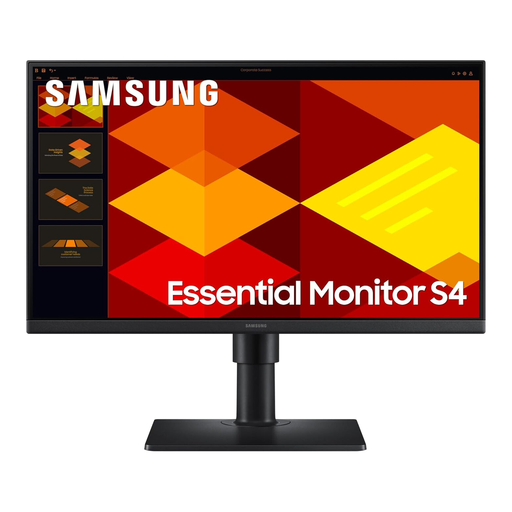
Samsung LS27D400GAUXXU 27-inch Full HD IPS monitor
Consider this 27-inch screen if you want a larger physical display for reading records but do not require a higher native resolution. It is Full HD, so compare that resolution with your plans for viewing several documents at once; check stand movement for your desk.
View on Joybuy
 No image available
Dell P2425H 24-inch Full HD monitor
A compact option for working mainly in one warranty document or spreadsheet at a time. Dell UK specifies a 23.8-inch 1920 × 1080 IPS panel and lists height, tilt, swivel and pivot adjustment for a P2425H configuration; confirm the stand supplied with this unit. Do not rely on its downstream USB-C port for laptop video and charging.
View on Joybuy
Frequently asked questions
Do I need a 4K monitor to record appliance warranties?
No: a compact Full HD IPS monitor can suit work that usually involves one document or spreadsheet at a time. Consider a larger, higher-resolution screen if you regularly compare receipts, warranty terms and correspondence side by side, provided it fits your desk.
Can a USB-C monitor replace my laptop charger at the desk?
Only when the laptop supports the monitor’s USB-C display connection and the monitor supplies enough power for it. Dell UK specifies up to 90W power delivery for the P2425HE, while LG UK specifies up to 60W for the 32UN880K-B; compare the exact model’s rating with your laptop’s requirements.
Which documents should I keep for an appliance warranty claim?
Keep proof of purchase and the warranty or guarantee terms where you can retrieve and read them. Citizens Advice says a claim will usually need proof of purchase, often a receipt showing where and when the appliance was bought; retaining relevant correspondence can also help you follow up a claim.
Does a manufacturer’s warranty replace my statutory rights?
No. Citizens Advice distinguishes warranties and guarantees from legal rights, and the Consumer Rights Act 2015 includes a requirement that supplied goods be of satisfactory quality. The appropriate remedy depends on the circumstances; keep your purchase records whether you intend to use a warranty or raise an issue with the seller.
Does buying an adjustable monitor satisfy home-working display-screen rules?
Not by itself. The Health and Safety Executive says display-screen-equipment rules can apply to workers who work from home permanently or long term; where they apply, the individual workstation needs assessment rather than an assumption that one monitor feature makes the setup suitable.


