Dense-dashboard reviewers
If you regularly inspect multi-series charts, tables and dashboards, focus on readable detail, usable screen area and how the display handles reflections at your desk.


For chart review at a typical home desk, start by comparing 27-inch 4K monitors with adjustable stands: they offer a detail-focused format without requiring the space of a 32-inch screen. A 32-inch 4K monitor may suit larger chart elements or a more distant viewing position, but check desk depth and remember that the same resolution is less dense at that size. Pay for documented colour features when your reporting workflow requires them, and choose USB-C charging only after checking your laptop’s video output and power needs.
If you regularly inspect multi-series charts, tables and dashboards, focus on readable detail, usable screen area and how the display handles reflections at your desk.
If your laptop is your main computer, a USB-C monitor may simplify the desk setup. Check that the laptop supports video through its USB-C port and that the monitor can deliver enough charging power.
If chart colours must match a specified reporting or design workflow, look for documentation of the required colour space and calibration rather than choosing by refresh rate alone.
Settle on a screen size you can read at your desk, then check the connections and any colour or positioning requirements of your work.
| Concern | What to check | Who this matters to |
|---|---|---|
| Chart detail and workspace | Compare 27-inch and 32-inch 4K screens at your viewing distance; try a scaling setting that keeps labels readable. | If dense labels and several chart windows are my main task, I want enough detail without making text too small to read. Around 40% of consumers put chart detail and workspace first. |
| Laptop connection | Check USB-C video support, the laptop’s charging requirement and the monitor’s stated power delivery. | With a laptop at the centre of my desk, I would rather use one compatible connection than juggle separate display and charging cables. Laptop connectivity is the primary need for around 30% of consumers. |
| Colour and viewing comfort | Match documented colour coverage to your required standard; check stand adjustment and the whole workstation setup. | When I review colour-coded reports for long stretches, I need confidence in the intended colours and a screen I can position suitably. Around 30% of consumers chiefly prioritise colour confidence and sustained viewing comfort. |
A 27-inch and a 32-inch 4K screen have different physical chart sizes and pixel densities. The larger display also has to fit your desk and viewing position.
Compare both sizes at your intended distance and try the scaling you would use for chart labels.
Video support and available charging power depend on the laptop, monitor and connection used.
Check the laptop’s USB-C video specification, its charging requirement and the monitor’s stated power delivery.
You may still need a separate charger, dock or suitable cable if the intended single-cable setup is incompatible.
A display feature cannot position the screen or replace breaks and changes of activity. The Health and Safety Executive’s display-screen-equipment guidance addresses workstation assessment and work routines as well as the equipment.
Check whether the stand or a compatible mount lets you position the screen suitably, and consider the rest of your home-working setup.
Wide-gamut and calibration specifications matter when a reporting or design workflow calls for a defined colour standard; they do not, by themselves, make every dashboard easier to review.
Identify the standard your work requires before prioritising colour specifications over screen size, positioning and connectivity.
Dell UK lists both the 27-inch 4K S2725QC and the 27-inch 4K U2725QE hub monitor.
BenQ’s PD2705U is relevant when reviewing charts overlaps with work to a specified colour standard.
Samsung’s ViewFinity S7 S70H line offers 4K models for shoppers weighing screen size against available desk space.
LG’s UltraFine 27U730A-B is a 27-inch 4K IPS option for a compatible USB-C laptop setup.
The ASUS ProArt PA279CRV addresses chart review that also forms part of a controlled creative workflow.
These monitors cover both 27-inch detail-focused setups and larger screens for reviewing charts. Compare each model’s size and connection requirements with your desk and computer rather than treating the list as a single recommendation.
 No image available
Consider this 27-inch 4K model when dense chart detail is the priority. Its stated 16:9 format helps you compare the screen shape with your existing workspace; check the screen treatment if reflections affect your desk.
 No image available
Consider the larger curved format if it fits your desk and the way you inspect charts. The title specifies USB-C with 65 W power delivery; check your laptop’s video and charging requirements before planning a single-cable setup. The 165 Hz refresh rate is not a substitute for checking chart readability.
 No image available
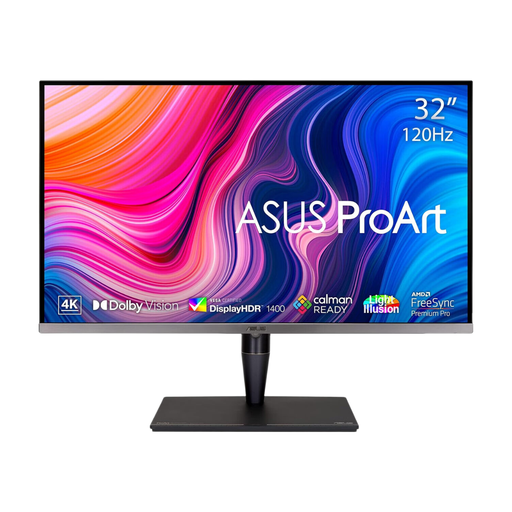
This larger display is worth considering when chart review shares a desk with colour-controlled creative work. Its title specifies HDR formats and hardware calibration; check which features your workflow actually requires. Confirm the exact ports and charging capability before relying on the stated Thunderbolt connection.
 No image available
This 27-inch 4K model may suit a laptop-based chart-review desk if its connections match your computer. The title identifies a glossy screen and an adjustable stand; consider reflections in your room, and confirm USB-C video and charging compatibility before purchase.
 No image available
Consider this 27-inch 4K screen for detailed charts when HDMI or DisplayPort suits your computer. The title specifies a 60 Hz refresh rate and 95% DCI-P3 coverage; if colour matching matters, check the required reporting standard and the model’s calibration documentation.
It can apply to employees who use display screen equipment while working from home. The Health and Safety Executive says the regulations can apply to permanent, long-term and hybrid home workers; whether they apply depends on the work arrangement, rather than simply on someone privately buying a monitor.
Not solely for chart review: check whether labels are readable, the screen fits your desk and the connections suit your computer before making refresh rate a priority. Dell UK lists 4K monitors with different feature sets, so a higher refresh rate alone does not settle which setup fits your work.
Yes, if the laptop supports video over that USB-C connection and the monitor and cable meet its charging needs. BenQ specifies DisplayPort Alt Mode and 65 W power delivery for the PD2705U; check your own laptop’s requirements against the exact monitor you choose.
No: a monitor mode does not replace suitable screen positioning or attention to work routines. The Health and Safety Executive’s guidance addresses workstation assessment and breaks or changes of activity for display-screen-equipment work.