Long-session instruction writers
If you draft, proofread and compare customer-facing instructions for sustained periods, readable text, space for reference material and a positionable screen all matter to your desk setup.


A 27-inch QHD monitor with an adjustable stand is a useful starting point for drafting and comparing customer instructions. Choose USB-C charging if your laptop supports the connection and a simpler desk setup matters; consider 4K if detailed screenshots or visual assets are a regular part of the work. Screen position, lighting and breaks still matter alongside the monitor.
If you draft, proofread and compare customer-facing instructions for sustained periods, readable text, space for reference material and a positionable screen all matter to your desk setup.
If you move a compatible laptop between locations, monitor connections and charging can affect how easily you settle into work at your home desk.
If your instructions regularly include detailed screenshots, diagrams or colour-sensitive material, check whether the display provides the detail and connections your review work needs.
Start with the space and text size you need for writing, then check how the screen fits your workstation and laptop. Treat visual-detail specifications as a separate priority if reviewing images is a regular task.
| Concern | What to check | Who this matters to |
|---|---|---|
| Text space and clarity | Compare Full HD, QHD and 4K at the screen size you want; check text scaling at your usual viewing distance. | If I keep instructions and reference material open together, I want enough room without making text awkward to read. Around 36% of consumers put text workspace and clarity first. |
| Positioning and glare | Check stand adjustment or mounting options, and whether you can position the screen away from reflections. | A long writing session makes it important that I can fit the screen to my desk rather than adapt my posture to it. For around 29% of consumers, workstation fit is the primary concern. |
| Laptop connection | Confirm USB-C video support, the monitor’s charging output and what your laptop requires. | When I move my laptop on and off the desk, I want connections that suit that routine. Around 21% of consumers place laptop docking and cable reduction first. |
| Visual detail | Check resolution and model-specific colour specifications if screenshots or visual assets are part of the job. | If I inspect diagrams and screenshots as well as prose, fine visual detail becomes my deciding factor. Around 14% of consumers prioritise that review work. |
A display feature cannot make an unsuitable desk, screen position or lighting arrangement comfortable on its own. The Health and Safety Executive identifies the wider workstation and work routine as relevant to display-screen use.
Check how you can position the monitor, manage reflections and take breaks as part of the same setup.
Video, data and charging depend on the exact monitor and laptop. The BenQ GW2790QT lists 65 W power delivery, while the LG 27UP85ZK-W lists charging up to 90 W; neither figure establishes suitability for every laptop.
Check your laptop’s video-output capability and charging requirement against the monitor’s ports and power delivery.
A separate charger, dock or compatible cable may still be needed for your setup.
BenQ lists its 27-inch GW2790 at 1920 × 1080, while Dell lists the 27-inch U2724D at 2560 × 1440. Those pixel counts make a difference when deciding how to arrange documents and references.
Compare resolution and comfortable text size alongside screen size, particularly if you regularly work across several windows.
The Health and Safety Executive says UK display-screen-equipment duties can apply to home workers. Where employees use display-screen equipment daily for continuous periods of an hour or more, employers must assess the workstation.
If that describes your work, ask your employer about its home-working assessment process while planning the desk setup.
Dell’s UltraSharp U2724D is a reference point for a 27-inch QHD writing display with an adjustable stand.
BenQ’s GW models offer different approaches to a 27-inch home-office screen.
LG’s UltraFine 27UP85ZK-W is relevant to writing desks that also handle detailed visual material.
Lenovo’s ThinkVision P27h-30 is a QHD option for an office-style laptop desk.
These QHD and 4K monitors offer different screen formats for document work and visual review. Several have gaming-oriented features, so check the stand, desk fit and laptop connections against the writing tasks you actually do.
 Image unavailable
Consider this QHD option for writing alongside reference material if its gaming-focused format suits your desk.
The title lists a QD-OLED display, 2560 × 1440 resolution and a 240 Hz refresh rate. Check the precise panel size and confirm USB-C video and charging suitability before planning a one-cable laptop setup.
 Image unavailable
Consider this larger display if you write on a Mac laptop and also review detailed visual material, provided it fits your desk.
The title specifies a Nano Glossy IPS display and height-adjustable stand. Confirm laptop compatibility and try your preferred 4K text scaling at your viewing distance.
 Image unavailable
This larger curved format may suit a desk used for writing and detailed image review; check that its size and shape suit your viewing arrangement.
The title lists 3840 × 2160 resolution, a 165 Hz refresh rate, a USB hub and Type-C 65 W. Confirm the exact panel size and USB-C video support before relying on a laptop connection.
 Image unavailable
Consider this model if detailed screenshots matter more to your work than a one-cable laptop arrangement.
The title lists 4K UHD resolution and a 60 Hz refresh rate. Check whether the stand provides the positioning you need, and confirm your required connections and comfortable text scaling.
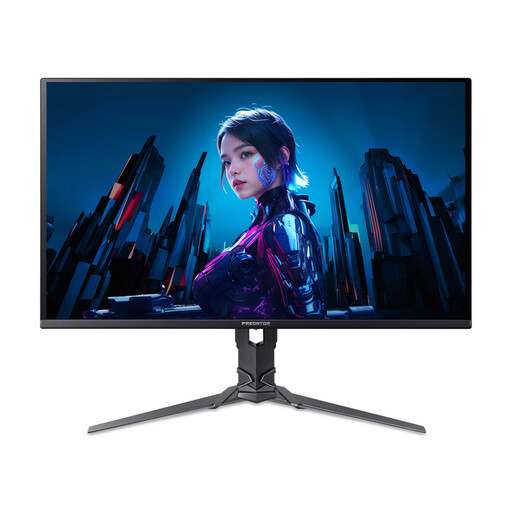 Image unavailable
Its QHD format may fit document and reference work if you are also comfortable choosing a gaming-oriented display.
The title specifies a QD-OLED panel, 2560 × 1440 resolution and a 240 Hz refresh rate. Confirm the stand’s adjustment range and any laptop connections you require.
It can apply to home workers. The Health and Safety Executive says employers must assess workstations where employees use display-screen equipment daily for continuous periods of an hour or more; ask your employer how its home-working process applies to your role.
No single monitor feature takes the place of a suitable workstation. The Health and Safety Executive identifies screen use and workstation design as relevant to discomfort, so consider position, reflections, lighting and breaks as well as display features.
Start with QHD if drafting and comparing documents are your main tasks; consider 4K if you routinely inspect detailed screenshots or other visual assets. At either resolution, check that text and controls are comfortable at your normal viewing distance.
No: the laptop must support the required video connection, and the monitor’s charging output must suit it. Check both devices’ specifications rather than assuming that a USB-C port provides a complete docking setup.
The Health and Safety Executive says employers must arrange an eye and eyesight test when a display-screen-equipment user asks for one. Ask your employer about the applicable arrangements; choosing a new monitor does not replace that assessment.