What matters when choosing
For document work at home, compare the usable screen workspace, laptop connections, desk fit and whether extra hub functions match your routine.
| Concern |
What to check when buying |
Who this matters to |
| Usable document workspace |
Compare native resolution, screen size and the text scaling you expect to use; consider how many windows need to stay visible. |
I need several documents or applications visible together, so resolution and layout matter as well as diagonal size. Consumers putting usable workspace first make up around 33%. |
| Laptop connection and charging |
Check video support on the exact laptop port, the monitor’s USB-C functions and power-delivery rating, and the laptop’s charging requirement. |
I reconnect a laptop often and want one cable to handle the functions I use, including charging if the specifications match. Consumers prioritising laptop connections make up around 27%. |
| Desk fit and screen position |
Measure available desk width and depth, including the stand; check adjustment and any VESA mounting requirements. |
I need the screen to fit beside my keyboard and paperwork and to sit in a workable position. Consumers focused on desk fit and positioning make up around 20%. |
| Useful connections and features |
List the video inputs, peripheral connections and charging functions you will use; check specifications for the exact model. |
I want a suitable display without making a hub or other functions I will not use the deciding factor. Consumers prioritising a straightforward setup make up around 20%. |
Joybuy monitor choices for document work
These monitor choices relate to home-office document work, including conventional video connections and USB-C options where the computer is compatible.
 No image available
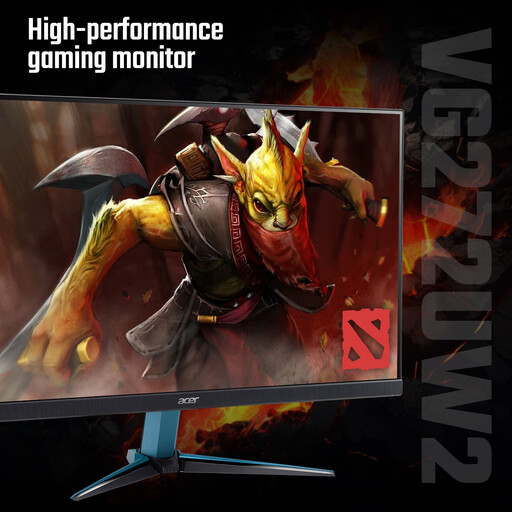
Acer Nitro VG272UW2bmiipx 27-inch QHD monitor
A conventional HDMI or DisplayPort connection may suit a setup where the computer already provides the required video output.
27-inch QHD resolution: 2560 × 1440.
IPS panel; HDMI and DisplayPort inputs; tilt-adjustable stand.
Joybuy
 No image available
MSI MAG 271QP QD-OLED X28 QHD monitor
This QHD option may suit document work when its connection and screen-positioning features match the computer and desk.
Resolution: 2560 × 1440.
QD-OLED panel; HDMI and DisplayPort inputs; stand with height, swivel, pivot and tilt adjustment.
Joybuy
 No image available
ASUS ProArt PA278CFRV QHD monitor
A conventional HDMI or DisplayPort setup may suit a workspace where adjustable screen positioning is useful.
27-inch QHD resolution: 2560 × 1440; 100 Hz refresh rate.
IPS panel; HDMI and DisplayPort inputs; height, tilt, pivot and swivel adjustment.
Joybuy
 No image available
ASUS ProArt PA278CV WQHD monitor
This option may suit a laptop desk where USB-C power delivery is useful, provided the laptop supports video through the port and the charging output is sufficient.
27-inch WQHD resolution: 2560 × 1440.
IPS panel; USB-C with power delivery, HDMI and DisplayPort; height, tilt, swivel and pivot adjustment.
Joybuy
 No image available
Lenovo L32p-30 31.5-inch 4K UHD monitor
A larger screen may suit a desk with room for its footprint and a need for a high-resolution document workspace.
31.5-inch 4K UHD resolution: 3840 × 2160.
IPS panel; USB-C carrying video, data and power; height-adjustable stand.
Joybuy
Frequently asked questions
Does a USB-C socket mean a monitor will display video and charge my laptop?
No. Check that the laptop’s exact port supports video, then compare the monitor’s USB-C functions and power-delivery rating with the laptop’s charging requirement. BenQ specifies DisplayPort Alt Mode and 65 W for the GW2790QT; LG specifies up to 15 W for the different 27U631A-B.
Can I connect two external monitors to any laptop?
Do not assume so. Check the specific computer’s supported external-display count, video ports and cables before choosing a direct connection, dock or daisy-chain arrangement. Apple’s UK support guidance directs Mac users to their model’s display-support specifications.
Does working from home mean I need to buy a particular monitor?
The cited UK guidance does not prescribe a universal monitor size or model. The Health and Safety Executive says Display Screen Equipment Regulations can apply to permanent, long-term or routinely hybrid home workers who use screens daily for continuous periods of an hour or more. Where they apply, the employer should assess the individual workstation and address identified risks; occasional or short-period home use is treated differently.
Who pays for equipment identified by an employed home worker’s DSE assessment?
Where the applicable workstation assessment indicates action such as providing display screen equipment, the Health and Safety Executive says the worker cannot be charged for it. The assessment determines what action is needed; it does not mean every worker needs a new monitor.
What if an online-bought monitor does not fit my desk or is faulty?
For an applicable UK consumer distance purchase, GOV.UK says a customer can notify the seller of cancellation within 14 days of receiving the item and then has another 14 days to return it. Faulty or misdescribed goods have separate consumer remedies. Check the seller’s return instructions, while keeping any voluntary store policy distinct from statutory rights.


