What should you check before buying?
Decide whether you need more mains outlets or USB charging first; then check load, reach and cable routing as separate requirements.
| Concern |
What to check when buying |
Who this matters to |
| Combined socket load |
Compare the lead’s marked current rating with the ratings of devices that may run together. For a cable reel, check which rating applies to its wound or unwound use. |
If I run several mains-powered desk devices at once, I need to know their combined load stays within the lead’s rating; around 36% of consumers put load limits first. |
| Outlet access and cable reach |
Count the mains plugs, check outlet spacing and measure the route to the wall socket. Extension leads should have a standard UK 3-pin plug and a fuse. |
When the desk is awkwardly placed, I need enough accessible outlets and cable to reach it without joining leads; around 29% of consumers prioritise socket layout and reach. |
| Laptop and phone charging |
Check the device manufacturer’s charger requirements, the supported charging method and the charger’s per-port output when multiple devices are connected. |
If I want to charge a laptop and phone from one USB unit, I need its compatibility and shared output to suit both devices; around 21% of consumers put charger compatibility first. |
| Cable routing and access |
Plan a route that keeps cables out of walkways while leaving plugs and leads accessible for visual checks. |
Where the power arrangement already meets my needs, I want to tidy cables without hiding plugs or leads; around 14% of consumers prioritise cable organisation. |
Electrical Safety First advises not to exceed an extension lead, cable reel or block adaptor’s maximum current rating, and not to connect one extension lead to another. Outlet count and surge protection do not increase the permitted load.
Joybuy products for home-office power and charging
These Joybuy options cover desk cable organisation, mains extension leads and USB-C laptop charging; check each product’s stated limits against your setup.
 No image available
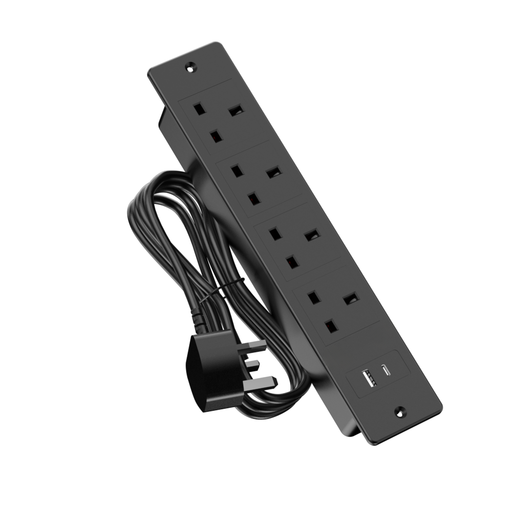
Recessed Desktop Power Strip, 4 AC Outlets, USB-A and USB-C, 1.5 m Cable, Black
Consider this for a desk installation where the listed outlet and charging connections suit your layout.
Listed with four AC outlets, one USB-A port, one USB-C port and a 1.5 m extension cable. Check the product’s marked rating and USB output for your intended devices.
View on Joybuy
 No image available
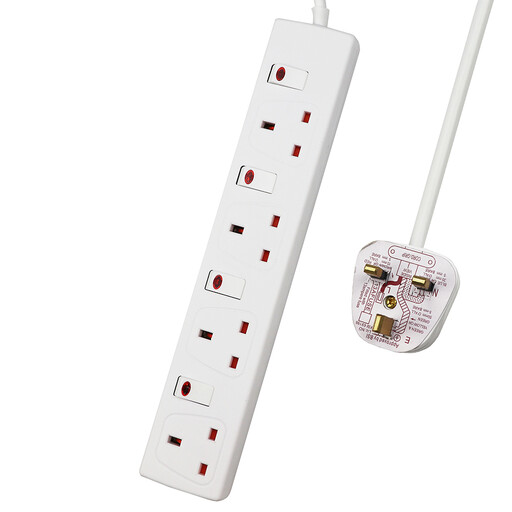
KOMORE 4-Way Wall-Mounted Extension Lead, 13A Fused UK 3-Pin Plug, White
Consider this when four mains outlets and a wall-mounted position suit the desk layout.
The listing specifies a 13A fused UK 3-pin plug and a 5 m cable. Keep the combined load within the stated 13A/3120W maximum and do not connect another extension lead.
View on Joybuy
 No image available
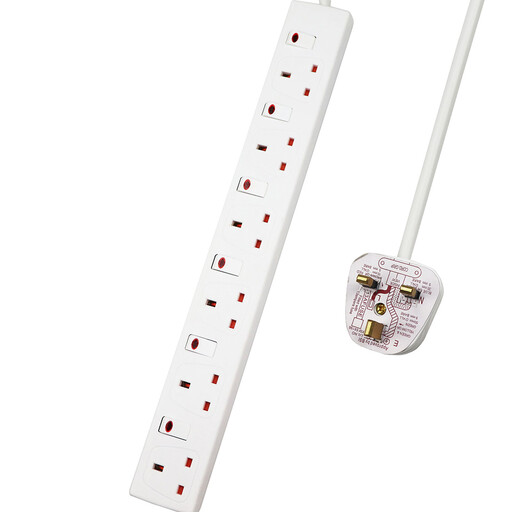
KOMORE 6-Way Wall-Mounted Extension Lead, Individual Switches, 13A Fused UK 3-Pin Plug, White
Consider this when six individually switched mains outlets suit the number and placement of desk devices.
The listing specifies a 13A fused UK 3-pin plug. Keep the combined load within the stated 13A/3120W maximum and do not connect another extension lead.
View on Joybuy
 No image available
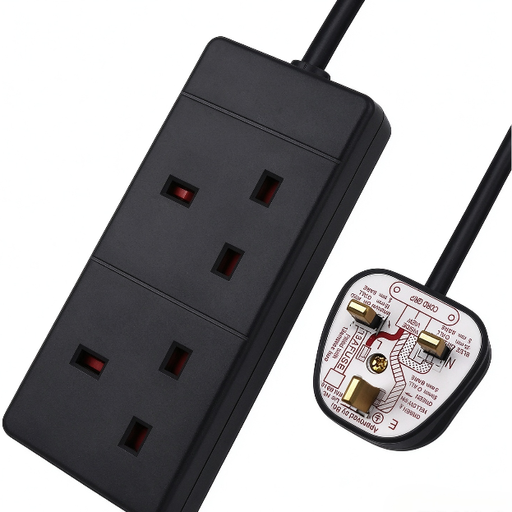
KOMORE 2-Way Surge-Protected Extension Lead, 13A Fused UK 3-Pin Plug
Consider this when two mains outlets and surge protection match a smaller desk setup.
The listing specifies a 13A fused UK 3-pin plug. Keep the combined load within the stated 13A/3120W maximum and do not connect another extension lead.
View on Joybuy
 No image available
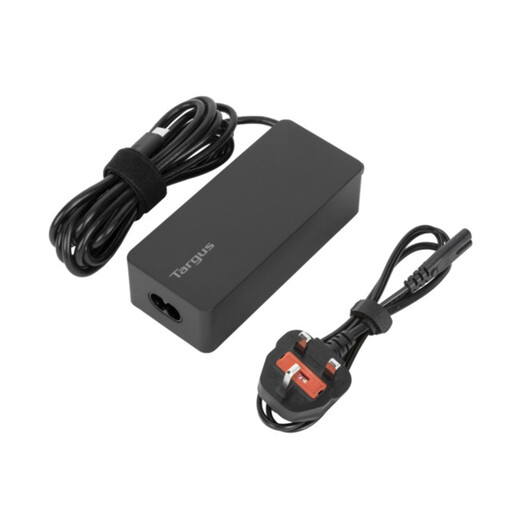
Targus 65W USB Type-C Charger
Consider this for a USB-C charging setup only if its output and compatibility suit the device.
The product name specifies 65 W. Check the device manufacturer’s charger requirements and the charger’s stated compatibility before use.
View on Joybuy
Home-office power and charging FAQs
Can I plug a laptop, monitor and phone chargers into one extension lead?
Possibly, but the device count alone cannot establish whether the setup is within the limit. Check the relevant ratings of the devices that may run together against the lead’s marked maximum, and do not connect another lead to gain outlets.
Does a surge-protected strip prevent overload?
No. Surge protection does not change the requirement to stay within the extension device’s maximum current rating. Check its marked rating and follow the manufacturer’s instructions about indicators and replacement.
How should I position and look after desk charging equipment?
Electrical Safety First advises charging on a hard, flat surface, keeping cables out of the way and checking for hot plugs, burn marks, damaged leads or unusual sounds. If you notice warning signs, its guidance advises unplugging the equipment and contacting the retailer, manufacturer or a qualified repair technician.
Will a 100 W multi-port USB charger provide 100 W to my laptop while my phone charges?
Not necessarily. A headline figure may describe maximum output from one port: Anker gives different dual-port allocations for its B121B. Check the exact model’s simultaneous-output information and your device manufacturer’s charger requirements.
What should I do if a new power strip or charger is faulty?
Contact the seller about the available remedy and check any separate manufacturer warranty. GOV.UK guidance says sellers must not restrict or misrepresent customers’ statutory refund rights; a connected-equipment warranty is a separate, model-specific manufacturer promise.


