Frequent black-and-white note printers
You regularly print lecture slides, readings or revision packs in black and white. Batch printing, automatic two-sided output and a useful paper tray matter more to you than colour or scanning.


For mainly black-and-white study packs, consider a mono laser printer with automatic two-sided printing. If you regularly print colour-coded notes and need scanning or copying, a refillable ink-tank all-in-one may justify its higher initial outlay; for occasional colour and document tasks, a cartridge inkjet all-in-one offers a lower initial commitment, but compare its replacement consumables before deciding.
You regularly print lecture slides, readings or revision packs in black and white. Batch printing, automatic two-sided output and a useful paper tray matter more to you than colour or scanning.
You use colour in diagrams and annotated handouts, and also want to scan or copy documents. If you print regularly, the included ink and replacement-bottle options matter alongside the printer's initial cost.
You print notes intermittently and sometimes need to scan coursework or copy forms. A multifunction printer with a lower initial commitment may suit you better than one chosen for frequent large print runs.
Decide whether colour is essential, then consider how often you print and whether scanning or copying needs to happen on the same machine.
| Concern | What to check | Who this matters to |
|---|---|---|
| Black-and-white batches | Confirm automatic two-sided A4 printing and check tray capacity and the included toner. | If I print long reading packs in black and white, I want to finish a batch without repeatedly turning or loading sheets. Around 37% of consumers would put black-and-white batch printing first. |
| Recurring colour notes | Check colour output, scan/copy functions, included ink and the conditions behind stated page yields. | Colour helps me keep diagrams and revision notes organised, and regular printing makes consumable changes a concern. Roughly 36% of consumers would prioritise recurring colour-note printing. |
| Occasional mixed tasks | Confirm the exact scan/copy functions, duplex mode and replacement-cartridge options. | When I print only now and then, I also want to handle a form or coursework document without buying a separate scanner. About 27% of consumers would make occasional multifunction use their primary need. |
Manual duplex printing still requires you to turn or reload sheets, which matters when you regularly print multi-page study packs.
Look for explicit automatic two-sided printing in the exact model's specifications, including the paper sizes it supports.
Manual page turning also takes time during longer print runs.
A mono laser printer cannot reproduce colour-coded diagrams or highlights in colour.
Review the notes you normally print. If colour is essential, compare a colour printer; if it is not, focus on the black-and-white workflow you actually use.
Canon positions cartridge MAXIFY models for lower-volume use and its refillable GX range for higher-volume printing. Stated consumable yields also depend on test conditions, so neither route's initial cost establishes what your own printing will cost.
Compare included supplies, compatible replacements and their stated yields for the exact model against your likely black-and-white and colour output.
A printer you replace needs an appropriate electrical-equipment disposal route rather than a place in ordinary household waste. The UK WEEE framework, described by the Office for Product Safety and Standards and the Department for Environment, Food & Rural Affairs, supports recovery, reuse and recycling.
Check the retailer's take-back arrangements and your local authority's electrical-recycling options for the outgoing printer.
Brother's HL-L2445DW illustrates a print-only mono laser route for predominantly black-and-white notes.
Epson's EcoTank ET-2950 illustrates a refillable A4 all-in-one for recurring colour notes and scan/copy tasks.
Canon distinguishes cartridge MAXIFY models for lower-volume printing from refillable GX models positioned for higher-volume use.
These printers cover refillable colour, black-and-white laser and cartridge inkjet options for home-office study notes. Compare the exact model's two-sided printing, document functions and consumables against your routine.
 No image available
For recurring colour-coded notes and document tasks, check whether the GX6150's printing, scanning and copying functions suit your workflow. Confirm the included bottles, replacement-bottle options and stated yield conditions before comparing ongoing use.
 No image available
Consider this model if your study notes are predominantly black and white and you want wireless printing. Its title specifies two-sided printing and a 150-sheet input tray; confirm the duplex mode and included and replacement toner against your batch-printing needs.
 No image available
For colour notes alongside occasional document handling, this model's stated print, scan and copy functions may suit a mixed routine. Its title also specifies Wi-Fi and automatic duplex printing; check the included cartridges and compatible replacements for your expected use.
 No image available
This mono laser model is an option when your notes are black and white and you also want to consider document-handling functions. Two-sided printing requires manual page turning, so account for that if you regularly print long packs; check replacement toner against your workload.
 No image available
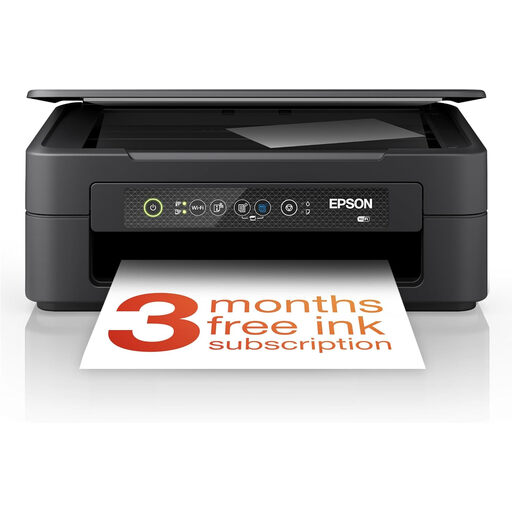
Consider this 3-in-1 model for occasional notes and mixed home-office documents. If automatic two-sided printing matters for your study packs, confirm the duplex mode for the exact setup; also check the included and replacement cartridges.
Automatic duplex printing is useful if you routinely print multi-page packs and do not want to turn the sheets yourself. Check the exact model's wording and supported paper size: Brother explicitly lists automatic two-sided printing for the HL-L2445DW, while Epson and Canon list A4 double-sided printing for the ET-2950 and GX1050.
A scanner is useful if you expect to digitise annotated handouts or copy coursework and other documents. The Epson ET-2950 and Canon GX1050 combine print, scan and copy functions; the Brother HL-L2445DW is print-only, so the answer depends on whether those extra tasks are part of your routine.
Compare the included supplies, compatible replacements and stated yield conditions for each exact model, then consider how much of your printing will be in colour. Canon bases its GX1050 bottle-yield figures on an ISO/IEC 24712 continuous-printing simulation after initial setup; Epson's ET-2950 included-ink yields are also manufacturer claims, not a promise of the number of pages you will print.