What matters before you buy?
For UK home and hybrid employees choosing a home-office upgrade, check employer provision and approved technology first. Then match the purchase to the work task that causes the most friction.
| Concern | Buying checks | Who this matters to |
|---|
| Multi-window desk work |
Compare screen size, resolution and adjustment; check the laptop’s video output and any required USB-C charging. |
If I spend long periods moving between documents and browser windows, I want more usable screen space at my desk; around 33% of consumers put this need first. |
| Video-call picture and audio |
Identify whether the camera, microphone or headset needs attention; check meeting-platform and software compatibility. |
When colleagues struggle to see or hear me on calls, I want to address that particular problem. For around 25% of consumers, call picture or audio is the primary concern. |
| Hybrid use and approved systems |
Check employer-provided equipment, personal-device rules and approved applications before choosing hardware to carry between locations. |
If I move between home and office, I need a portable setup that I am permitted to use for work data; around 25% of consumers prioritise that requirement. |
| Displays and desk connections |
Match display count and resolution to the laptop’s port capabilities; check dock power and operating-system support. |
Repeatedly reconnecting screens and peripherals interrupts my desk routine, so simpler connections matter most to around 17% of consumers. |
Joybuy products for the desk
These monitors, a dock and separate call accessories address different parts of a home-office setup. Choose the type that matches your main task, then check its connections against your work device.
 No image available
BenQ MA320UP 32-inch 4K USB-C Mac monitor
For a fixed desk where a Mac-focused external display is the intended upgrade. The title specifies a 4K UHD IPS display and height-adjustable stand; confirm USB-C video support, charging needs and any required Mac-specific controls with your exact computer.
View on Joybuy
 No image available
Targus USB-C Universal Dual HDMI 4K dock, 100 W pass-through
For a desk where connecting two HDMI displays is the main requirement. Check the laptop’s USB-C video capability and the required display configuration; an external adaptor rated at 100 W or higher is described as necessary, so confirm the box contents.
View on Joybuy
 No image available
ASUS ZenScreen MB249C IPS USB-C monitor
For adding a display where placement may change between workspaces. Check the laptop’s USB-C video capability and charging needs, and confirm the weight and supplied power accessories if you plan to move it regularly.
View on Joybuy
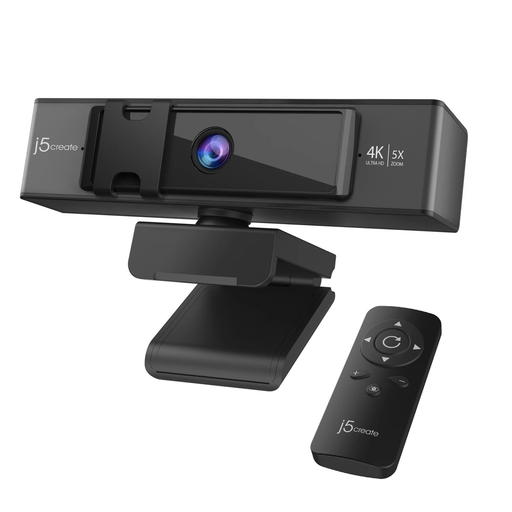 No image available
j5create JVCU435 4K webcam with 5× digital zoom and remote
For adding a separate camera when framing is the main call concern. The title specifies 4K video, 5× digital zoom and a remote; check that the webcam is permitted on your work device and works with your meeting setup.
View on Joybuy
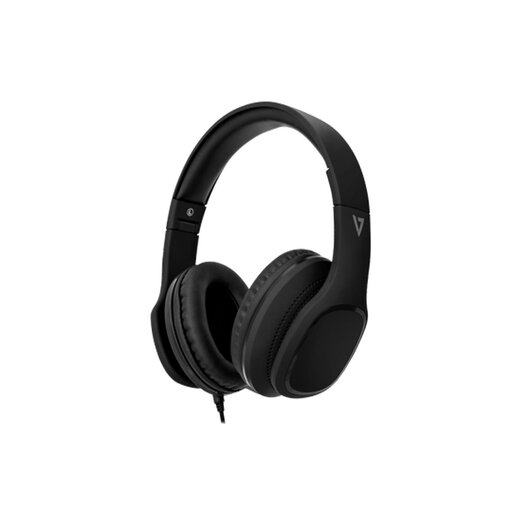 No image available
V7 HA701-3EP wired over-ear headphones with microphone
For calls where a wired microphone and headphones suit the work device. Check that it has a compatible 3.5 mm connection and that your employer permits the headset; the microphone is not detachable.
View on Joybuy
Common questions
Should I buy a monitor myself if I regularly work from home?
Check your employer’s equipment arrangements and any applicable workstation assessment first. In Great Britain, the Health and Safety Executive says workers cannot be charged for equipment action required by an applicable display-screen-equipment assessment; that does not mean every home worker automatically needs the same equipment.
Can display-screen-equipment duties apply to hybrid work?
Yes, depending on the work pattern and screen use. The Health and Safety Executive says Great Britain’s rules can apply to people who work at home long term or routinely split time between home and the workplace; the Health and Safety Executive for Northern Ireland also addresses long-term home display-screen work. Check the guidance applicable to your workplace and your employer’s assessment process.
Can I use my personal laptop instead of an employer-issued one?
Only if your employer permits it and you can follow its security requirements. The Information Commissioner’s Office advises using approved technology for personal data; confirm the rules for access, updates, storage and separating work data from personal data before relying on your own laptop.
Will any USB-C dock run two monitors and charge my laptop?
No: the dock’s functions depend on the exact laptop, port and operating system. HP specifies host DisplayPort Alt Mode support for relevant functions of its USB-C G5 Essential Dock, while higher-resolution display arrangements have further host requirements. Match the dock’s display and power conditions to your work laptop before buying.


