Desk-first computer listeners
If your computer plays music throughout the working day, look at powered desktop speakers with an input your computer can use. A two-speaker setup also needs space around the screen and a route for its cables.


Choose powered desktop speakers if your computer is the main music source and you have room for a left-and-right setup. A Wi-Fi speaker makes more sense if app-controlled streaming or future multi-room playback matters most; a Bluetooth home speaker suits simpler playback from a phone or laptop. Check the exact connections, desk space, power requirements and any ecosystem or adapter requirements before buying.
If your computer plays music throughout the working day, look at powered desktop speakers with an input your computer can use. A two-speaker setup also needs space around the screen and a route for its cables.
If you start music from an app or Apple device and may add speakers elsewhere, check the supported streaming controls and whether the models you want can work together. Wi-Fi speakers differ in their device and setup requirements.
If you mainly play music from a phone or laptop, a single Bluetooth home speaker may cover the need without a multi-room setup. Check whether it needs mains power rather than assuming a compact speaker has a battery.
Choose when: Your computer is the usual source and you have room for separate left and right speakers.
Trade-off: Direct USB or analogue connections are available on models such as the Audioengine A2+ Gen 3, but the pair needs desk space, power and cabling.
Choose when: App-controlled streaming, AirPlay or later playback in other rooms is a priority.
Trade-off: Setup and playback depend on the model’s network, app and device requirements; a wired source may also need an adapter.
Choose when: You want direct pairing from a phone or laptop and prefer a single unit over a desk pair.
Trade-off: A single unit does not inherently provide separate left and right desk speakers or Wi-Fi room grouping.
| Concern | What to check | Who this matters to |
|---|---|---|
| Desk fit and computer connection | Measure the space around your monitor and confirm that the speaker has an input your computer can use. | If I play music from my work computer most of the day, I want it to fit beside my equipment and connect without changing my usual setup. Around 45% of consumers put that desk-first need foremost. |
| Streaming and room-to-room use | Check your preferred service, device and app compatibility, plus whether compatible speakers can be grouped. | Starting a playlist from my usual app matters more to me than a direct computer cable, and I may want music in another room later. For around 33% of consumers, streaming and expansion are the primary concern. |
| Simple, flexible playback | Confirm Bluetooth support, the power source and whether you need physical controls or an analogue input. | I want to pair a phone or laptop without building a speaker system, while knowing whether I can move the unit without unplugging it. Straightforward playback comes first for around 22% of consumers. |
Bluetooth, Wi-Fi and wired inputs serve different playback routes. A speaker that streams from an app will not necessarily have a direct input for a work computer.
Identify the device you will use most often, then check the exact input or wireless protocol on the speaker you plan to buy.
Smart functions can depend on an app, Wi-Fi and compatible hardware. Apple lists compatible iPhone or iPad software and Wi-Fi internet access among the requirements for HomePod mini.
Check your phone, computer and intended music service against the specific model’s requirements before choosing its ecosystem.
Sonos specifies a Line-In Adapter for connecting an analogue source to Era 100; the connection is not simply a standard 3.5 mm socket on the speaker.
If you plan to connect a computer or another analogue source, check which adapter and cable are required and whether they are included.
The UK’s waste electrical and electronic equipment framework addresses the recovery, reuse and recycling of electrical equipment, as described by GOV.UK.
Check the current local electrical-recycling or retailer take-back arrangements for your old speaker.
Powered desktop speaker pairs for a computer-centred setup.
Compact speakers for app-controlled streaming and a connected home-audio setup.
HomePod mini is an option for listeners using compatible Apple devices and AirPlay.
Single-unit home speakers for direct Bluetooth playback and on-speaker controls.
Portable smart-speaker options for moving playback beyond the office.
These desktop and tabletop speakers offer different ways to play ambient music in a home office. Choose by the connection and placement you need, and check the exact variant’s power and included accessories.
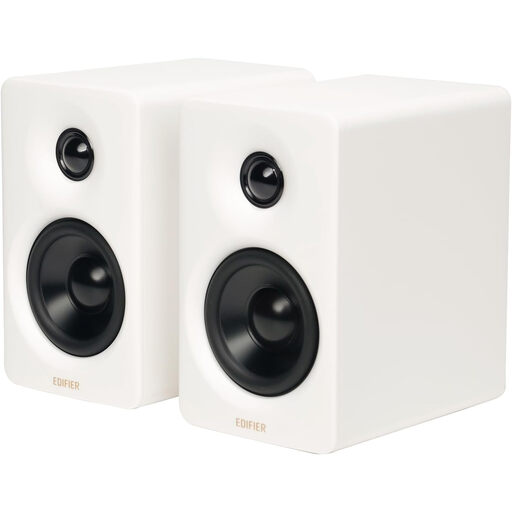 No image available
Consider these for a computer-centred desk where USB-C or AUX input is useful. The product name also lists Bluetooth 5.3 and 66 W RMS. Check how many speaker units are included, the power arrangement and the space needed for cabling.
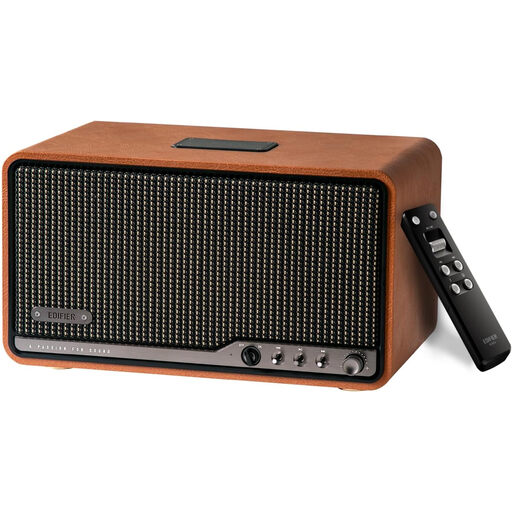 No image available
Consider this tabletop model if room-to-room playback is part of your plan. Check that its cabinet fits your desk or shelf, and confirm its supported playback methods, power requirements and included accessories for your intended setup.
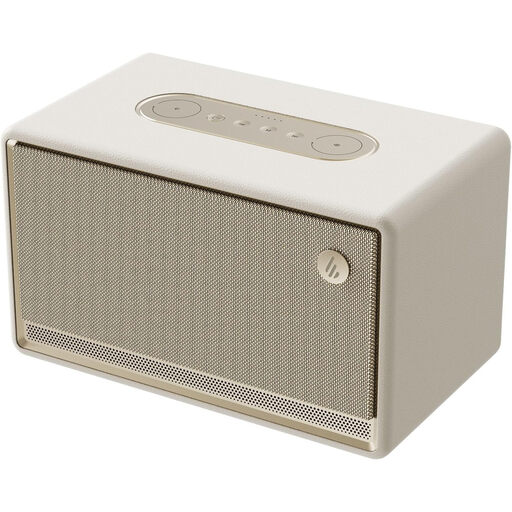 No image available
Consider this for tabletop playback from a Bluetooth device; its product name lists Bluetooth 5.3. Before relying on it for a wired, Wi-Fi or portable setup, confirm the exact variant’s connections, power arrangement and included accessories.
Choose a wired-capable speaker if the computer will stay at the desk and be your main music source. Bluetooth suits direct playback from a phone or laptop, while Wi-Fi is worth considering for supported app streaming or multi-room use; check the exact model’s connections before buying.
Yes, Sonos says Era 100 accepts an analogue source through an auxiliary cable and its Line-In Adapter. Check which parts are included with the listing you choose.
Check your intended playback route before choosing HomePod mini for a non-Apple desk setup. Apple lists compatible iPhone or iPad software and Wi-Fi internet access as system requirements, so confirm that your devices meet the setup requirements and can play music as you intend.
No, not all of them do: Marshall lists Acton III as mains-powered. Battery models need charging; Bose lists up to 12 hours per charge for its Portable Smart Speaker, so decide whether moving the speaker between rooms matters to you.
Check your local electrical-recycling or retailer take-back arrangements rather than putting the speaker in general rubbish. GOV.UK describes the UK waste electrical and electronic equipment framework as supporting recovery, reuse and recycling.