What matters when choosing?
Decide where films will play first—computer, TV or monitor—then weigh speaker placement against the convenience of a compact streaming setup.
| Concern |
What to check |
Who this matters to |
| Computer connection and stereo placement |
Match the computer’s output to a documented speaker input, and allow space and cabling for two speakers. |
If I play films from my computer, I want a direct connection and room for a speaker on either side of the screen. Around 40% of consumers may put that combined need first. |
| TV or monitor integration |
Check for HDMI ARC on both the display and speaker system; identify another compatible input if needed. |
When my display is the film source, I want its audio to reach the speakers without an awkward source-switching routine. Around 30% of consumers may prioritise display integration. |
| Compact streaming |
Check placement, supported wireless connections and whether your intended source needs an adapter. |
With little free desk space, I would favour a compact streaming setup even if it does not place two speakers apart. Compact wireless use may come first for around 30% of consumers. |
Brands to consider
These examples illustrate different speaker formats and connections; the features described belong to the named models, not every product from each brand.
Q Acoustics
The M20 is a powered stereo pair to consider when a computer is the main film source and several other sources may share the setup.
- Q Acoustics specifies USB compatibility up to 24-bit/192kHz, Bluetooth and a subwoofer output for the M20.
- Check the exact output on your monitor or TV against the M20’s inputs rather than assuming it has HDMI ARC.
KEF
The LSX II is an active stereo system to consider when an HDMI ARC-equipped display and a computer will share the speakers.
- KEF lists HDMI ARC, USB-C, Bluetooth 5.0 and a subwoofer output for the LSX II.
- Check the network requirements for the wireless functions you intend to use, particularly on a managed network.
Ruark
The MR1 Mk3 is a compact desktop stereo pair for a setup needing computer audio alongside optical or analogue input.
- Ruark specifies USB-C audio, Bluetooth 5.1, a combined optical/line input and a subwoofer output for the MR1 Mk3.
- Its optical connection uses a mini-Toslink/3.5mm-style connector, so check the cable needed for your source.
Sonos
The Era 100 is a compact streaming option when a single-speaker footprint matters more than placing two cabinets apart.
- Sonos lists Wi-Fi, Bluetooth and AirPlay 2 for the Era 100.
- Sonos Support says an external analogue source requires the separate Sonos Line-In Adapter.
Joybuy speaker choices
These Edifier models offer tabletop or desktop options for a home-office film setup. Compare their stated connections with your playback device, and confirm whether a listing supplies the speaker arrangement you want.
 No image available
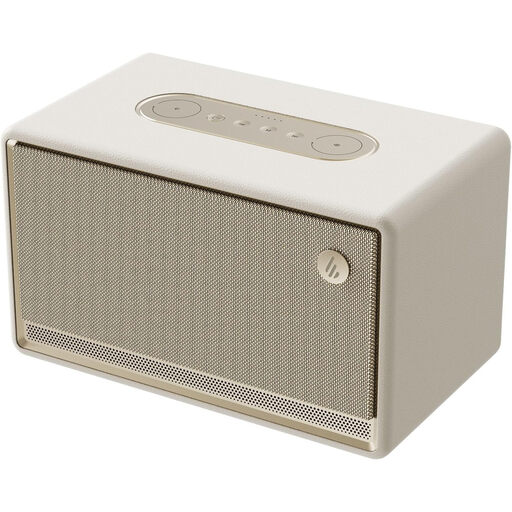
Edifier ES300 tabletop wireless speaker, Ivory
Consider this single tabletop speaker if compact placement takes priority over putting separate speakers on either side of the screen.
The product title lists Bluetooth 5.3 and 12-hour playtime. Check the connection needed for your computer or display before choosing it for film playback.
View on Joybuy
 No image available
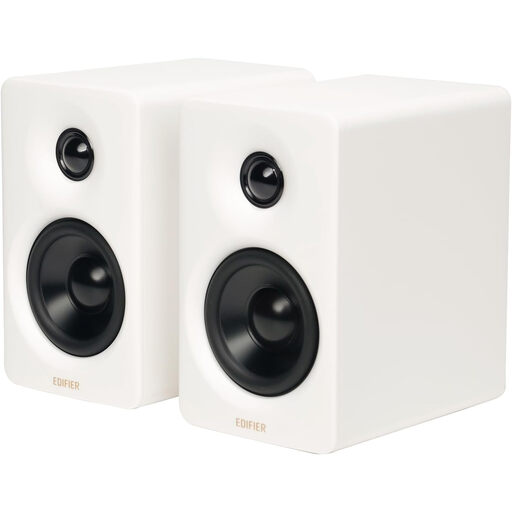
Edifier M60 multimedia speakers
Consider the M60 for desktop playback if its USB-C or AUX input matches your source, but confirm the supplied speaker configuration before planning a separated pair.
The product title lists Bluetooth 5.3, 66W RMS, USB-C and AUX inputs. Check the package contents and power setup before buying.
View on Joybuy
 No image available
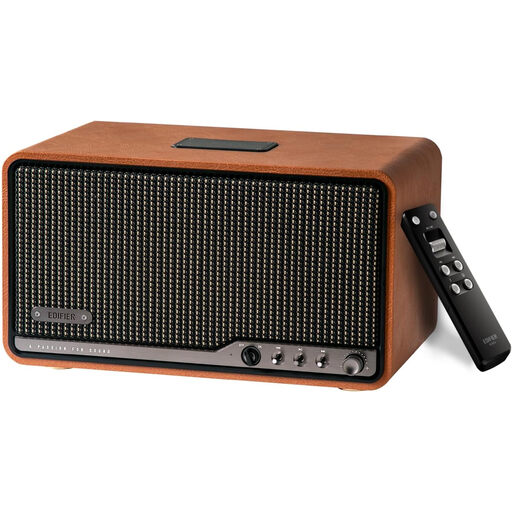
Edifier S300 tabletop wireless speaker, Brown
Consider this tabletop model if you want a single speaker now and are interested in a possible two-speaker arrangement later.
The S300 listing describes left/right pairing using two S300 speakers; confirm whether a second unit is needed. Check the inputs against your film source, particularly if the screen is a TV or monitor.
View on Joybuy
 No image available
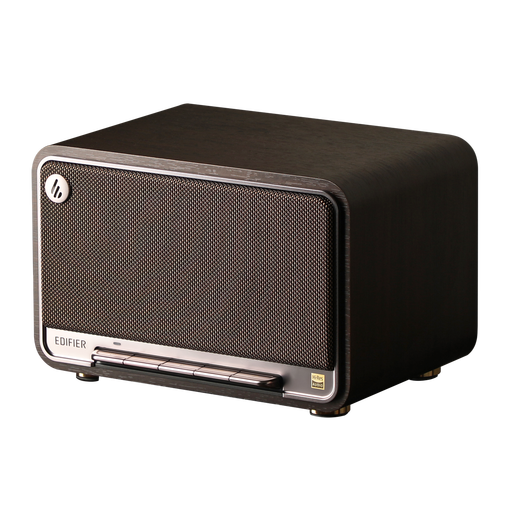
Edifier D32 tabletop wireless speaker
This single tabletop model is worth checking when desk placement and a wired source option matter more than a separated pair.
The product title lists Bluetooth 5.3, USB-C and AUX inputs, 60W RMS and 11-hour playtime. Match the intended input to your computer or display, and treat the playtime as a listing claim rather than a guarantee for every use.
View on Joybuy
Frequently asked questions
Do I need HDMI ARC for film soundtracks at my desk?
You need HDMI ARC only for that connection route when your TV or monitor is the playback source and both it and the speaker system support HDMI ARC. If a laptop plays the films, check its output against the speaker’s USB, optical or analogue inputs instead.
Can I connect a laptop directly to an active speaker system?
Yes, if the specific system accepts an audio connection your laptop can provide. Q Acoustics lists USB compatibility for the M20, while Ruark lists USB-C audio for the MR1 Mk3 and KEF lists USB-C on the LSX II; check the ports and supported formats on the model you choose.
Will a Wi-Fi speaker work on an office or guest network?
It may not connect or provide its full wireless functions on a restricted network. KEF warns in its LSX II LT guidance that office, hotel, guest and public networks can use security or sign-in methods that prevent connection; check the requirements for your exact speaker and network before relying on Wi-Fi setup.
What safety details should I check when buying a mains-powered speaker?
Check the seller’s identity, appropriate product marking and the manufacturer’s name and address. GOV.UK advises particular care with products bought from sellers outside the UK, which may not be made or labelled in line with UK safety requirements.
What should I do with an old speaker in the UK?
Look for an appropriate electrical-equipment reuse or recycling route for an old speaker. GOV.UK describes waste electrical and electronic equipment rules as intended to reduce electrical waste sent to landfill or incineration.


