Computer-centred listeners
If most listening starts at your desk, an active pair can avoid a separate amplifier. KEF specifies a USB-C computer connection for LSX II LT; check that its other inputs suit any sources you also use.


Choose active speakers if a computer connection and fewer separate components matter most; choose passive standmounts if you already have, or want to select, an amplifier. KEF lists USB-C connectivity for its active LSX II LT and external amplification for its passive LS50 Meta, while Genelec G Three offers analogue inputs and room-compensation controls. Whichever route you take, check that your desk can accommodate a balanced two-speaker layout and allow adjustments to wall distance.
If most listening starts at your desk, an active pair can avoid a separate amplifier. KEF specifies a USB-C computer connection for LSX II LT; check that its other inputs suit any sources you also use.
If you own a stereo amplifier or want to choose one independently, passive speakers are an option. KEF specifies a 40–100 W amplifier requirement for LS50 Meta; that figure applies to this model, not to every passive speaker.
If walls or desk furniture restrict where the pair can sit, allow time to adjust placement. Genelec specifies room-compensation switches on G Three, while KEF advises experimenting with speaker position and wall distance.
Choose when: A computer is your main source and you want to avoid a separate amplifier; KEF LSX II LT accepts USB-C.
Trade-off: Your source choices depend on the system’s inputs. KEF says LSX II LT has no 3.5 mm analogue input, and its full network features depend on a suitable network.
Choose when: You already have an amplifier or want to select amplification separately from the speakers.
Trade-off: The system also needs compatible amplification and speaker cable, plus somewhere stable to position the pair.
Choose when: Your source provides a suitable analogue output and speaker-side room adjustment would help with constrained placement; Genelec G Three offers RCA and XLR inputs and room-compensation switches.
Trade-off: Plan the source connection and volume control rather than assuming this route includes the USB-C and streaming features of KEF LSX II LT.
For chamber music at a desk, establish where two speakers can sit before comparing connections and amplifier requirements.
| Concern | What to check | Who this matters to |
|---|---|---|
| Stereo placement | Check whether both speakers can sit at comparable distances from your listening position, without furniture obstructing one side. | If I listen closely to small ensembles, I want space to position both speakers rather than squeeze one behind a monitor. Around 33% of consumers put stereo placement first. |
| Connections and components | Match the documented inputs to your sources and decide whether you have room for a separate amplifier. | With a computer as my main source, I would rather keep extra equipment off the desk. Compact connection is the primary concern for around 27% of consumers. |
| Amplifier choice | For passive speakers, check the exact model’s amplifier guidance against your amplifier; KEF specifies 40–100 W for LS50 Meta. | If I already own an amplifier, I want to choose the speakers and amplification as separate components. Around 20% of consumers primarily care about that flexibility. |
| Wall proximity | Measure the available clearance and consult the chosen model’s placement guidance; Genelec G Three offers room-compensation switches. | When the desk forces my speakers near a wall, I need room to adjust their position or response. Placement and bass balance come first for around 20% of consumers. |
KEF LS50 Meta is passive and requires an amplifier; a passive pair cannot be connected like an active USB-C system.
Plan the route from source to amplifier to speakers, checking compatibility, cable and stable supports before choosing the pair.
A separate amplifier, speaker cable and suitable supports add equipment and setup work.
KEF’s placement guidance recommends trying different wall distances, particularly when positioning rear-ported designs.
Measure the desk and available clearance, then leave room to adjust both speakers as evenly as your layout permits.
KEF lists USB-C and HDMI ARC for LSX II LT but says it lacks a 3.5 mm analogue input. Genelec lists RCA and XLR analogue inputs for G Three.
Compare the chosen model’s inputs with your computer, interface, TV or other source before ordering.
According to the Department for Business and Trade, UKCA or CE marking indicates the manufacturer’s belief that a product meets relevant requirements; the symbol alone does not establish that a particular listing has the plug, voltage information or documentation you need.
For powered speakers, check the product version and supplied documentation, as well as the seller’s support and return information.
Its LSX II LT and LS50 Meta illustrate different system choices: an active pair with computer connectivity and a passive standmount requiring external amplification.
The 5020 is a passive bookshelf or standmount option for listeners considering a separate amplifier.
G Three is an active analogue-input option for a setup where speaker-side room adjustment matters.
These choices cover a passive speaker pair for a separate-amplifier setup and a compact, computer-connected desktop option. For the Edifier M60, confirm that the package provides the two-speaker stereo arrangement you want for chamber music.
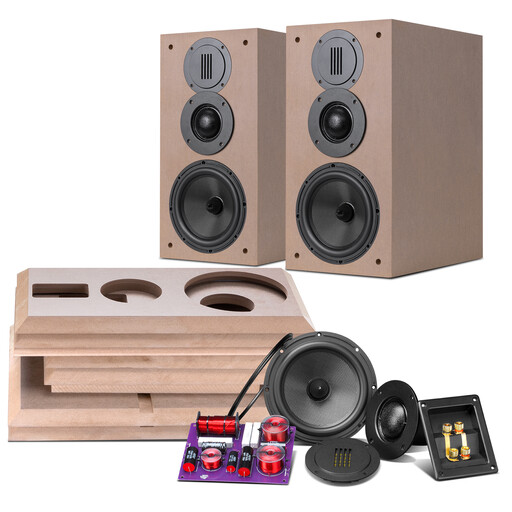 Image unavailable
This named pair suits a two-speaker setup if you have, or plan to add, a compatible amplifier.
The listed variant is 6.5-inch and passive. Check amplifier compatibility and measure the desk space and wall clearance available for each speaker.
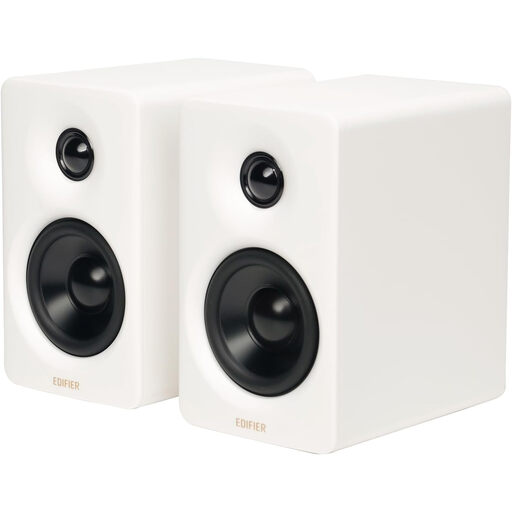 Image unavailable
For a computer-centred desk, the named M60 variant offers USB-C and AUX inputs; confirm the included speaker count and stereo arrangement before choosing it for chamber music.
The product name also specifies 66 W RMS, LDAC, 3-inch mid-bass drivers and 1-inch tweeters. Check that its intended desktop placement fits your available space.
Passive models do, while active models contain amplification. KEF specifies external amplification for LS50 Meta, whereas KEF LSX II LT and Genelec G Three are active; check each model’s inputs as well as its amplifier arrangement.
Start with the speakers at similar distances from your listening position, then adjust their angle and distance from the wall. KEF’s general placement guidance suggests an equilateral triangle as a starting point, but follow the chosen model’s instructions and adapt the layout to your room.
KEF says LSX II LT has no 3.5 mm analogue input and describes Bluetooth as the way to connect a turntable to this model. Check the turntable’s output and connection options before choosing the speakers.
For a qualifying distance purchase, GOV.UK states that customers generally have 14 days after receiving an item to tell the seller they wish to cancel. Check the applicable cancellation terms and keep this separate from remedies for goods that are faulty or misdescribed.
According to the Department for Business and Trade, the marking indicates the manufacturer’s belief that the product meets relevant requirements; it does not verify every detail of a particular seller listing. For a purchase intended for Great Britain, check the product version, plug and voltage information and supplied documentation. Do not assume the same product-marking process applies in Northern Ireland.