Frequent home-meeting workers
If video calls are a regular part of your working day, identify whether speech, camera position or connection stability is the immediate problem before expanding your desk setup.


Start with the problem affecting your meetings: choose a headset or USB microphone for unclear speech, a webcam for poor framing, or a wired connection when household Wi-Fi is disrupting calls. A monitor or dock is more useful when document work or a fixed desk setup calls for it; check your laptop’s display, port and charging support before buying either.
If video calls are a regular part of your working day, identify whether speech, camera position or connection stability is the immediate problem before expanding your desk setup.
If you work near other people or household noise, private listening and a microphone you can position for calls may matter more than a larger display.
If you use a laptop for meetings and shared documents at a regular desk, an external display or dock may make the setup more practical. Check the laptop’s ports, display support and charging needs before choosing one.
For home video meetings, sort out speech and connection problems before buying equipment mainly intended to expand a desk setup. If camera position or image quality is the weak point, assess a webcam separately rather than expecting a monitor or dock to fix it.
| Concern | What to check | Who this matters to |
|---|---|---|
| Clear speech and private listening | Decide whether you need a headset or a fixed desk microphone; check microphone placement and the connection your laptop can use. | If I take calls in a shared room, I need colleagues to hear me without playing their voices aloud. Around 36% of consumers would put clear speech and private listening first. |
| Stable call connection | Check whether disruption occurs at your usual meeting times and whether an Ethernet cable can reach an available router or switch port. | When my calls freeze while the household is online, I want to address the connection before replacing a working camera. Call reliability would be the primary need for around 29% of consumers. |
| Screen space and laptop position | Check the laptop’s external-display limit and video connection, then consider monitor adjustment and separate input devices for prolonged use. | If I spend long periods working with shared documents, I need room to see them and position my screen comfortably. Around 21% of consumers would prioritise this workspace need. |
| One-cable desk connection | Match the dock’s display protocol and charging output to the exact laptop, as well as the ports needed for your peripherals. | At a fixed desk, I want to reconnect several devices without plugging each one in separately. That would be the main priority for around 14% of consumers. |
A USB-C socket alone does not establish the laptop’s video-output capability or supported number of displays. Apple and Microsoft both direct users to check the capabilities of the particular computer and connection.
Compare your exact laptop model, intended monitor connections and charging requirement with the dock’s compatibility and display-configuration information before ordering.
If the connections do not match, you may need a different cable, adapter or charger to complete the setup.
A sharper camera cannot resolve interruptions caused by the connection. Ofcom recommends connecting a computer directly to the router with Ethernet where practical.
Check the connection at your usual meeting times and try a practical wired route before replacing a camera that otherwise meets your needs.
These products primarily address screen space, positioning or repeated peripheral connections; they do not replace clear audio or a stable connection. The Health and Safety Executive advises assessing home display-screen equipment needs individually.
Choose an external screen or dock when your document work or regular desk routine calls for one, rather than as a default video-meeting purchase.
Receiver connections and meeting-platform variants can differ within a headset family. Jabra, for example, lists USB-A and USB-C adapter options and separate Teams and unified-communications variants for its Evolve2 65 Flex.
Check the specific headset’s connector, platform variant and included accessories against your work laptop and meeting software before ordering.
Relevant to personal webcams and headsets for video calls.
Relevant to call headsets where a wireless connection, boom microphone or meeting-platform variant matters.
Relevant to a fixed desk where a separate USB microphone suits regular speaking.
Relevant to external monitors and docks for a regular laptop workspace.
Relevant to USB-C docking for a fixed desk with displays and other peripherals.
These options address different parts of a home video-meeting setup: speaking and listening, camera placement, a wired connection, and screen space for regular desk work. Choose the item that matches the problem you need to solve.
 No image available
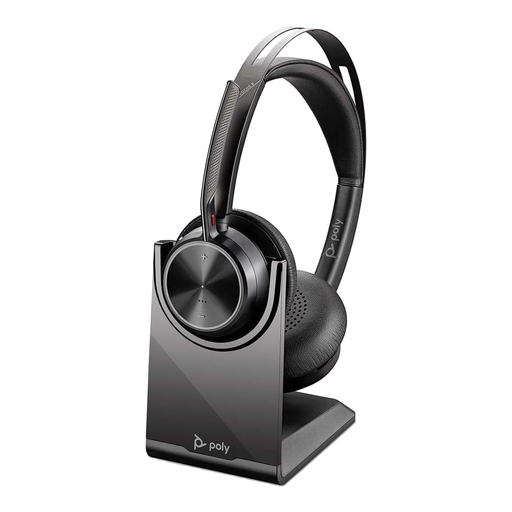
Consider this wireless headset if regular calls require private listening and a microphone you can use in a shared workspace.
 No image available
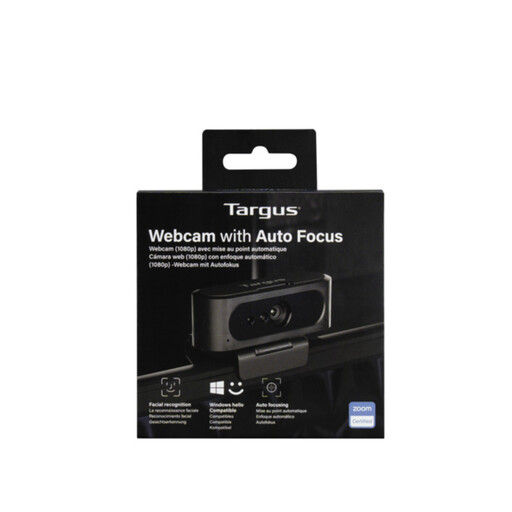
Consider a separate webcam if the position or focus of your laptop camera is the issue during calls.
 No image available
Consider a wired connection if Wi-Fi is disrupting calls and an Ethernet cable can reach your router or switch.
 No image available
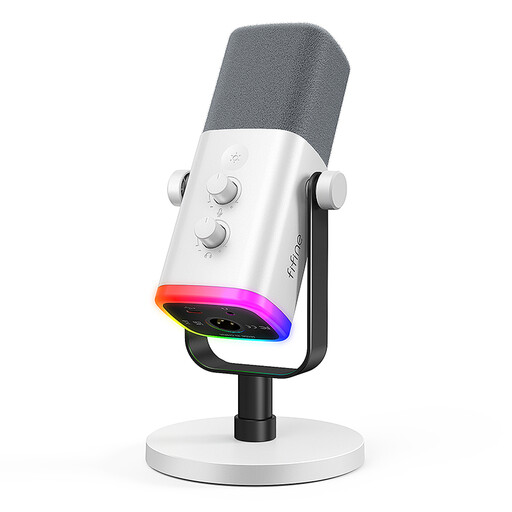
Consider a desk microphone if you speak from a fixed position and already have a way to listen to calls.
 No image available
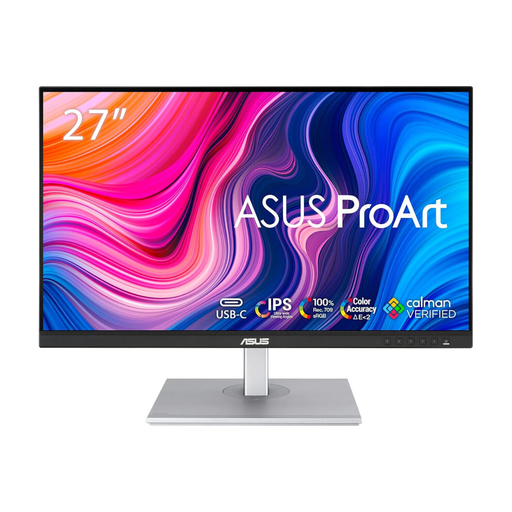
Consider an external monitor for regular document work and screen sharing, rather than as a fix for meeting audio or connection problems.
No. Choose for the specific problem: audio equipment for speech or private listening, a webcam for camera framing, or a practical wired connection for Wi-Fi disruption. A monitor or dock addresses document work and desk organisation rather than being a prerequisite for a basic call.
No. USB-C describes the connector, not every display, charging or dock function the computer supports. Apple advises checking a Mac’s ports and supported display count; Microsoft also notes that PC, dock and cable capabilities can limit USB-C functions. Compare the exact laptop and dock specifications before buying.
Check that your laptop supports the intended display connection, then assess whether you can position the screen and input devices comfortably for your work. The Health and Safety Executive advises an individual assessment of home display-screen equipment needs; a separate keyboard and mouse can allow a laptop screen to be raised during prolonged use.
For most distance purchases, GOV.UK says customers normally have 14 days after receiving an item to tell the seller they are cancelling. Check whether an exception applies and follow the seller’s return instructions; remedies for faulty or misdescribed goods are separate from a change-of-mind cancellation.