What to check before choosing a backup method
Start with recoverability, then check how the copy behaves when files change, whether every household computer can use it, and what is needed to keep cloud access secure.
| Priority |
What to check |
Your needs |
| Recoverability |
Keep a copy separate from the computer; confirm how files are restored; test a small restore after setup. |
I want to retrieve important files after a computer failure, loss, corruption or accidental deletion. |
| Sync behaviour |
Check whether edits and deletions synchronise; review version history, recycle-bin retention and full-account restore options. |
I need to know whether my cloud folder is a working copy, an archive or a backup with recoverable earlier versions. |
| Drive compatibility |
Check the file system, ports, cable and host USB capability; copy existing files elsewhere before reformatting. |
The drive needs to work with the computers in my home without unexpectedly erasing existing data. |
| Cloud access and terms |
Review sharing controls, password and two-factor authentication options, storage conditions, renewal terms and deletion rules. |
I want household photos and documents to remain appropriately protected and accessible over time. |
Joybuy product options for local backup copies
These Joybuy options are external drives for keeping a separate local copy of photos and documents. A local drive is most useful as part of a routine that also considers secure storage, disconnection after backup and an independent off-site copy for irreplaceable files.
 No image available
Western Digital My Passport Portable External Hard Drive, 2TB
A portable local-copy option for scheduled backups of household photos and documents.
2TB capacity; USB 3.2 Gen 1 connection; included cable; stated password-enabled 256-bit AES hardware encryption.
The listing states that it is pre-formatted for Windows; macOS use requires its downloadable compatibility driver. Check restore options before relying on any single drive.
Joybuy
 No image available
Samsung MU-PG4T0B Portable SSD, 4TB
Suitable where a larger household media collection needs a portable local copy.
4TB capacity; USB 3.2 Gen 2x2 interface; USB-C-to-C and USB-C-to-A cables are stated as included.
Check the computer port and cable path before expecting maximum transfer speed, and retain a separate off-site copy for irreplaceable files.
Joybuy
 No image available
Samsung T7 Shield MU-PE1T0S Portable SSD, 1TB
A compact local-copy drive for photos and documents moved between compatible Mac and PC computers.
1TB capacity; USB Type-C 3.2 Gen 2 connection; stated password setup and IP65 protection.
Samsung states that up to 1,050/1,000 MB/s speeds require a USB 3.2 Gen 2 host, supporting cable and UASP. Check file-system requirements before copying data.
Joybuy
 No image available
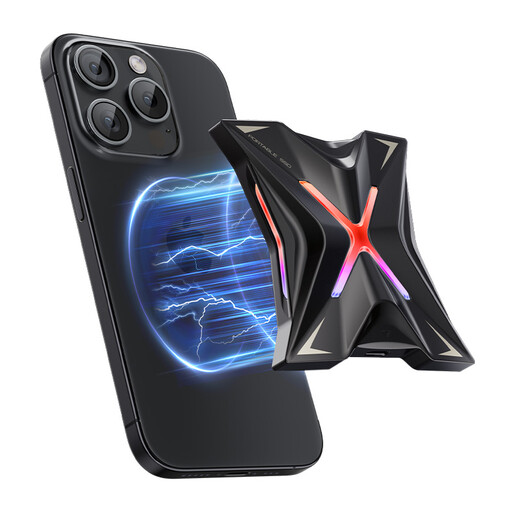
DigiEra LPS2000M-3 Magnetic Portable SSD, 1TB
A compact manual local-copy target for a USB-C computer, with a phone-focused magnetic feature for compatible devices.
1TB capacity; USB 3.2 Gen 2x2; USB-C connectivity; stated transfer speed of up to 2,000 MB/s.
The magnetic iPhone feature is stated for iPhone 15 series and newer, not iPhone 14 or earlier. Confirm computer USB support and formatting requirements.
Joybuy
 No image available
MOVESPEED YSPSRX20M-1TTG Portable SSD, 1TB
A compact manual local-copy option for households moving files between a USB-C computer and compatible mobile devices.
1TB capacity; USB 3.2 Gen 2x2 Type-C interface; stated Windows, macOS and Android compatibility.
The magnetic phone feature is stated for iPhone 12–15 series, with Type-C required for iPhone use. Check the computer connection and supplied file system before use.
Joybuy
Frequently asked questions
Is a OneDrive or similar synchronised folder automatically a complete backup?
Not necessarily. Microsoft states that adding, changing or deleting a file in a OneDrive folder also adds, changes or deletes it on the OneDrive website and vice versa. Treat synchronisation as convenient access, then check version history, deleted-file retention, restore options and whether another independent copy exists.
Should I choose an external HDD or an external SSD for photo and document backup?
Choose based on how you will use it. An external HDD suits a local archive kept at home and disconnected after backup; a portable SSD is more suitable when you carry it often or faster copying matters. Check the exact computer port, cable and USB mode, as maximum SSD transfer speeds can require specific host support.
Can one external drive work with both a Mac and a Windows PC?
Yes, but check the format before use. Apple identifies ExFAT as Windows-compatible and suitable for Windows volumes over 32 GB, while APFS is Mac-focused. Reformatting erases the drive, so move any existing files to another location first.
How often should I test a household backup?
Test after initial setup and periodically afterwards. Confirm that recent photos and documents are present, then restore a small selection to a different folder or device. The National Cyber Security Centre advises checking that backups contain important data, including recent cloud files or newly created folders.


