Households keeping phones and tablets charged
If communication and everyday access on USB-powered devices are your priority, look at direct USB charging and how many recharges you need before the backup itself runs flat.


Choose a USB power bank for direct charging of phones, tablets and compatible USB-C laptops; choose a UPS when a desktop or router needs to stay on briefly or shut down safely. For repeated charging over a longer cut, consider a portable power station, checking its usable energy, outputs and recharge options against your devices. Solar can supplement a compatible station, but it should not be your only recharge plan.
If communication and everyday access on USB-powered devices are your priority, look at direct USB charging and how many recharges you need before the backup itself runs flat.
Check whether your laptop accepts USB-C Power Delivery and whether the bank, port and cable meet its charging requirements. If it needs its usual mains charger, consider a station with a suitable AC outlet.
If a desktop PC or router must ride through a brief interruption, choose a UPS by the connected load in watts and its runtime at that load, rather than by its VA rating alone.
For a household power cut, decide whether you need portable USB charging, uninterrupted mains power for a short period, or stored energy for repeated charging. Then check the devices and expected duration against the chosen product.
Choose it when: Phones, tablets or a compatible USB-C laptop need direct charging, especially if you want to move the backup around the home.
Trade-off: A USB-only bank cannot run a standard mains charger, and its stored energy may not cover repeated laptop charging.
Choose it when: A desktop, router or other mains device must remain powered through a brief cut or allow time for a controlled shutdown.
Trade-off: Runtime depends on load. CyberPower lists 10 minutes at half load for its VP700EILCD, not a multi-day reserve.
Choose it when: Several devices need repeated charging, or a laptop needs its mains adapter during a longer interruption.
Trade-off: A larger reserve takes more space and planning; usable runtime varies with the load and conversion losses.
| Concern | What to check | Who this matters to |
|---|---|---|
| Energy for repeated charging | Compare capacity in Wh with your devices’ expected energy use and the number of recharges needed; allow for conversion losses. | If several devices need power throughout a long cut, I need a reserve that lasts beyond one top-up. Around 36% of consumers put repeated multi-device charging first. |
| Portable USB charging | Check capacity, maximum single-port USB-C output and the charging requirements of any laptop and cable. | When phones or tablets are my priority, I want to charge them directly without relying on an AC socket. Roughly 29% of consumers prioritise portable USB charging. |
| Brief mains continuity | Add the connected watts and check the UPS runtime at that load and which outlets are battery-backed. | If my desktop work must survive a brief cut, I need time to save it and shut down safely. About 21% of consumers place short-interruption continuity first. |
| Recharging during a long cut | For solar, confirm the station’s permitted input voltage, power limit and connector against the proposed panel. | Once my stored reserve is used, I need a workable way to recharge it without mains power. Around 14% of consumers make that their primary concern. |
A UPS power rating is not its runtime. CyberPower rates the VP700EILCD at 700VA/390W but lists 10 minutes at half load.
Add the watts of everything that must stay on, keep within the UPS watt limit and consult its runtime chart for that load.
Capacity affects the available recharges, while port output and the device’s accepted charging method determine whether a particular laptop can charge from it.
Check the laptop’s USB-C requirements, the bank’s single-port and shared outputs, and the cable rating.
Solar charging needs compatible station inputs and suitable outdoor conditions. BLUETTI’s guidance for its third-party-panel example specifies solar-input support and matching electrical and connector requirements; it also advises against leaving its panels exposed to constant rain or snow.
Check the exact station and panel together, and keep another recharge plan where possible.
A compatible panel, cable or adaptor may be needed in addition to the station.
Damaged or improperly charged lithium-ion batteries present a fire risk. Buckinghamshire Fire & Rescue Service advises against leaving batteries charging while asleep or away from home.
Charge attended, away from soft furnishings and escape routes. Do not use or charge a pack that is swollen, leaking, smoking, unusually hot, visibly damaged or making unusual sounds; seek appropriate disposal advice.
Relevant to direct USB charging for phones, tablets and compatible USB-C laptops.
Relevant to short battery-backed continuity for desktop and network equipment.
Relevant to portable power stations with AC and USB outputs for longer device-backup plans.
Relevant to power stations and compatible solar accessories for planned recharging.
These power banks and portable power stations cover direct USB charging and stored power for household devices. If uninterrupted power for a desktop or router is your priority, use the UPS load and runtime checks above rather than treating a station as a like-for-like UPS.
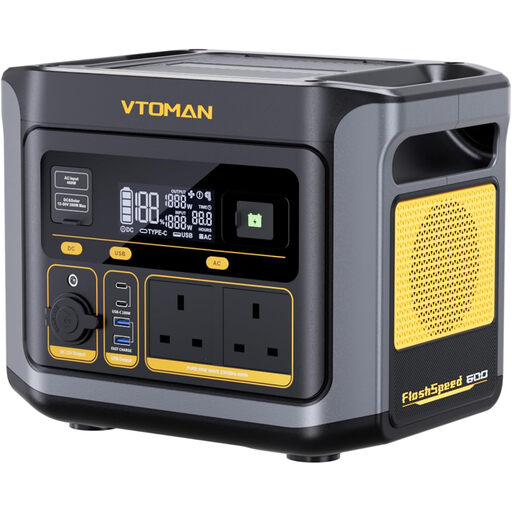 No image available
Consider this for charging several devices when you need both USB-C and mains output during a cut.
The title specifies 499Wh capacity, 600W AC output, 100W USB-C and a LiFePO4 battery. Its 1,200W peak rating is distinct from continuous output.
Check runtime at your planned load and confirm compatible equipment before relying on solar recharging.
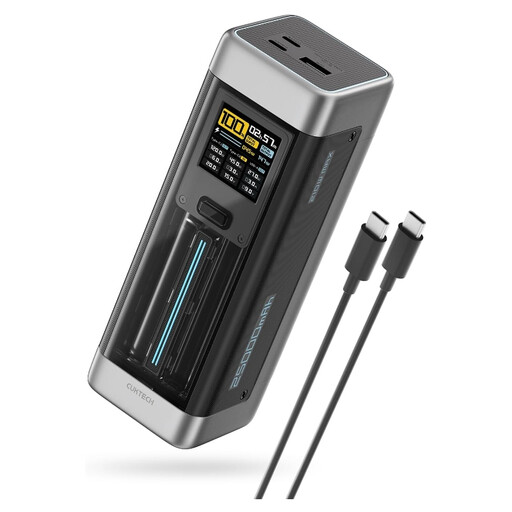 No image available
Consider this for direct charging of phones, tablets or a laptop that accepts compatible USB-C power.
The title specifies 25,000mAh capacity, three ports and up to 140W USB-C output. Check your laptop’s charging requirements and cable rating before depending on it.
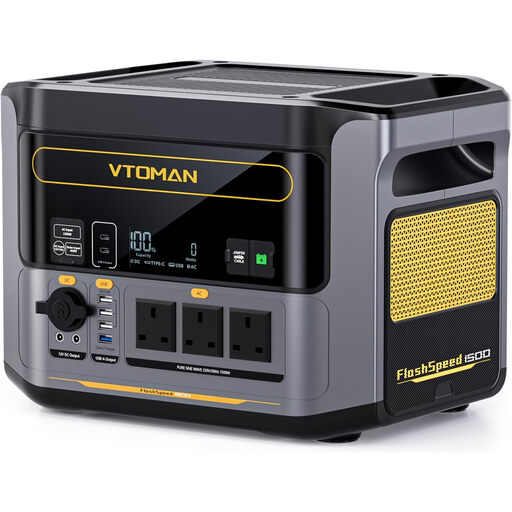 No image available
Consider this when repeated device charging calls for a larger stored-energy reserve.
The title specifies a 1548Wh LiFePO4 battery, 1500W AC output and a 100W USB-C port. Check load-specific runtime, recharge methods and handling weight for your plan.
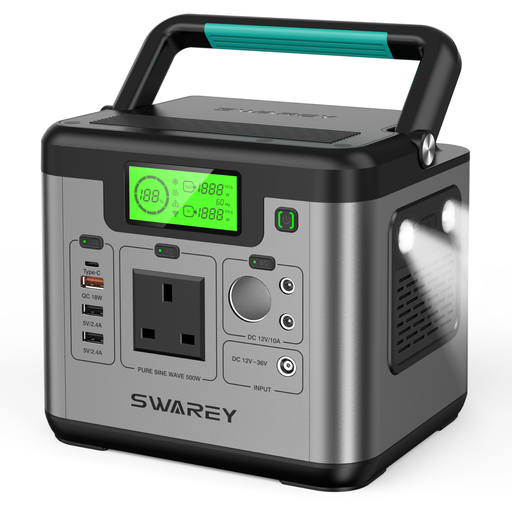 No image available
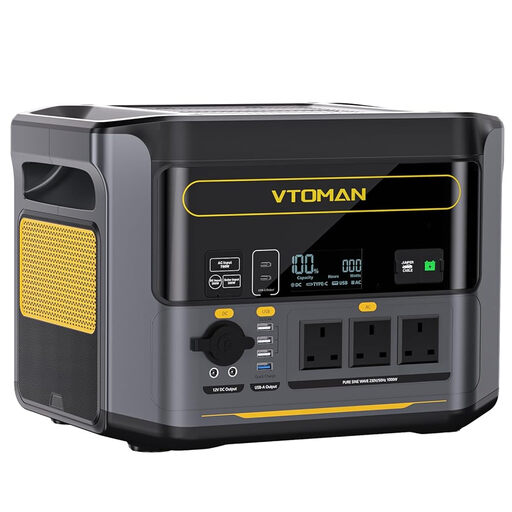
Consider this for device charging where a USB-C port and an AC outlet are both useful.
The title specifies 500W AC output, 1,000W peak output, pure sine-wave AC and 65W USB-C. Check runtime for your devices and the exact recharge options and accessories before buying.
 No image available
Consider this if you want an AC-output reserve for household devices and may need expansion later.
The title specifies an 828Wh LiFePO4 battery, 1000W rated output and 2000W peak output. Expansion to 2376Wh requires a compatible additional battery; check USB outputs, recharge methods and runtime for your intended load.
List the devices you must charge, how often you expect to charge them and, for equipment left running, its power use. Compare that need with stored energy in Wh and allow for losses when supplying USB or AC power; BLUETTI’s runtime guidance also accounts for usable discharge depth and efficiency. Treat any resulting runtime as a planning figure, not a promise for every load.
A household UPS is generally a short bridge for connected mains equipment, not a reserve for repeated charging over days. CyberPower lists 10 minutes at half load for its 700VA/390W VP700EILCD; check the runtime chart for your actual load. For repeated device charging, compare portable power stations by capacity, output and recharge arrangements.
Use the supplied or manufacturer-recommended charger and charge attended in a clear, ventilated place, away from soft furnishings and escape routes. Buckinghamshire Fire & Rescue Service advises against charging while asleep or away from home. Stop using or charging a pack that is swollen, leaking, smoking, unusually hot or visibly damaged.
Check its Wh rating and the airline’s current rules before travelling. The UK Civil Aviation Authority says power banks belong in cabin baggage, batteries from 100Wh to 160Wh require airline approval, and batteries over 160Wh are prohibited in passenger baggage. Check the particular product rather than assuming its mAh figure settles the question.
Do not put it in household rubbish or ordinary recycling. UK government consumer guidance directs batteries and battery-containing electrical products towards appropriate collection routes. If a pack is swollen, leaking or hot, do not use or charge it; ask the manufacturer, retailer or local authority how to dispose of it safely.