What to prioritise when choosing
For routine household, school or home-office documents, start with the tasks you need the printer to handle, then compare its supplies and exact-model features.
| Concern |
What to check when buying |
Who this matters to |
| Scanning and copying paperwork |
Confirm that the exact model prints, scans and copies. For stacks of originals, check whether it has an automatic document feeder (ADF). |
If I need to digitise signed forms or make paper copies at home, I would choose those functions deliberately; about 33% of consumers put scanning and copying first. |
| Ongoing cost of colour documents |
Check the compatible cartridges or ink bottles and their availability. Compare likely use with the manufacturer’s stated yield, keeping test conditions in mind. |
When colour pages are a regular part of school or work, supply costs matter as well as the printer’s initial outlay; about 27% of consumers prioritise ongoing colour-print costs. |
| Black-text paperwork and double-sided printing |
Check whether the printer is monochrome and whether duplex printing is automatic or manual. Brother specifies automatic two-sided printing and separate toner and drum units for the DCP-L2620DW. |
If most of my documents are black text, I may value paper handling and the replacement-supply arrangement more than colour; about 20% of consumers prioritise this workflow. |
| Household device compatibility |
Check the exact model’s support information for your computer or phone, operating system and intended print or scan method. Review any plan’s requirements separately. |
If I need several household devices to send documents to the printer, I would check compatibility before choosing; about 20% of consumers put device and setup fit first. |
These percentages describe different primary concerns among consumers considering a printer for the document and scanning needs discussed here; they are not UK market shares. For a print-only model, also consider whether occasional scanning or copying can be managed elsewhere. Wirral Council, for example, says its libraries offer printing, photocopying and scanning; check the facilities and arrangements at your own local library before relying on them.
Joybuy printer choices
These Joybuy options include portable A4 document printing and home all-in-one models for printing, scanning or copying. Check each model’s listed functions and supplies against your household’s needs.
 No image available
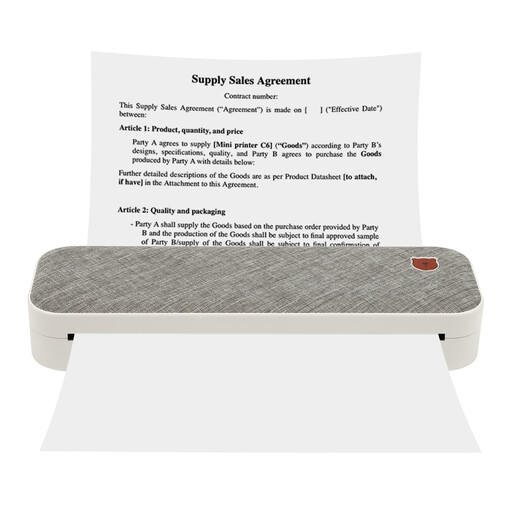
Portable A4 Thermal Printer, Bluetooth, 2600mAh, 203dpi
Consider it for portable A4 document printing when a compact, mobile option suits your routine better than a fixed home printer.
The listing describes thermal paper, including folded A4 paper; check that paper format suits the documents you need to print.
View on Joybuy
 No image available
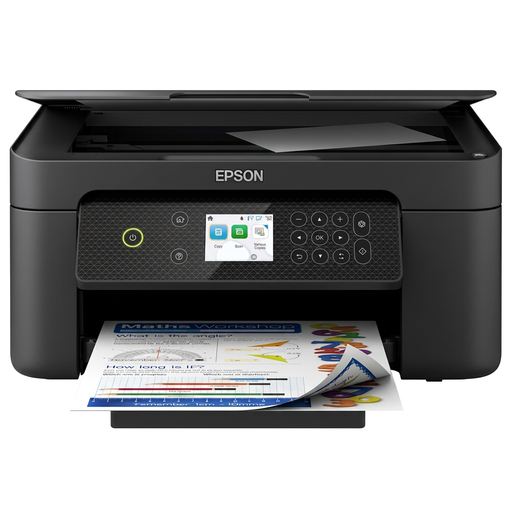
Epson Expression Home XP-4200 All-in-One Printer
Consider this model if you want a home printer described as an all-in-one for routine documents and occasional scanning or copying.
The product title lists Wi-Fi, duplex printing, 5760x1440 dpi and ReadyPrint compatibility. Check the exact functions and plan terms that matter to you.
View on Joybuy
 No image available
Epson EcoTank ET-2951 A4 Wireless Colour All-in-One Ink Tank Printer, Black
Consider it if you want a colour all-in-one with refillable tanks for documents and occasional scans or copies.
The product title lists print, scan and copy functions and automatic duplex printing. Check the listed paper and duplex conditions against your needs.
View on Joybuy
 No image available
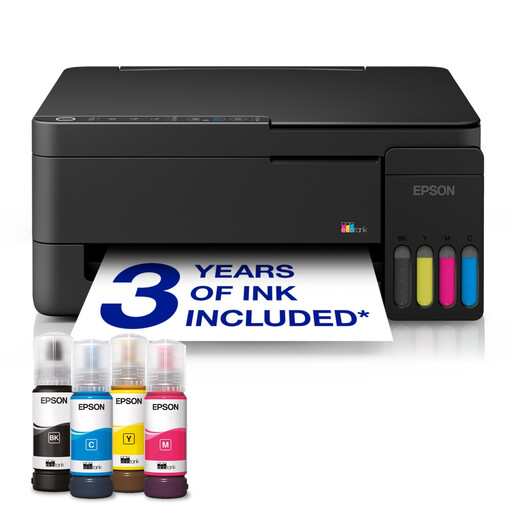
Epson EcoTank ET-2912 Multifunction Inkjet Printer
Consider this model if you want a multifunction printer for household documents and occasional scanning or copying.
The product title lists ink tanks, Wi-Fi, AirPrint and Mopria. Check support for your particular devices and operating systems.
View on Joybuy
 No image available
Canon MAXIFY GX6150
Consider this model if you need a multifunction printer for colour documents and occasional scanning or copying; check its exact functions and supplies before purchase.
View on Joybuy
Home printer questions answered
Can I use a print-only printer and go elsewhere for occasional scanning?
Yes, if a suitable local service is convenient for you. Wirral Council says its libraries offer printing, photocopying and scanning; check your own library’s facilities, access and collection arrangements before relying on them.
Does an all-in-one automatically feed or double-side a stack of forms?
No; the term “all-in-one” does not establish either feature. Check separately for an automatic document feeder and two-sided scanning on the exact model. Which? describes an ADF as a feature that feeds multiple originals for scanning or copying.
Are printer supplies and ink subscriptions interchangeable?
No; supplies are model-specific, and a subscription has its own conditions. Canon lists GI-51 bottles for the PIXMA G3570 and PG-585/CL-586 cartridges for the TS7650i, while HP lists 924 supplies for the OfficeJet Pro 8122e. HP says Instant Ink requires an enrolled, internet-connected printer and a current billing method. Check the current plan allowance, charges and cancellation terms before enrolling.
What if a printer bought in the UK is faulty, or an online purchase is unsuitable?
Faulty or misdescribed goods and a change of mind are different situations. GOV.UK explains that faulty, not-as-described or unfit goods carry consumer remedies. For qualifying distance purchases, consumers can tell the seller within 14 days of receiving the item that they wish to cancel, then have a further 14 days to return it; conditions about handling apply.
How should I dispose of an old printer in the UK?
Use an appropriate local collection or take-back route rather than assuming a printer belongs in ordinary household waste. The UK’s waste electrical and electronic equipment framework covers electrical and electronic equipment; check the arrangements available in your area.


