An A4 colour all-in-one suits households that need documents, scanning or copying, and occasional creative printing on supported media; a mono laser fits mainly black-and-white work. Consider a refillable inkjet when your expected colour output suits that route, and check replacement supplies and printing frequency before deciding. Choose card-capable feeding or A3 functions only when your actual media or sheet size requires them, checking print, scan and copy sizes separately.
Who these printer choices suit
A4 document-and-scan households
If you need document printing, copying or scanning, decide whether you need colour before choosing between a colour inkjet and a mono laser. Which? advises buyers to consider whether they need a scanner as part of an all-in-one device.
Home card-and-photo makers
Match the exact size, surface, weight and feed path of your creative paper to the printer’s specifications. Canon UK lists particular card and photo media for the PIXMA G650; that does not establish compatibility with every card stock.
Households needing full-size A3
Identify whether your task needs A3 printing, or A3 scanning and copying as well. Epson’s ET-15000 supports A3 output but A4 scanning and copying, while Brother specifies A3 print, scan and copy for the MFC-J6955DW.
What to check before choosing a home printer
Cartridge inkjet all-in-one
Consider it when: you need A4 colour documents and scanning or copying, with occasional creative printing on supported media.
Trade-off: check the exact replacement cartridges, their stated yields and whether any page-based ink plan is optional.
Mono laser all-in-one
Consider it when: most of your printing is black-and-white text and you still need copying or scanning.
Trade-off: it does not provide colour output, and some models use a separately replaceable drum as well as toner.
Refillable inkjet
Consider it when: you expect enough colour printing to make a refillable system worth comparing with cartridge models.
Trade-off: manufacturer yield figures do not predict your household’s output, and a tank does not establish heavy-card compatibility.
A3-capable printer
Consider it when: you have a specific need to produce full-size A3 sheets.
Trade-off: A3 printing does not necessarily mean A3 scanning or copying, so check each function separately.
| Concern |
What to check when buying |
Who this matters to |
| Printing, copying and scanning |
Check each required function and whether a document feeder would help with multi-page originals. |
If I handle household paperwork, I want the functions I use in one device. Around 28% of consumers put an A4 print, scan or copy workflow first. |
| Mainly black-and-white documents |
Compare mono and colour output, while keeping any required scan or copy functions. |
When I print occasional text documents, colour may not be a priority. Around 22% of consumers prioritise a mainly monochrome printing route. |
| Replacement supplies and plans |
Check the exact cartridge, bottle or toner type, stated yields and any subscription’s page allowance and terms. |
If I want to plan for ongoing supplies, I need to know what the exact model uses and how a plan works. Around 22% of consumers prioritise supply arrangements. |
| Paper and card compatibility |
Match the intended sheet’s dimensions, weight, coating and feed path to the exact model’s supported media. |
For a particular craft or photo project, I need the printer to handle that actual paper rather than card in general. Around 17% of consumers put creative media first. |
| Full-size A3 tasks |
Check the maximum size for printing, scanning and copying separately. |
If I need full-size A3 output or must digitise A3 originals, I want each required function confirmed. Around 11% of consumers prioritise a specific A3 task. |
Printer-buying pitfalls to avoid
-
Choosing a printer without checking its replacement supplies
The printer type alone does not tell you what you will need to replace. Brother lists separate toner and drum supplies for the DCP-L2620DW.
Check the exact supply codes, stated yields and replacement arrangements for the model you are considering.
-
Assuming “supports card” means any card will work
Paper limits vary by model, media and feed. A limit listed for a particular photo paper does not establish compatibility with an unrelated heavy card.
Match your sheet’s size, weight, coating and intended feed path to the printer’s specified media.
-
Assuming an A3 label means A3 scanning
Epson specifies A3 output but A4 scanning and copying for the ET-15000. Brother specifies A3 print, scan and copy for the MFC-J6955DW.
Check the maximum size for each function on the exact model, especially if you need to scan or copy full-size originals.
-
Assuming an ink subscription is just automatic delivery
HP describes Instant Ink as a page-based subscription, so its terms and page allowance matter as well as the printer’s cartridge arrangements.
Check eligibility, page allowances, current terms and the available non-subscription supply options for the exact printer.
Relevant printer brands
Canon
The cited PIXMA models include an A4 cartridge all-in-one and a refillable A4 model focused on photo printing.
- Canon UK specifies automatic A4 plain-paper duplex printing for the TR4755i and lists particular supported media for the G650.
- The G650’s listed media does not approve arbitrary heavy card, and its two-sided printing is manual. Check the exact paper and feed requirements.
Brother
The cited models show distinct routes: an A4 mono laser all-in-one and an A3 colour inkjet all-in-one.
- Brother specifies A4 print, scan and copy for the DCP-L2620DW, and A3 print, scan and copy for the MFC-J6955DW.
- The DCP-L2620DW produces monochrome output; Brother lists separate toner and drum supplies for that model. Check whether its functions and supplies fit your needs.
Epson
The cited EcoTank range includes an A4 multifunction example and a model with A3 output.
- Epson specifies print, scan and copy functions for the ET-2950 and A3 output for the ET-15000.
- For the ET-15000, Epson specifies A4 scanning and copying. Its A3 output specification does not mean it scans or copies A3 originals.
HP
The cited OfficeJet Pro 8122e is a colour cartridge all-in-one with an automatic document feeder and an optional Instant Ink route.
- HP describes Instant Ink as a page-based subscription for this service.
- HP states that dynamic security measures on this specific printer affect cartridges with non-HP chips. Check current plan terms and supply compatibility for the exact model.
Joybuy home printer options
These Joybuy listings cover A4 home inkjet options, including all-in-one models and models described for A4 printing. Check each model’s functions and media support against the tasks you need it to handle.
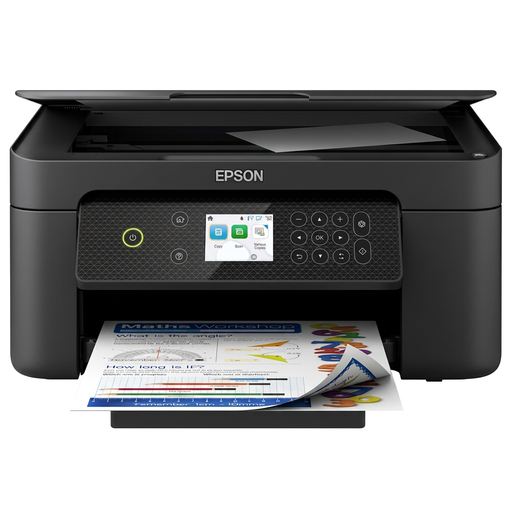 Image unavailable
Epson Expression Home XP-4200 All-in-One Printer
Consider it for A4 home printing when Wi-Fi and automatic two-sided printing match your document needs.
A4 all-in-one; Wi-Fi; automatic duplex; 5760x1440 dpi.
Joybuy
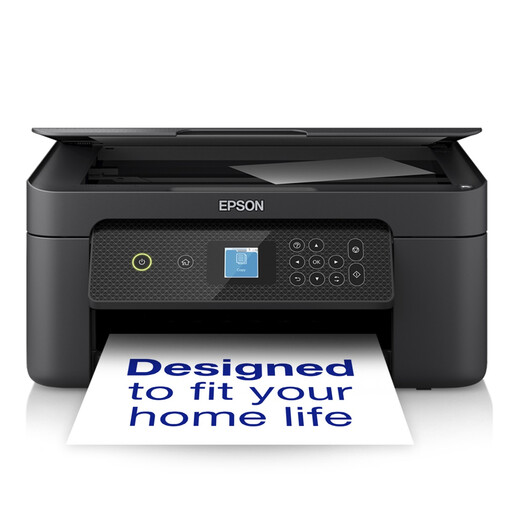 Image unavailable
Epson Expression Home XP-3200 Inkjet Printer
Consider it for A4 household printing if a Wi-Fi inkjet suits your setup; check separately whether you need scanning or copying.
A4; Wi-Fi; black; 5760 x 1440 dpi; 33 ppm.
Joybuy
 Image unavailable
Epson EcoTank ET-2951 A4 Wireless Colour All-in-One Ink Tank Printer
Consider it when you need A4 colour printing, scanning and copying, and want to compare an ink-tank route.
A4 colour all-in-one; print, scan and copy; wireless; automatic duplex.
Joybuy
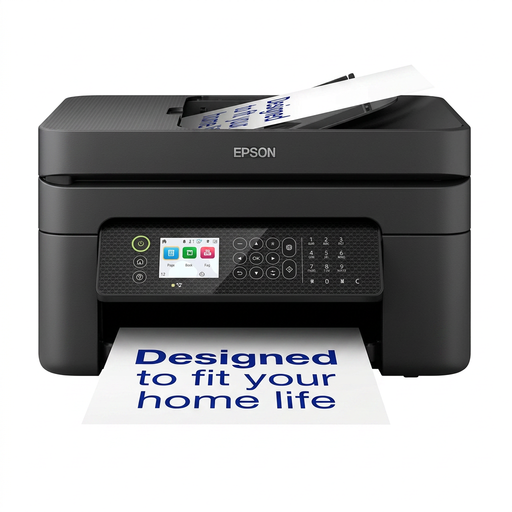 Image unavailable
Epson WorkForce WF-2950DWF Multifunction Inkjet Printer
Consider it if you need an A4 multifunction inkjet and its listed document-handling features suit your workflow.
Scan, copy and fax; wireless; duplex; ADF; Apple AirPrint; Mopria Print and Scan.
Joybuy
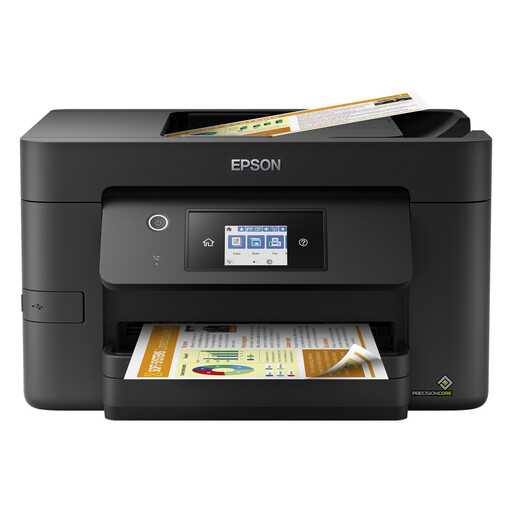 Image unavailable
Epson WorkForce Pro WF-3820DWF Multifunction Inkjet Printer
Consider it for document tasks if you need the listed print, scan and copy functions in a wireless multifunction inkjet.
Scan, copy and fax; wireless; Apple AirPrint.
Joybuy
Home printer questions answered
Do I need an automatic document feeder to scan household paperwork?
Not for individual sheets: a flatbed-equipped all-in-one can scan them. If you regularly handle multi-page originals, compare the feeder’s stated capacity and supported sizes; Canon specifies a 20-sheet ADF for the TR4755i.
How should I maintain an inkjet that sees occasional use?
Follow the manufacturer’s instructions for your exact printer. Epson advises checking the nozzle pattern before cleaning and warns that unnecessary repeated cleaning consumes ink; its guidance applies to the Epson printer families it covers.
Does A3 on a printer label mean I can scan A3 artwork?
No. Epson specifies A3 output but A4 scanning and copying for the ET-15000, while Brother specifies A3 print, scan and copy for the MFC-J6955DW. Check each function on the exact model.
What UK rights matter if a printer bought online is unsuitable or faulty?
GOV.UK says distance buyers generally have 14 days after receiving an item to notify the seller that they want to cancel, followed by another 14 days to return it; conditions and exceptions apply. Faulty or misdescribed goods have separate statutory remedies. Check the seller’s return procedure before buying.
How should I dispose of an old printer?
UK government guidance says electrical products bearing the crossed-out wheelie-bin symbol should go to an appropriate collection point rather than household rubbish.


