Choose by matching colour needs, print frequency and scanning tasks to the printer’s functions and supplies. A cartridge inkjet can suit occasional mixed paperwork, a refillable ink tank is worth comparing for regular colour printing, and a mono laser is an option when documents are mainly black text. None is automatically the cheapest to run: compare the exact printer and its compatible supplies against your expected use.
Who this guide is for
Households with occasional paperwork
If you print forms or labels intermittently and sometimes need colour, copying or scanning, compare the functions you need with cartridge and subscription costs. Which? highlights printer functions and ongoing ink costs as buying considerations.
Regular document printers
If you print household or home-office documents regularly, consider whether they are mainly black text or also need colour, and compare supplies and paper handling. Which? identifies ongoing ink costs as a key consideration; Brother’s DCP-L2620DW specifications illustrate a mono laser multifunction option.
Households scanning batches of paperwork
If you often digitise or copy several sheets at once, check for an automatic document feeder (ADF) and whether it accepts the originals you use. Which? describes an ADF as feeding multiple pages automatically, while Canon specifies a 20-sheet ADF for the PIXMA TR4755i.
What to prioritise when choosing
Decide whether colour is essential, then check whether you need printing alone or copying and scanning too. If you handle several originals together, check for an ADF; compare the exact supplies and expected print volume before settling on a technology.
| Concern |
What to check when buying |
Who this matters to |
| Occasional mixed printing |
Check colour, copy and scan functions, plus the exact cartridge and any page-plan terms. |
If I print paperwork only now and then, I want the colour and document functions I need without overlooking replenishment costs. Roughly 33% of consumers put occasional mixed printing and basic costs first. |
| Regular black-text printing |
Compare the exact toner and other replaceable supplies; confirm that mono output is sufficient. |
When most of my pages are black text, I want to assess ongoing supplies without paying for colour capability I do not need. Around 25% of consumers prioritise regular black-text printing. |
| Regular colour and refills |
Compare the printer’s purchase cost, included ink and replacement bottles with suitable cartridge options on the same expected-page basis. |
If I print colour documents regularly, I want to weigh refill costs against the initial outlay. About 25% of consumers put regular colour printing and refill costs first. |
| Batch scanning or copying |
Check the ADF, supported original sizes and whether two-sided originals need to be turned manually. Automatic two-sided printing is a separate feature. |
When I need to scan or copy several sheets, I want to know whether the feeder handles my originals and whether double-sided pages need extra steps. Roughly 17% of consumers prioritise batch scanning and copying. |
Printer buying pitfalls
-
Choosing by printer price alone
A low purchase price does not establish a low cost over the printer’s lifetime; ongoing ink, toner or other supplies depend on the model and your use. Which? advises comparing ongoing ink costs.
Compare the exact model and compatible supplies against your expected black-and-white and colour pages.
Replacement cartridges, toner, ink bottles or page-plan charges can form part of the ongoing cost.
-
Assuming a wireless printer also scans or feeds batches
Printing, scanning, copying and ADF support are separate features. A printer may not handle the paperwork workflow you need unless those functions are specified.
Check the exact model’s functions and feeder details. If you scan double-sided originals, check whether the scanner handles both sides automatically.
A model without the required scanning functions may mean using a separate scanning option or changing your workflow.
-
Treating subscription ink as ordinary cartridges
HP states that Instant Ink requires enrolment and an internet connection. Its subscription cartridges must be replaced with regular cartridges if you cancel and want to continue printing.
Before enrolling, check the eligible model’s current UK page allowance, additional-page terms and cancellation conditions.
A plan has ongoing page charges, and cancellation may require you to obtain regular cartridges to keep printing.
Relevant printer brands
Brother
The DCP-L2620DW is a mono laser print, scan and copy option for documents that do not need colour.
- Brother lists automatic two-sided printing, Wi-Fi and a 250-sheet input tray for this model.
- Its mono output does not suit colour documents, and these specifications do not establish lower running costs than other printer types.
Canon
Canon’s PIXMA TR4755i represents a cartridge colour multifunction route, while the i-SENSYS MF754Cdw is a separate colour-laser multifunction model.
- Canon specifies a 20-sheet ADF and automatic two-sided printing for the TR4755i; it lists print, copy, scan and fax functions for the MF754Cdw.
- These are different models and supply systems. Their functions alone do not establish which has lower total running costs.
Epson
Epson EcoTank multifunction models combine refillable ink tanks with printing, scanning and copying; the ET-2830 is one example.
- Epson lists print, scan and copy functions for the ET-2830.
- Ink-yield claims are model-specific and do not predict an individual household’s results. Check the exact model, included ink and replacement-bottle terms.
HP
The ENVY Inspire 7220e is a colour print, copy and scan model. HP also offers an optional Instant Ink plan for compatible printers.
- HP lists print, copy and scan functions for the 7220e.
- HP’s UK plan is based on a monthly page allowance and requires enrolment and an internet connection. After cancellation, HP says subscription cartridges must be replaced with regular cartridges to continue printing.
Joybuy printer choices
The products below focus on multifunction inkjet printers, including cartridge and refillable-tank models, for household printing, copying and scanning.
 No image available
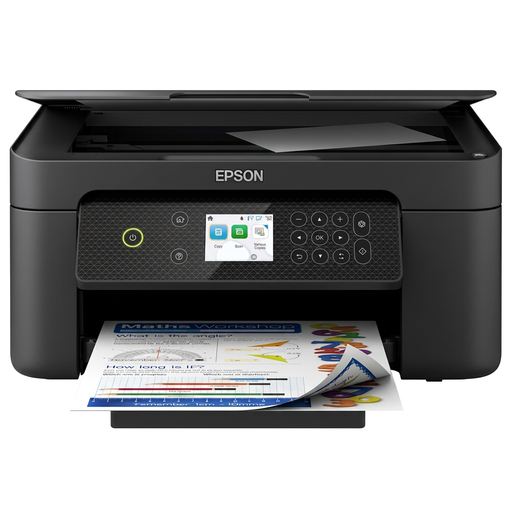
Epson Expression Home XP-4200 All-in-One Printer
For household paperwork that needs printing, scanning and copying, with an ADF for handling several pages.
The supplied product information lists Wi-Fi, automatic two-sided printing and 5760x1440 dpi. Check the exact replacement-cartridge costs against your expected use.
Joybuy
 No image available
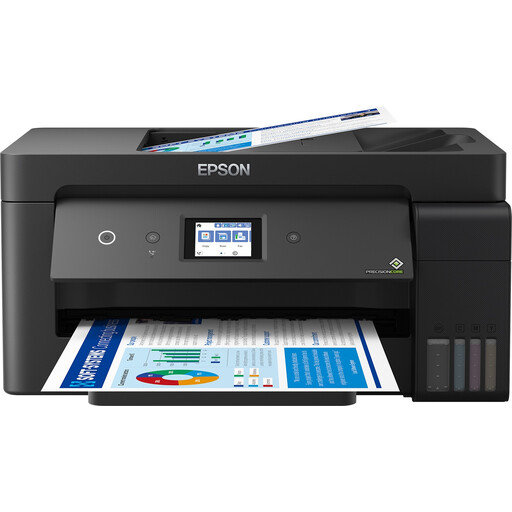
Epson EcoTank ET-15000 Multifunction Inkjet Printer
For paperwork that needs printing, copying and scanning, with refillable ink tanks and an ADF.
The product information specifies A3+ printing, a 35-page ADF, automatic two-sided printing and fax.
Joybuy
 No image available
Epson EcoTank ET-2951 A4 Wireless Colour All-in-One Ink Tank Printer
For colour paperwork that also needs copying and scanning, with a refillable ink-tank system.
The product information specifies A4 use, Wi-Fi and automatic two-sided printing.
Joybuy
 No image available
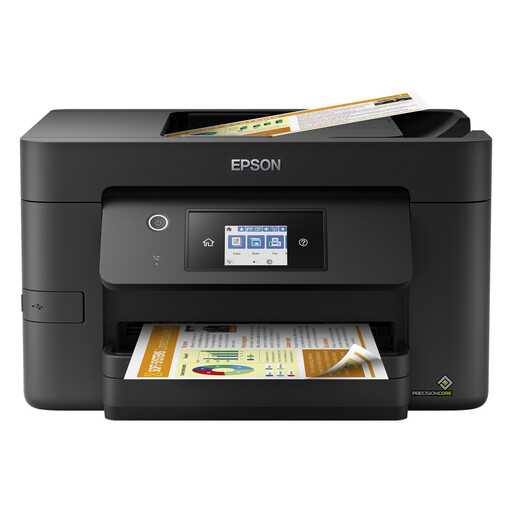
Epson WorkForce Pro WF-3820DWF Multifunction Inkjet Printer
For paperwork that needs printing, scanning and copying, with an ADF for handling multiple pages.
The product information also lists fax, Wi-Fi and Apple AirPrint.
Joybuy
 No image available
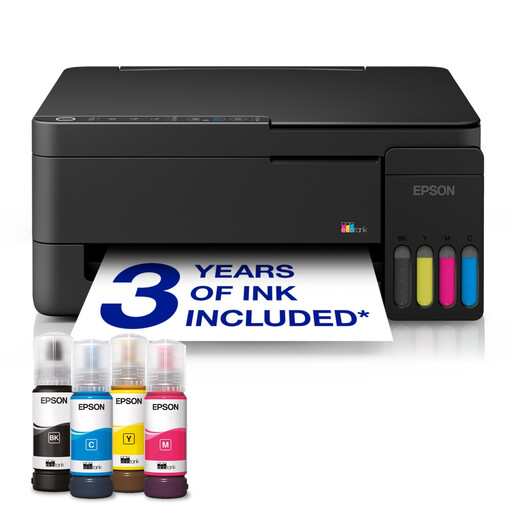
Epson EcoTank ET-2912 Multifunction Inkjet Printer
For household documents that need printing, scanning and copying, with a refillable ink-tank system.
The product information specifies a flatbed scanner, Wi-Fi and a 100-sheet paper tray.
Joybuy
Home printer questions
Do I need an automatic document feeder to scan household paperwork?
Not if you mainly scan individual sheets. If you often scan or copy several suitable pages, an ADF can feed them in sequence; check the exact model’s supported originals and whether two-sided scanning is available.
How should I compare ink, toner and a page subscription?
Estimate your monthly black and colour pages, then compare the exact printer, compatible supplies and any plan on the same usage basis. HP’s UK Instant Ink plans use page allowances and have additional-page terms; HP says subscription cartridges must be replaced with regular cartridges after cancellation if you want to keep printing.
What if an online printer order is faulty, or I change my mind?
For eligible online purchases in the UK, GOV.UK guidance says you can tell the seller within 14 days of receiving the item if you want to cancel without giving a reason, with a further 14 days to return it. Conditions apply; contact the seller about a fault rather than assuming a manufacturer’s warranty replaces your statutory rights.
What can I do with an old printer when buying a replacement in the UK?
GOV.UK guidance says electrical retailers must offer to take back waste equipment of the same type or function. Ask the seller what take-back arrangements apply to your purchase.


